
























What to Check Before Choosing an OST to PST Converter Tool
Learn what to check before choosing an OST to PST Converter Tool. Compare features, recovery capabilities, compatibility, and performance to ensure secure and accurate OST file conversion.
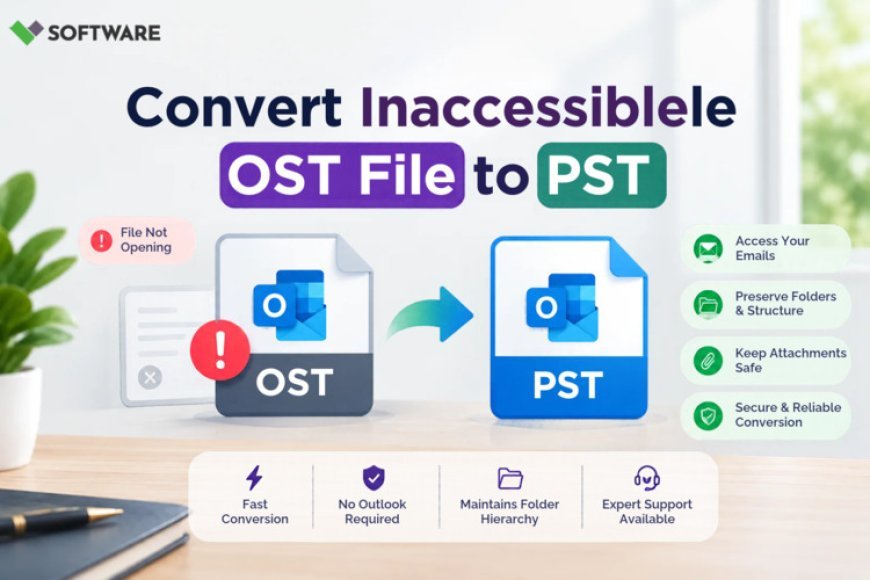
Organizations and individual users often depend on Microsoft Outlook for managing emails, contacts, calendars, tasks, and other critical business data. When Outlook connects to Exchange Server, Microsoft 365, or Outlook.com accounts, it typically stores mailbox data in Offline Storage Table (OST) files. While OST files are useful for offline access, situations such as Exchange server failure, account deletion, profile corruption, or mailbox migration may require users to convert OST files into PST format.
Selecting the right OST to PST Converter Tool is crucial because the quality of the conversion process directly impacts data integrity, accessibility, and business continuity. With numerous tools available in the market, it can be challenging to identify the solution that best meets your requirements.
This article explains the most important factors to evaluate before choosing an OST to PST converter and helps users make an informed decision.
Why Convert OST to PST?
Before discussing selection criteria, it is important to understand why OST to PST conversion is often necessary.
Common reasons include:
-
Migrating mailbox data to a different Outlook profile
-
Recovering data from inaccessible Exchange accounts
-
Accessing mailbox information after server failure
-
Creating portable Outlook data archives
-
Recovering emails from orphaned OST files
-
Backing up important mailbox content
Since PST files are more portable and can be directly imported into Outlook, they are widely used for long-term mailbox storage and migration purposes.
Understanding the Challenges of OST Conversion
OST files are closely linked to their original Outlook profile and Exchange account. When these accounts become unavailable, users may face difficulties accessing their mailbox content.
An effective OST to PST Converter Tool should be capable of extracting mailbox data from damaged, orphaned, or inaccessible OST files while preserving data integrity throughout the conversion process.
Choosing the wrong tool can lead to:
-
Missing emails
-
Corrupted attachments
-
Incomplete mailbox exports
-
Folder hierarchy issues
-
Extended downtime
Therefore, evaluating converter software carefully before deployment is essential.
1. Check Compatibility with Different OST File Types
The first factor to evaluate is compatibility.
Not all converter tools support every Outlook version or OST format. The software should be capable of handling OST files created by:
-
Outlook 2021
-
Outlook 2019
-
Outlook 2016
-
Outlook 2013
-
Outlook 2010
-
Microsoft 365 Outlook
Additionally, verify whether the tool can process:
-
Healthy OST files
-
Corrupted OST files
-
Encrypted OST files
-
Password-protected OST files
-
Orphaned OST files
Broad compatibility ensures flexibility and minimizes migration issues.
2. Verify Data Recovery Capabilities
One of the primary reasons users seek conversion software is to recover mailbox data that has become inaccessible.
A reliable converter should recover:
-
Emails
-
Contacts
-
Calendars
-
Notes
-
Tasks
-
Journals
-
Attachments
Some advanced solutions can even recover permanently deleted mailbox items from OST files.
Before finalizing any software purchase, review its recovery capabilities and ensure it supports all mailbox components relevant to your environment.
3. Ensure Data Integrity Preservation
Data integrity is one of the most critical aspects of OST conversion.
The selected tool should maintain:
Original Folder Structure
Mailbox folders should remain unchanged after conversion.
Email Formatting
The software should preserve:
-
Sender information
-
Recipient details
-
Subject lines
-
Timestamps
-
Embedded images
Attachment Integrity
Attachments should remain fully accessible and unchanged after conversion.
Maintaining mailbox consistency reduces post-migration complications and improves user experience.
4. Look for Batch Conversion Features
Organizations often manage multiple OST files simultaneously.
Converting files one at a time can consume significant time and resources.
A quality OST to PST Converter Tool should provide bulk conversion capabilities that allow users to:
-
Convert multiple OST files simultaneously
-
Process large mailbox databases
-
Save administrative effort
-
Reduce migration time
Batch processing is particularly beneficial for IT teams handling large-scale Outlook migrations.
5. Evaluate Large File Handling Performance
Modern business mailboxes can easily exceed several gigabytes in size.
Some lower-quality conversion tools struggle when processing large OST files, leading to:
-
Slow performance
-
Application crashes
-
Incomplete conversions
Before choosing software, verify whether it supports:
-
Multi-gigabyte OST files
-
Enterprise-scale mailbox data
-
Large attachment collections
The ability to manage large data volumes is essential for business environments.
6. Check Preview Functionality
A preview feature allows users to inspect mailbox content before conversion.
This functionality offers several advantages:
-
Verifies recoverable data
-
Confirms mailbox structure
-
Identifies missing items
-
Improves recovery confidence
Users can review emails, contacts, attachments, and folders before exporting the data to PST format.
Preview functionality becomes especially important when recovering data from severely damaged OST files.
7. Assess Conversion Speed
Conversion speed can significantly affect productivity, especially during large migrations.
Factors influencing performance include:
-
OST file size
-
Hardware specifications
-
Recovery complexity
-
Software optimization
A well-designed converter should efficiently process mailbox data without excessive delays.
When evaluating tools, check customer reviews and performance benchmarks whenever available.
8. Consider Additional Export Options
Although PST is often the primary target format, many organizations require additional export possibilities.
Advanced converters may support:
-
PST
-
EML
-
MSG
-
MBOX
-
PDF
-
HTML
Some tools also provide direct migration options to:
-
Microsoft 365
-
Exchange Server
-
Outlook profiles
These additional capabilities can offer long-term flexibility and reduce the need for multiple migration solutions.
9. Review User Interface and Ease of Use
Not every user performing OST conversion is a technical expert.
The software should provide:
-
Simple navigation
-
Clear instructions
-
Guided conversion steps
-
Easy mailbox selection
An intuitive interface reduces operator errors and minimizes the learning curve for administrators and end users alike.
10. Check Technical Support and Product Reliability
Even the best software may require assistance during complex recovery situations.
Before purchasing a converter, investigate:
-
Customer support availability
-
Response times
-
Technical documentation
-
User guides
-
Product updates
Reliable support helps resolve unexpected issues quickly and ensures smoother migration projects.
Additionally, choose vendors with a strong reputation for Outlook recovery and migration solutions.
Signs of a Reliable OST to PST Converter Tool
When evaluating available solutions, look for the following indicators:
-
High conversion accuracy
-
Positive customer feedback
-
Regular software updates
-
Secure data processing
-
Advanced recovery options
-
Bulk conversion capability
-
Support for encrypted OST files
-
Preservation of mailbox hierarchy
These features generally indicate a professional-grade conversion utility suitable for business and personal use.
Common Mistakes to Avoid
Many users select conversion software based solely on price. However, this approach can lead to problems such as:
-
Incomplete email recovery
-
Data corruption
-
Limited file support
-
Poor customer assistance
-
Conversion failures
Instead, focus on functionality, reliability, recovery accuracy, and long-term value.
A slightly higher investment in a dependable tool can prevent costly data loss and business disruption later.
Conclusion
Selecting the right OST to PST Converter Tool requires careful evaluation of compatibility, recovery capabilities, conversion accuracy, performance, and usability. Since OST files often contain valuable business information, organizations must prioritize data integrity and reliability throughout the migration process.
The ideal converter should support multiple Outlook versions, recover inaccessible mailbox data, preserve folder structures, handle large OST files, and provide bulk conversion capabilities. Additional features such as preview options, export flexibility, and responsive customer support further enhance the overall value of the solution.
By reviewing these critical factors before making a purchase, users can confidently choose an OST to PST conversion solution that ensures secure, efficient, and accurate mailbox recovery and migration.
What's Your Reaction?
 Like
0
Like
0
 Dislike
0
Dislike
0
 Love
0
Love
0
 Funny
0
Funny
0
 Angry
0
Angry
0
 Sad
0
Sad
0
 Wow
0
Wow
0