
How to Download Your Aadhaar Card Online in Just a Few Steps
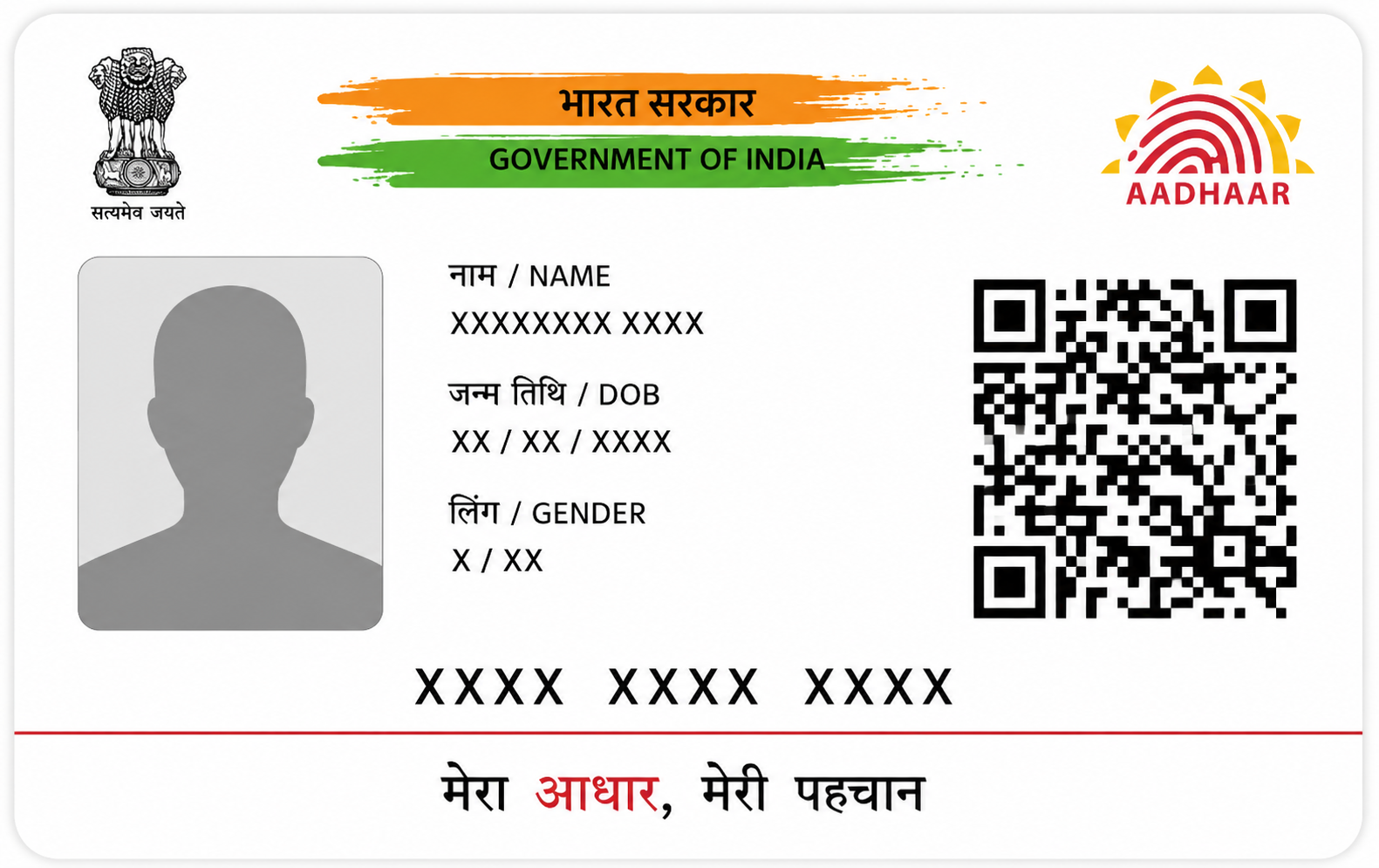
In today’s digital-first world, having quick access to essential documents is more important than ever. One such crucial document is the Aadhaar card. Whether you need it for identity verification, applying for financial services, or completing KYC formalities, knowing the process of aadhar card download can save you time and effort.
The good news is that downloading your Aadhaar card online is simple, fast, and can be done in just a few steps. In this guide, we’ll walk you through the process and also explain how to check your aadhar pan card link status, which is equally important for financial compliance.
What is an Aadhaar Card?
The Aadhaar card is a 12-digit unique identification number issued by the Unique Identification Authority of India (UIDAI). It serves as proof of identity and address across India. From opening a bank account to availing loans like a Loan Against Property, Aadhaar plays a vital role in streamlining verification processes.
Why Download Aadhaar Card Online?
There are several advantages to opting for an online aadhar card download:
-
Instant access anytime, anywhere
-
No need to visit an Aadhaar centre
-
Digitally signed and equally valid as the physical copy
-
Useful for e-KYC and online verification
The downloaded version, also known as e-Aadhaar, is password-protected and completely secure.
Steps for Aadhaar Card Download
Follow these simple steps to download your Aadhaar card online:
Step 1: Visit the Official UIDAI Website
Go to the official UIDAI website and navigate to the “Download Aadhaar” section.
Step 2: Enter Your Details
You can download your Aadhaar using any of the following:
-
Aadhaar Number
-
Enrolment ID (EID)
-
Virtual ID (VID)
Enter the number along with your full name and PIN code.
Step 3: Request OTP
Click on “Send OTP.” You will receive a one-time password on your registered mobile number.
Step 4: Verify OTP
Enter the OTP received on your phone to proceed.
Step 5: Download e-Aadhaar
Once verified, your Aadhaar card will be available for download in PDF format.
How to Open Your e-Aadhaar File
The downloaded Aadhaar file is password-protected for security reasons. To open it:
-
Use the first four letters of your name (in CAPITAL letters)
-
Add your birth year (YYYY)
For example, if your name is Rahul Sharma and your birth year is 1990, your password will be: RAHU1990
Different Ways for Aadhaar Card Download
UIDAI offers multiple options for downloading your Aadhaar:
1. Download via Aadhaar Number
The most common method using your 12-digit Aadhaar number.
2. Download via Enrolment ID (EID)
Useful if you haven’t received your Aadhaar number yet.
3. Download via Virtual ID (VID)
A secure alternative that avoids sharing your Aadhaar number.
Importance of Linking Aadhaar with PAN
Apart from downloading your Aadhaar, it is essential to ensure it is linked with your PAN card. This is mandatory for filing income tax returns and conducting high-value financial transactions.
How to Check Aadhaar PAN Card Link Status
You can easily check your aadhar pan card link status online:
-
Visit the Income Tax e-filing portal
-
Click on “Link Aadhaar Status”
-
Enter your PAN and Aadhaar number
-
Click “View Link Aadhaar Status”
The portal will display whether your Aadhaar is successfully linked with your PAN.
Benefits of Aadhaar-PAN Linking
Linking Aadhaar with PAN offers multiple benefits:
-
Seamless income tax return filing
-
Avoidance of PAN deactivation
-
Simplified KYC for loans and financial services
-
Faster processing of financial applications
For example, when applying for a Loan Against Property, having your Aadhaar and PAN linked ensures quicker verification and approval.
Common Issues During Aadhaar Download
While the process is simple, you may encounter a few issues:
-
Mobile number not registered with Aadhaar
-
Incorrect details entered
-
OTP not received due to network issues
How to Resolve Them
-
Ensure your mobile number is updated with UIDAI
-
Double-check your details before submitting
-
Retry OTP or use an alternative method like VID
Tips for Safe Aadhaar Usage
-
Do not share your Aadhaar number publicly
-
Use masked Aadhaar when possible
-
Download only from the official UIDAI website
-
Keep your mobile number updated
Conclusion
Downloading your Aadhaar card online is a quick and hassle-free process that ensures you always have access to your identity proof. By following the steps outlined above, you can complete your aadhar card download in just a few minutes.
Additionally, don’t forget to check your aadhar pan card link status to stay compliant with financial regulations and avoid any disruptions in transactions. Keeping your documents updated and accessible not only saves time but also makes financial processes smoother and more efficient.
- Business
- Technology
- Finance
- Health
- Fashion
- Lifestyle
- Travel
- Food
- Educação
- Real Estate
- Automobile
- Entertainment
- Sports
- Pets
- Home Decor
- Gardening
- Parenting
- Wedding
- Beauty
- Gaming
- Photography
- Music
- Movies
- News
- Politics
- Religion
- Astrology
- Law
- Insurance
- Jobs
- Freelancing
- Remote Work
- Blogging
- E-commerce
- Endereço Web
- OpenCart
- Social Media
- Graphic Design
- Web Design
- Programming
- Mobile Apps
- Artificial Intelligence
- SaaS
- Cyber Security
- Cloud Computing
- Hosting
- SEO
- Content Writing
- Email Marketing
- Affiliate Marketing
- YouTube
- Podcasting
- Interior Design
- DIY
- Crafts
- Art
- Architecture
- Environment
- Agriculture
- Animals
- Fishing
- Hunting
- Survival
- Outdoor
- Fitness
- Yoga
- Meditation
- Mental Health
- Skin Care
- Hair Care
- Makeup
- Jewelry
- Sarees
- Salwar Kameez
- Lehenga Choli
- Kurtis
- Men Fashion
- Women Fashion
- Kids Fashion
- Footwear
- Bags
- Watches
- Luxury
- Shopping
- Coupons
- Electronics
- Smartphones
- Laptops
- Tablets
- Cameras
- Home Appliances
- Kitchen
- Furniture
- Cleaning
- Baby Care
- Senior Care
- Relationships
- Self Improvement
- Motivation
- Quotes
- Festivals
- Eventos
- Careers
- Remote Work
- Productivity
- Wholesale
- Manufacturing
- Import Export
- Logistics
- Supply Chain
- Human Resources
- Customer Service
 Portuguese
 English
 Arabic
 French
 Spanish
 Deutsch
 Turkish
 Dutch
Dutch
 Italiano
 Russian
 Romaian
 Portuguese (Brazil)
 Greek
Greek