


























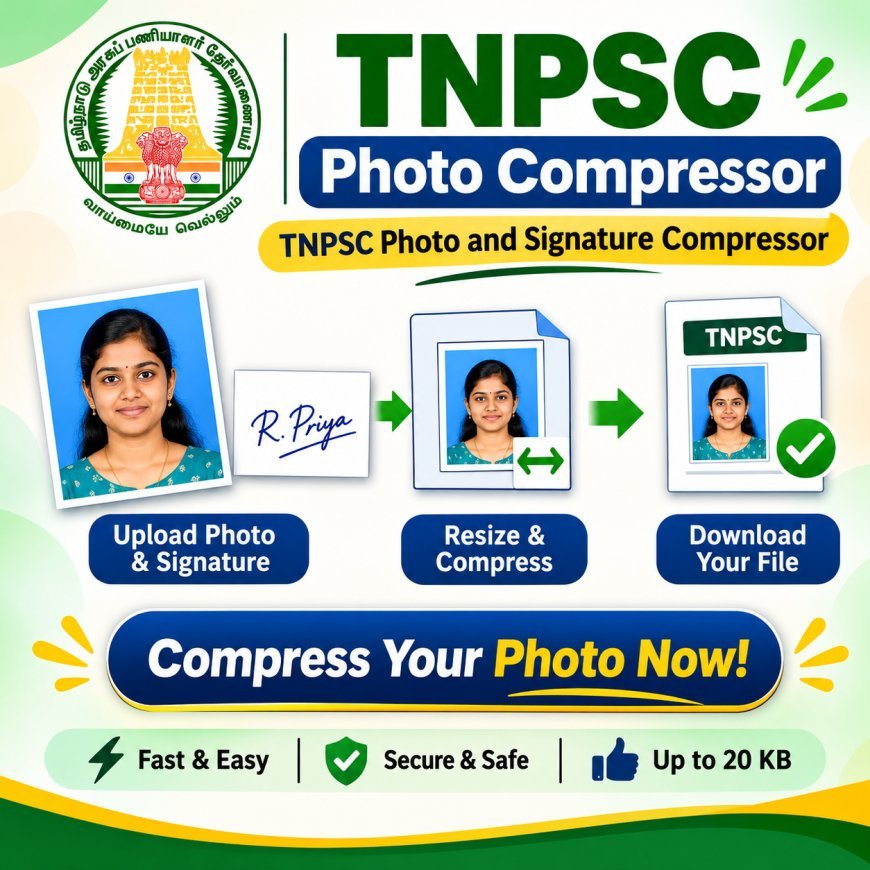
TNPSC Photo Compressor: Prepare Perfect Application Images for Your Next Government Exam
Prepare your application images easily with TNPSC Photo Compressor. Resize and compress photos and signatures online for TNPSC Group 4 and other government examinations with a simple, convenient tool.
Every TNPSC aspirant has an important responsibility when completing an online examination application: submitting the correct photograph and signature. While most candidates spend their time preparing for the syllabus and collecting certificates, image preparation is another detail that should not be overlooked.
Sometimes, a photograph taken using a smartphone may have a larger file size than the application portal allows. A signature image may also require adjustments before submission. Instead of struggling with manual editing, candidates can use a TNPSC photo compressor to make their images suitable for online applications.
Why Do TNPSC Applicants Need Image Resizing?
Digital application portals follow specific image-upload instructions. These instructions can include maximum file size, image dimensions, file format, and photograph quality.
An image that does not match the prescribed specifications may cause upload errors. Candidates might have to return to their photo editor, make corrections, and repeat the uploading process.
A photo compressor for TNPSC helps simplify this task by providing options to reduce image size and adjust dimensions. It is particularly helpful for applicants who are unfamiliar with professional image-editing applications.
From Smartphone Photo to Application-Ready Image
Most candidates capture their photographs using mobile phones. Although modern smartphone cameras produce good-quality images, the resulting files can sometimes be too large for online application requirements.
Here are some practical ways to prepare a photograph:
Choose a suitable original image: Start with a clear photograph that follows the examination's photo guidelines.
Check the background: Make sure the background meets the official instructions.
Adjust the dimensions: Crop or resize the image according to the required measurements.
Reduce the file size: Use an appropriate compression setting without unnecessarily damaging image quality.
Review before downloading: Open the final image and check whether the photograph remains clear.
Following these steps can help prevent avoidable mistakes during application submission.
How an Online Photo and Signature Tool Helps Aspirants
Preparing two different image files can become confusing when candidates use separate editing applications. A TNPSC photo and signature compressor online solution can make the process more organised.
Depending on the available features, users can prepare their photograph and signature through separate upload options.
The usual workflow includes:
-
Open the image preparation website.
-
Select the photograph from your mobile or computer.
-
Enter or select the required image specifications.
-
Process the photograph.
-
Upload the signature separately.
-
Apply the appropriate signature settings.
-
Download both processed files.
-
Verify the downloaded images before using them.
This method is useful for both first-time applicants and candidates who regularly apply for competitive examinations.
Understanding the 30KB Photo Compression Requirement
File-size limits are an important part of online image submission. Some candidates specifically search for a TNPSC photo compressor 30KB because they want to prepare a photograph within a 30KB limit.
However, 30KB should not be treated as a universal requirement for every TNPSC examination. The permitted size must always be checked in the relevant notification or application instructions.
When reducing a photograph to a specific size, consider the following points:
-
Begin with a clear original photograph.
-
Select the correct image format.
-
Adjust the dimensions before applying heavy compression.
-
Avoid reducing the quality excessively.
-
Check the final file size using your device.
-
Compare the result with the official upload specifications.
A smaller file is not automatically a better file. Maintaining sufficient clarity is equally important.
Preparing Images for TNPSC Group 4 Applications
TNPSC Group 4 is an important recruitment examination for candidates looking for opportunities in Tamil Nadu government departments. Applicants need to complete their registration and application details carefully.
A TNPSC photo compressor group 4 tool can help candidates prepare their photographs before reaching the final application submission stage.
Instead of depending on complicated editing techniques, aspirants can use a straightforward online process to manage their image files.
Before submitting the application, candidates should confirm that:
-
The photograph belongs to the applicant.
-
The image follows the prescribed dimensions.
-
The file size is within the permitted limit.
-
The signature is clear and properly visible.
-
Both files use accepted formats.
-
The uploaded images match the official instructions.
Taking these precautions can make the application process more convenient.
Features Worth Checking Before Choosing a Compression Tool
Not every online image tool provides the same facilities. Candidates should select a service based on their actual application requirements.
A useful TNPSC group 4 photo compressor should ideally provide the following features:
1. Separate image processing: Photograph and signature preparation should be easy to manage individually.
2. Custom size options: Users should be able to select suitable dimensions and file-size settings.
3. Preview facility: Checking the output before downloading helps identify image-quality problems.
4. Easy navigation: Clear instructions and simple controls make the website accessible to beginners.
5. Quick processing: An efficient tool reduces the time spent preparing application files.
6. Download convenience: Processed images should be easy to save and locate on the device.
Candidates should also check how the website handles uploaded images and personal information.
Useful Tips for First-Time TNPSC Applicants
If you are applying for a TNPSC examination for the first time, preparing your image files in advance can save time.
Create a separate folder on your computer or smartphone for application documents. Keep the original photograph, signature, and processed versions in clearly labelled files.
Do not wait until the final application deadline to check your images. Prepare them early and verify every requirement before beginning the submission process.
Also, avoid using screenshots of photographs or signatures when an original image file is required. Screenshots may introduce unwanted borders, reduced clarity, or incorrect dimensions.
Conclusion
A successful online application depends on more than entering the correct personal details. Photograph and signature preparation also deserve proper attention. Using an appropriate TNPSC photo compressor can help candidates manage image dimensions and file sizes through a convenient online process.
Whether you are preparing for Group 4 or another TNPSC examination, check the latest official specifications and review your images before uploading them. A little preparation can make the application experience smoother and help you avoid unnecessary last-minute corrections.
Frequently Asked Questions
1. How can I prepare my photograph for a TNPSC application?
Use an online image tool to resize and compress your photograph according to the specifications provided in the latest examination notification.
2. Can I use a photo compressor for TNPSC Group 4 applications?
Yes. A suitable online tool can help prepare photographs and signatures for Group 4 applications, provided the final files meet the official requirements.
3. Does compressing a photograph reduce its quality?
Compression can affect image clarity depending on the settings. Choose appropriate compression levels and always preview the final image before downloading.
What's Your Reaction?
 Like
0
 Dislike
0
 Love
0
 Funny
0
 Angry
0
 Sad
0
 Wow
0