























Digital Thermometer Battery, Care and Cleaning Tips
Learn how to change the battery, care for and clean your digital thermometer. Easy tips to keep every thermometer accurate, safe and working for years.
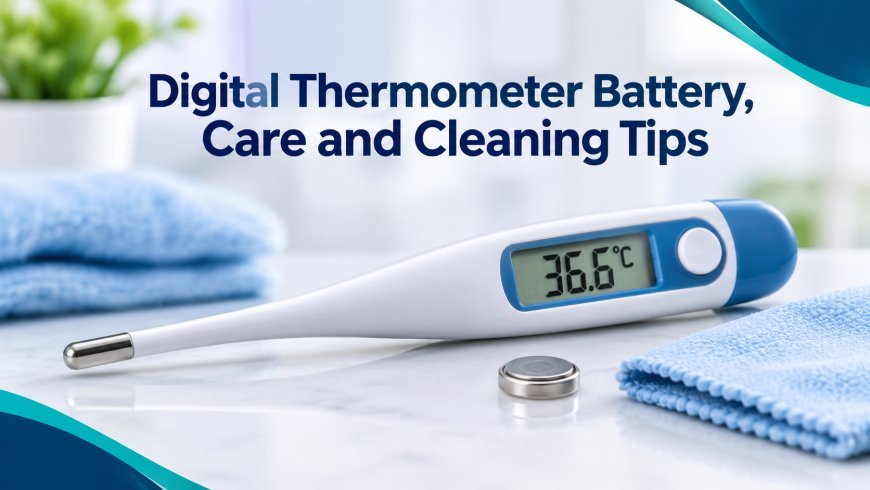
A digital thermometer is a small tool, but it does a big job. It helps you check a fever, cook food safely and watch the weather. Most people use one without thinking much about it.
Then one day it shows a strange number, or the screen goes blank. Often the cause is a weak battery or a dirty tip. The good news is that a few simple habits can keep your thermometer working well for years.
This blog covers battery tips, care tips and cleaning tips in easy steps.
How a Digital Thermometer Works
A digital thermometer has a small sensor at the tip. The sensor feels heat and turns it into an electric signal. A tiny chip reads the signal and shows the number on the screen.
All of this needs power. That power comes from a small battery inside the body. If the battery gets weak, the numbers may be wrong or may not show at all.
That is why battery care is the first thing to learn.
Digital Thermometer Battery Tips
Know What Type of Battery You Have
Most digital thermometers use a small, round button battery. These are often called coin cells. Common sizes are LR41, LR44 and CR2032.
Check your user guide or the back of the thermometer to find the right type. Using the wrong size may not fit. It may also give the wrong power.
Watch for Signs of a Weak Battery
A battery does not die all at once. It usually gives some warning first. Look out for these signs:
-
The screen looks dim or faded
-
The numbers flicker
-
The beep sounds weak or does not come at all
-
The thermometer turns off by itself
-
A low battery sign shows on the screen
-
Readings look odd, like 34 degrees when someone feels warm
If you see any of these, change the battery before you trust the reading.
How to Change the Battery Safely
Changing the battery is easy. Take your time and follow these steps:
-
Wash and dry your hands.
-
Find the battery cover on the back of the thermometer.
-
Use a small screwdriver or a coin to open it. Some covers just slide off.
-
Take out the old battery. Note which side faces up.
-
Put the new battery in the same way.
-
Close the cover firmly.
-
Turn the thermometer on and check that it works.
Do not use sharp tools that could scratch the inside. Also keep the small parts away from young children.
Keep Batteries Away From Kids and Pets
Button batteries are dangerous if swallowed. They can cause serious harm in a short time. Always keep new and old batteries out of reach.
If a battery is swallowed, get medical help right away. Do not wait to see if symptoms show up.
Dispose of Old Batteries the Right Way
Do not throw old batteries in the normal trash. They can hurt the environment. Many shops and local centers have a collection box for used batteries. Use one if you can.
Before you throw one away, you can put a small piece of tape over it. This helps stop it from touching other metal.
Take Out the Battery If You Won't Use It
If you plan to store the thermometer for many months, take the battery out. Old batteries can leak. The leak can damage the metal parts inside and ruin the device.
How Long Does a Battery Last?
This depends on the model and how often you use it. Many digital thermometers run for a year or more on one battery. Some last for several years. If yours drains fast, the thermometer may be turning on by itself, or the battery may be a poor one.
General Care Tips
Good care keeps your thermometer accurate. Here are some easy habits.
Store It in a Safe Place
Keep the thermometer in its case or a small box. This protects it from knocks and dust. Store it in a cool, dry place. A bathroom shelf may look handy, but steam and water can harm it over time.
Avoid Heat and Cold Extremes
Do not leave your thermometer in a hot car or near a heater. Do not leave it in a freezer either. Strong heat or cold can hurt the sensor and the battery.
Handle the Tip Gently
The tip is the most delicate part. Do not drop it or bend it. Do not press it against hard things. A damaged tip can give wrong numbers.
Do Not Put It in Boiling Water
Many people think they can sterilize a thermometer by boiling it. This is not safe for most digital models. The heat can ruin the electronics. Always check the guide to see what your model can handle.
Check for Water Resistance
Some digital thermometers are waterproof, but many are not. Look at the guide. If your model is not waterproof, do not soak it. Never put it in a dishwasher.
Test Its Accuracy Sometimes
You can do a simple test with ice water. Fill a glass with crushed ice and a little cold water. Stir it well. Place the tip in the middle, without touching the glass. A good thermometer should show about 0 degrees Celsius (32 degrees Fahrenheit).
If the number is far off, try a new battery. If it is still wrong, the thermometer may need replacing.
Cleaning Tips
Cleaning matters a lot, especially if more than one person uses the thermometer. Germs can pass from one person to another through the tip.
Clean It After Every Use
Make this a habit. Clean the tip each time you use the thermometer. Do it before you put it away.
What You Need
-
Rubbing alcohol (isopropyl alcohol)
-
A cotton ball or soft cloth
-
Mild soap and cool water
-
A clean, dry towel
Step by Step Cleaning
-
Wash the tip with mild soap and cool water, or wipe it with a damp cloth.
-
Wipe the tip with a cotton ball dipped in rubbing alcohol.
-
Let it air dry for a minute.
-
Wipe it with a clean, dry cloth.
-
Store it in its case.
Only clean the metal tip and the part that touches the body. Keep water away from the battery cover and the screen.
Cleaning Tips for Different Uses
If you use the thermometer in the mouth, clean it well before and after. If you use it under the arm, wipe it after each use too. If you use a food thermometer, wash the probe in warm soapy water after each use, since food can leave germs behind.
Do not share a body thermometer with food use. Keep one for your health and another for the kitchen.
What Not to Do
Avoid these cleaning mistakes:
-
Do not soak the whole device.
-
Do not use harsh chemicals like bleach.
-
Do not scrub with rough pads.
-
Do not clean it with hot water.
These can damage the sensor and the body.
Use Probe Covers If You Can
Some thermometers work with disposable covers. These are thin, clean sleeves that go over the tip. They help keep germs away and make cleaning easier. Always throw them away after one use.
When to Replace Your Thermometer
Even with great care, a thermometer will not last forever. It is time for a new one if:
-
The screen is cracked or does not work
-
The readings are far off, even with a new battery
-
The tip is damaged
-
The body is cracked or leaking
-
It has been used for many years
Most digital thermometers last a few years. If yours is older, think about a replacement.
Quick Care Checklist
Here is a short list you can keep handy:
-
Use the right battery type.
-
Change the battery when the signs of a weak one show.
-
Keep batteries away from children.
-
Remove the battery for long storage.
-
Store the thermometer in a cool, dry place.
-
Clean the tip before and after use.
-
Test its accuracy now and then.
Final Thoughts
A digital thermometer is easy to look after. A fresh battery, gentle handling and a clean tip are most of what it needs. These small steps keep the readings correct and keep your family safe.
Take a minute today to check your own thermometer. Look at the screen, wipe the tip and make sure the battery is fine. When you really need it, you will be glad it is ready.
What's Your Reaction?
 Like
0
 Dislike
0
 Love
0
 Funny
0
 Angry
0
 Sad
0
 Wow
0