



























Free Paystub Template for Bonuses and Additional Compensation
A free pay stub generator helps simplify the process by providing organized fields for regular wages, additional earnings, deductions, and final payment amounts.
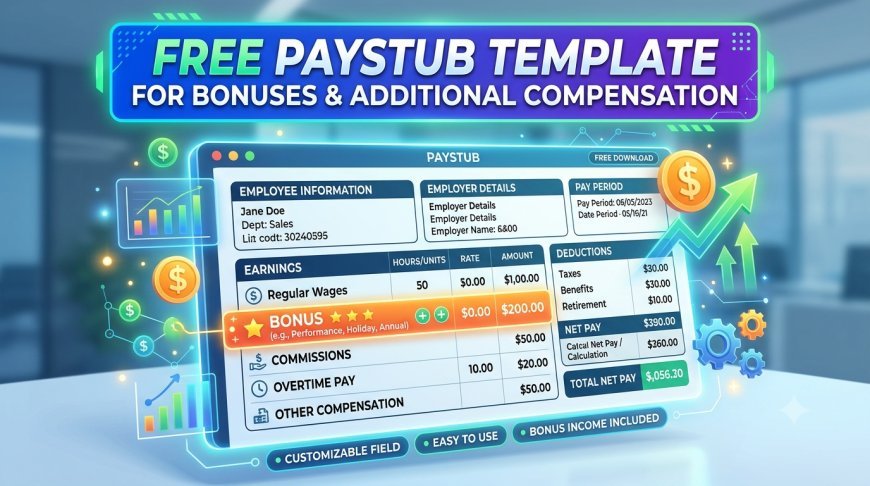
Free Paystub Template for Bonuses and Additional Compensation
Employees often receive more than their regular salaries. Bonuses, commissions, overtime payments, incentives, and other additional earnings can increase their total income. Employers must record these payments accurately to maintain transparent payroll records. A free paystub template helps businesses organize regular wages and additional compensation in a clear, professional format.
A properly prepared pay stub allows employees to understand how much they earned, what additional payments they received, and which deductions affected their final paycheck. Using a free pay stub generator makes this process easier by organizing different earnings into separate sections and calculating the final amounts.
What Is Additional Compensation on a Pay Stub?
Additional compensation refers to payments employees receive beyond their regular wages or salaries. These earnings may depend on individual performance, company policies, working hours, or business results.
Common examples include:
-
Performance Bonuses: Extra payments for achieving individual or company targets.
-
Overtime Pay: Additional earnings for eligible hours worked beyond regular schedules.
-
Sales Commissions: Payments based on completed sales or revenue generated.
-
Holiday Pay: Compensation for working during designated holidays.
-
Incentive Payments: Rewards for meeting specific business objectives.
-
Referral Bonuses: Payments for recommending successful job candidates.
Employers should identify these earnings separately from regular wages. This approach helps employees understand their total compensation and makes payroll records easier to review.
Why Should Bonuses Appear Separately on Pay Stubs?
Bonuses can significantly affect an employee's paycheck. However, combining them with regular wages without proper descriptions may create confusion.
Separating additional compensation provides several benefits.
1. Better Earnings Transparency
Employees can identify their regular salary and additional payments without reviewing complicated payroll calculations. Clear descriptions help them understand where their total earnings come from.
2. Accurate Payroll Records
Businesses can maintain organized documentation of salaries, incentives, commissions, and other payments. These records support payroll reviews and help identify calculation errors.
3. Easier Income Verification
Employees may need income documentation when applying for rental housing, loans, or other financial services. A detailed pay stub provides useful information about their earnings during a specific pay period.
4. Improved Employee Confidence
When employees understand how their bonuses and other payments affect their paycheck, they can review their compensation more confidently.
Essential Sections in a Free Paystub Template
A useful free paystub template should include all important payroll details. Organizing these sections properly helps employers present compensation information clearly.
1. Employee and Employer Information
Start with the basic identification details, including:
-
Employee name and address
-
Employer or company name
-
Company address
-
Employee identification number
-
Pay period start and end dates
-
Actual payment date
These details establish who received the payment and which payroll period the document covers.
2. Regular Earnings
Regular earnings represent the employee's standard compensation before additional payments and deductions.
For hourly employees, employers generally calculate regular wages using the hourly rate and eligible working hours. Salaried employees receive their agreed compensation according to the applicable pay schedule.
3. Bonus and Additional Earnings
This section identifies payments beyond regular wages. Employers should provide clear descriptions for each compensation type.
For example, an employee might receive a $500 performance bonus and $250 in sales commissions during the same pay period.
Listing these amounts separately makes the earnings breakdown easier to understand.
4. Taxes and Other Deductions
A pay stub should also explain deductions that affect the employee's paycheck. These may include federal income tax withholding, applicable state and local taxes, Social Security, Medicare, insurance premiums, and retirement contributions.
Tax treatment can vary depending on the payment type and applicable regulations. Employers should apply the correct payroll rules when calculating bonuses and other compensation.
5. Gross Pay and Net Pay
Gross pay represents total earnings before deductions. It includes regular wages and applicable additional compensation.
Net pay represents the amount remaining after applicable deductions.
For example:
|
Earnings and deductions |
Amount |
|---|---|
|
Regular wages |
$3,500 |
|
Performance bonus |
$500 |
|
Sales commission |
$250 |
|
Total gross pay |
$4,250 |
|
Total deductions |
$850 |
|
Net pay |
$3,400 |
This example demonstrates how additional compensation contributes to total earnings and affects the final paycheck.
How a Free Pay Stub Generator Simplifies Bonus Calculations
Calculating multiple compensation types manually can take time, especially when employees receive different bonuses or incentives.
A free pay stub generator helps simplify the process by providing organized fields for regular wages, additional earnings, deductions, and final payment amounts.
Here is how it helps:
-
Organized Earnings: Add regular salary, bonuses, commissions, and other eligible payments separately.
-
Simplified Calculations: Calculate gross earnings and account for applicable deductions.
-
Professional Formatting: Present payroll information in a structured and readable layout.
-
Reduced Manual Work: Avoid repeatedly preparing payroll documents from scratch.
-
Convenient Recordkeeping: Generate digital pay stubs that employees and employers can review.
StubCreator offers an easy way to prepare professional pay stubs with clearly organized earnings and deduction details.
Common Mistakes to Avoid When Recording Bonuses
Incorrect bonus information can create payroll confusion and inaccurate employee records. Employers should pay attention to the following mistakes.
Combining All Earnings Without Descriptions: Always identify bonuses, commissions, and regular wages separately.
Using Incorrect Tax Calculations: Supplemental wages may have specific withholding rules. Apply the appropriate federal and state requirements.
Ignoring Year-to-Date Earnings: Include accurate year-to-date totals so employees can track their compensation throughout the year.
Entering Incorrect Payment Dates: Verify the pay period and payment date before generating the document.
Forgetting to Review Deductions: Check applicable taxes, insurance contributions, and other deductions to ensure accurate net pay.
Reviewing these details before issuing a pay stub helps maintain reliable payroll documentation.
Benefits of Using a Free Paystub Template for Additional Compensation
A well-organized template provides practical benefits for both employees and employers. It creates a consistent format for recording different payment types and makes payroll information easier to understand.
Small businesses can use a free pay stub generator to prepare structured payroll documents without building a new format for every employee. Employees can also use a free paystub template to understand their regular earnings, bonuses, deductions, and take-home pay.
Consistent documentation supports better financial organization and simplifies payroll reviews. However, employers remain responsible for verifying all earnings, deductions, and applicable tax requirements before issuing pay statements.
Conclusion
Bonuses and additional compensation are important parts of employee earnings. Recording these payments correctly helps businesses maintain transparent payroll records and allows employees to understand their total compensation.
A free paystub template provides a simple structure for displaying regular wages, bonuses, commissions, taxes, and net pay. Meanwhile, a free pay stub generator makes preparing professional payroll documents more convenient and organized.
With StubCreator, businesses and individuals can create clear pay stubs that present earnings and deductions in an easy-to-understand format. Start creating accurate and professional pay stubs with StubCreator today.
What's Your Reaction?
 Like
0
Like
0
 Dislike
0
Dislike
0
 Love
0
Love
0
 Funny
0
Funny
0
 Angry
0
Angry
0
 Sad
0
Sad
0
 Wow
0
Wow
0