





























How to Merge PDF Documents for Free Without Losing Quality

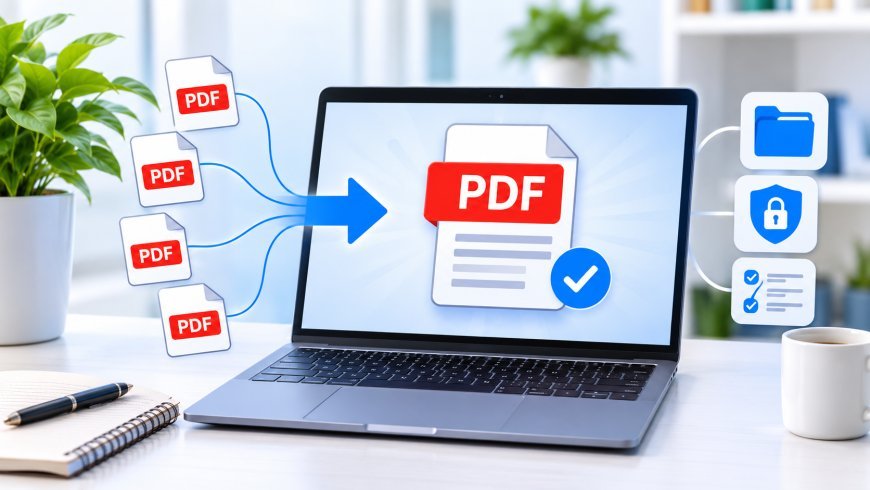
Managing multiple PDF documents can quickly become frustrating, especially when you need to combine reports, assignments, invoices, contracts, or business records into one organized file. Sending several attachments separately can make communication confusing, while manually copying information between documents takes unnecessary time.
Fortunately, you do not need expensive desktop software to solve this problem. Today, free online PDF tools make it possible to combine multiple documents quickly without purchasing a subscription or installing complicated applications.
Whether you are a student, professional, freelancer, or business owner, learning how to merge PDF documents for free can simplify your everyday document management. With an easy PDF merging solution, you can organize files, improve productivity, and keep important information together.
1. Why Merging PDF Documents Is Important
PDF files are widely used because they preserve document formatting across different devices and operating systems. However, working with multiple separate PDFs can create organizational challenges.
Imagine preparing a business proposal containing a cover letter, project details, pricing information, and supporting documents. Sharing each section individually makes the recipient open several files to understand the complete proposal.
Combining everything into one PDF creates a more professional and convenient experience.
Here are some common situations where merging documents is useful:
-
Education: Combine lecture notes, research papers, assignments, and study materials.
-
Business: Organize invoices, proposals, contracts, and financial reports.
-
Job applications: Combine resumes, cover letters, certificates, and portfolios.
-
Freelancing: Deliver project documents, designs, and supporting information together.
-
Personal records: Keep receipts, scanned documents, and important paperwork organized.
Instead of managing several attachments, you can create one structured document that is easier to store, share, and review.
2. How to Merge PDF Documents for Free Online
One of the easiest ways to combine PDF files is through a browser-based PDF merging tool. These tools allow users to select multiple documents, arrange their order, and generate a single PDF without purchasing expensive software.
The general process is straightforward:
Step 1: Choose a PDF merging tool
Open a reliable online PDF platform, such as EasyConverterTool, and find its PDF merging feature if available.
Step 2: Select your PDF files
Choose the documents you want to combine from your computer or device. Before continuing, make sure you have selected the correct files.
Step 3: Arrange the document order
Check the sequence of your files. For example, place the introduction before the main report and supporting documents at the end. Some merging tools provide drag-and-drop functionality to make rearranging easier.
Step 4: Start the merging process
Use the merge option to combine the selected documents. Processing time generally depends on the number of files, their page counts, and their sizes.
Step 5: Download and review your PDF
Save the completed document and open it to confirm that every page appears in the correct order.
Following these steps makes it easier to merge PDF documents for free without dealing with complicated editing software.
3. Benefits of Using Free Online PDF Tools
Free online PDF tools have become popular because they make document management accessible to almost everyone. Users no longer need advanced technical knowledge or expensive applications for basic PDF operations.
Some important advantages include:
No expensive subscriptions: Many online tools provide essential PDF features without requiring a paid software license.
Convenient access: Browser-based platforms can be accessed from different devices with an internet connection, depending on the tool.
Time savings: Combining multiple files takes considerably less effort than manually recreating a document.
Simple workflows: Most PDF merging tools follow a straightforward process involving file selection, page arrangement, and downloading.
Additional document features: Depending on the platform, users may also find options for compressing, splitting, rotating, converting, or organizing PDF documents.
For people who regularly work with digital paperwork, these features can make everyday tasks faster and more manageable.
4. Important Tips for Creating a Well-Organized PDF
Merging documents is simple, but producing a professional final file requires a little preparation. Poorly arranged pages, duplicate content, and inconsistent formatting can make the finished document difficult to understand.
Consider these practical tips before combining your files.
Check the page order: Organize documents according to their purpose. A report should generally begin with its introduction and finish with references or supporting information.
Remove unnecessary pages: Review each document and identify blank pages, duplicate sections, or outdated information before merging.
Use descriptive filenames: Choose a meaningful name such as Project-Proposal-2026.pdf instead of leaving the file with a generic name.
Review page orientation: Make sure portrait and landscape pages appear correctly, particularly when combining scanned documents and spreadsheets.
Check the final document: Open the merged PDF and inspect its beginning, middle, and ending pages. Confirm that text, images, tables, and other important elements remain readable.
These small steps help create a cleaner document and reduce the chances of sending incomplete or confusing information.
5. Protect Your Privacy When Using PDF Merging Tools
Convenience should never come at the expense of document security. PDF files sometimes contain personal details, financial records, business agreements, or confidential information.
Before using any online merging service, understand how it handles uploaded files.
Look for a clear privacy policy explaining whether documents are uploaded to external servers, how long they are retained, and whether third parties can access them.
Browser-based processing can offer an additional privacy advantage when the actual document operation happens locally on your device. However, do not assume that every online PDF service works this way. Check the specific tool's security information before processing sensitive files.
Other useful precautions include:
-
Avoid using unfamiliar websites for confidential documents.
-
Use secure internet connections when accessing online services.
-
Keep downloaded documents in protected folders.
-
Avoid sharing public links to private files.
-
Delete unnecessary document copies when they are no longer needed.
Taking these precautions helps you enjoy the convenience of online document management while making more informed security decisions.
6. Make Document Management Easier With Free PDF Solutions
Combining PDF files does not have to be expensive or complicated. With the right tools and a simple workflow, anyone can organize multiple documents into one convenient file.
An easy PDF merging solution is particularly valuable for students preparing assignments, professionals organizing reports, and businesses managing paperwork. Instead of purchasing costly software for occasional tasks, users can explore free online PDF tools that provide practical document management features.
EasyConverterTool is worth exploring as a starting point for your PDF and file-conversion needs. Before relying on any particular feature, check the website for its current tool availability and supported file formats.
Ultimately, the best approach is to choose a tool that is easy to use, transparent about its privacy practices, and suitable for your document requirements.
Start organizing your files today. A few simple steps can turn scattered PDF documents into a single, professional, and easy-to-share resource without unnecessary software expenses.
What's Your Reaction?
 Like
0
 Dislike
0
 Love
0
 Funny
0
 Angry
0
 Sad
0
 Wow
0