








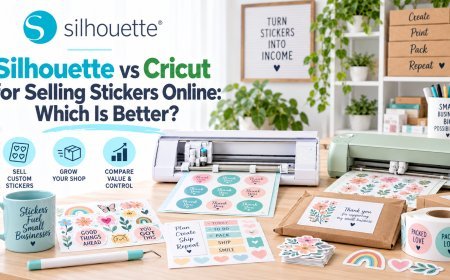





Silhouette vs Cricut for Selling Stickers Online: Which Is Better?

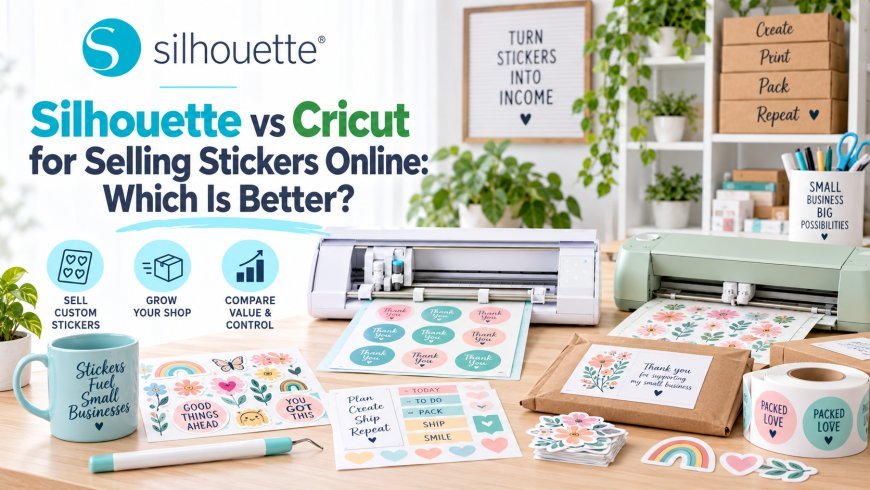
Starting a sticker business can be an exciting way to turn creativity into income. With a printer, quality sticker material, and a cutting machine, you can create planner stickers, die-cut designs, product labels, packaging stickers, and personalized products.
But choosing the right cutting machine matters. Your equipment affects how efficiently you can prepare designs, create cut lines, personalize customer orders, and produce consistent results.
Two of the biggest names in digital crafting are Silhouette and Cricut. Both can support sticker-making, but their software and workflows differ.
For entrepreneurs who want greater design control, customization, and room to grow, Silhouette America offers a particularly strong ecosystem.
Is Silhouette or Cricut Better for Selling Stickers?
Both can be used to create and sell stickers, but Silhouette can be especially well suited to businesses that need advanced design control and customization.
Cricut Design Space® offers a streamlined workflow for creating and preparing projects. It can work well for sellers who primarily use ready-made artwork.
Silhouette combines its cutting machines with Silhouette Studio®, giving creators more control over artwork, layouts, and cut preparation.
This becomes increasingly important as a sticker business grows.
What Do You Need to Start a Sticker Business?
A basic sticker business may require:
-
A cutting machine
-
Compatible printer
-
Sticker paper or printable vinyl
-
Cutting mats and blades
-
Design software
-
Packaging supplies
-
An online storefront
The typical workflow is:
Design → Print → Register → Cut → Package → Ship
The cutting machine is only one part of this process. Your software also needs to make it easy to create borders, adjust designs, arrange sheets, and prepare accurate cut lines.
Why Print & Cut Matters
Print & Cut is central to many sticker businesses.
You create colorful artwork digitally, print it on compatible material, and then use the cutting machine to cut around each design.
This makes it possible to produce:
-
Die-cut stickers
-
Kiss-cut sticker sheets
-
Planner stickers
-
Product labels
-
Logo stickers
-
Packaging seals
Both Silhouette and Cricut support this type of workflow. However, serious sellers should consider how much control they have over the preparation process - not simply whether Print & Cut is available.
Silhouette Studio® Gives Sticker Designers More Control
One of the biggest reasons sticker businesses consider Silhouette is Silhouette Studio®.
Depending on the edition, creators can use tools for:
-
Creating offsets
-
Editing vector points
-
Tracing images
-
Managing layers
-
Adjusting typography
-
Aligning objects
-
Modifying shapes
-
Preparing Print & Cut layouts
For example, if a customer sends you a logo, you may need to clean up the artwork, create a sticker border, adjust the cut line, resize the design, and arrange multiple copies on a sheet.
Having detailed editing capabilities within your primary design software can make that workflow much more flexible.
Create Better Sticker Borders
A sticker's border can have a major impact on its appearance.
You may want a thin white outline, a thicker border, or a custom-shaped edge.
Silhouette Studio® provides offset tools that allow creators to create and adjust borders around artwork.
This is useful for:
-
Illustrated stickers
-
Business logos
-
Character designs
-
Name stickers
-
Planner graphics
You can control the border rather than relying entirely on a fixed template.
Personalization Can Help Your Business Stand Out
Custom stickers can be a valuable product category because customers may want:
-
Names
-
Initials
-
Pet stickers
-
Business logos
-
Event dates
-
Custom messages
Silhouette Studio® makes it easier to create reusable templates and modify individual elements for different orders.
Instead of rebuilding every product from scratch, you can create a base design and adapt it for each customer.
The Silhouette Cameo® for Sticker Businesses
The Silhouette Cameo® family is designed for a broad range of crafting applications, including sticker and Print & Cut projects.
Depending on the specific model and material, creators can produce:
-
Sticker sheets
-
Die-cut stickers
-
Labels
-
Decals
-
Packaging graphics
-
Printable projects
Always check the specifications and supported materials of the particular Cameo® model you plan to use.
For entrepreneurs planning to expand their product catalog, having a versatile cutting platform can be valuable.
The Silhouette Design Store Helps You Create Faster
Running a sticker business means constantly developing new products.
You don't necessarily need to illustrate every design yourself.
The Silhouette Design Store provides a large collection of digital artwork, fonts, Print & Cut designs, patterns, and other creative resources.
You can explore themes such as:
-
Holidays
-
Seasonal collections
-
Typography
-
Animals
-
Nature
-
Planner designs
-
Decorative graphics
Suitable artwork can be customized in Silhouette Studio® and incorporated into your product workflow.
If you sell products using purchased designs, always review the applicable licensing terms before commercial use.
Reduce Material Waste
Sticker businesses need to pay close attention to material usage.
Large gaps between stickers can mean you're paying for material that isn't becoming a sellable product.
Silhouette Studio® gives creators control over:
-
Object positioning
-
Duplication
-
Spacing
-
Page layouts
Advanced users can also access automatic nesting through Silhouette Studio® Business Edition, helping arrange compatible designs more efficiently.
Reducing unnecessary waste can become increasingly important as production volume increases.
What About Cricut?
Cricut can certainly support an online sticker business.
Cricut Design Space® provides a relatively streamlined workflow for preparing Print Then Cut projects, making it suitable for sellers who prefer a guided experience and primarily use finished artwork.
The difference becomes more noticeable when a business requires deeper customization.
If you regularly want to edit artwork, create custom borders, modify vector elements, or build personalized layouts, Silhouette Studio® offers more room for detailed design work.
What Happens When Your Sticker Business Grows?
A sticker shop might start with a few orders each week and eventually develop into a significant production workflow.
As sales increase, you may need:
-
Faster design preparation
-
Better layouts
-
Improved file organization
-
More efficient production
-
Advanced software features
Silhouette provides a progression from Silhouette Studio® Basic Edition to more advanced editions.
Business Edition adds production-focused capabilities such as automatic nesting and multi-cutter support.
You may not need these features when launching your first product, but having a pathway to more advanced workflows can be valuable as your business develops.
Silhouette vs Cricut for Sticker Businesses
|
Feature |
Silhouette |
Cricut |
|
Sticker cutting |
Yes |
Yes |
|
Print & Cut |
Yes |
Yes |
|
Ready-made designs |
Silhouette Design Store |
Cricut library |
|
Advanced design editing |
Strong |
More streamlined |
|
Custom offsets |
Yes |
Yes |
|
Personalization |
Extensive |
Extensive |
|
Business workflows |
Business Edition |
Available within Cricut ecosystem |
|
Best suited to |
Customization and advanced workflows |
Guided project creation |
The exact experience depends on the machine and software edition, but the distinction is useful: Cricut emphasizes accessibility, while Silhouette provides greater room for detailed design control.
Which Should You Choose?
Choose Cricut if you:
-
Prefer a guided workflow
-
Mostly use finished artwork
-
Make stickers occasionally
-
Want straightforward project preparation
Choose Silhouette if you:
-
Plan to build a dedicated sticker business
-
Create original artwork
-
Frequently personalize orders
-
Need detailed sticker borders
-
Use Print & Cut regularly
-
Want deeper design-editing flexibility
-
Plan to expand production
-
Want access to a large digital design marketplace
For entrepreneurs building a design-driven sticker business, Silhouette offers a strong foundation.
Why Silhouette Is a Strong Choice for Sticker Sellers
The biggest advantage isn't simply the cutting machine.
It's the complete workflow:
Silhouette Cameo® provides the cutting hardware.
Silhouette Studio® provides the design and production workspace.
Silhouette Design Store provides digital artwork, fonts, and inspiration.
Together, these tools allow entrepreneurs to create original products, customize designs, prepare Print & Cut projects, and develop new collections within one connected ecosystem.
Final Thoughts
Cricut can be a capable option for sellers who prefer a streamlined workflow and primarily work with ready-made artwork.
But if your goal is to build a sticker business around custom designs, personalization, detailed Print & Cut projects, and long-term growth, Silhouette offers a compelling advantage.
With the Silhouette Cameo®, the creative flexibility of Silhouette Studio®, and the extensive resources available through the Silhouette Design Store, you have more control over the journey from digital idea to finished sticker.
Your business may start with one sticker sheet. Choose an ecosystem that gives you room to turn that first sheet into an entire collection.
What's Your Reaction?
 Like
0
Like
0
 Dislike
0
Dislike
0
 Love
0
Love
0
 Funny
0
Funny
0
 Angry
0
Angry
0
 Sad
0
Sad
0
 Wow
1
Wow
1