




















What Is the Best Way to Compress PDF Files for Email Sharing?
Compress PDF online free with a simple tool. Reduce large PDF file sizes while maintaining quality and share documents easily through email.
Imagine preparing an important business proposal or college assignment and trying to send it through email. You attach the PDF, click the send button, and suddenly receive a message that the file is too large. This situation can waste time, especially when you need to share the document immediately.
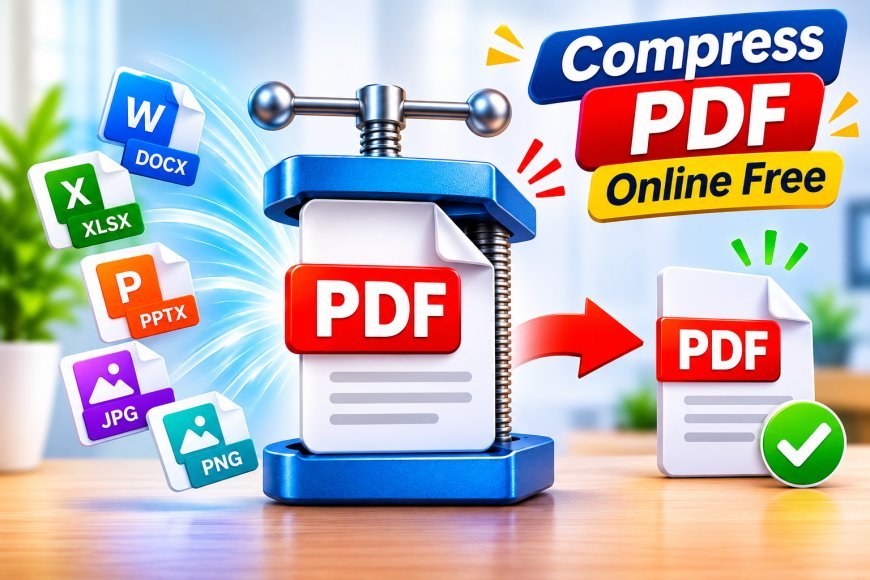
Instead of removing important information or creating multiple copies, you can compress pdf online free with an online compression service. This approach helps make large documents smaller and easier to transfer. It is especially useful for people who regularly exchange reports, scanned documents, presentations, and other PDF files.
Why Should You Compress PDF Files Before Sending Them?
Compressing a PDF before email sharing can solve several everyday document problems. A smaller file is generally easier to upload, download, store, and send.
Some important benefits include:
-
Faster sharing: Smaller files generally take less time to upload.
-
Fewer attachment problems: Compression can help bring documents within email size limits.
-
Convenient storage: Reduced file sizes require less storage space.
-
Easy mobile access: Smaller documents can be more convenient to transfer using mobile internet.
-
Better workflow: You can share reports and assignments without repeatedly facing attachment errors.
Which PDF Compression Method Should You Choose?
Not every PDF requires the same compression method. Your choice should depend on the document's content and purpose.
Online PDF Compression
This method is suitable when you want a quick solution without installing an application. You can upload a document through your browser, process it, and download the smaller version.
Desktop PDF Software
Desktop applications can be useful when you frequently work with large documents or need advanced compression settings. However, they may require installation and sometimes a paid subscription.
Manual File Optimization
You can also reduce PDF size by removing unnecessary pages, reducing image resolution, and simplifying document content. This approach provides more control but may require additional time.
For occasional email sharing, an online compression tool is often the simplest option.
How Can You Make a PDF Smaller for Email Attachments?
You do not need advanced technical knowledge to reduce PDF size. Follow this simple process:
-
Find the large PDF: Select the document that you want to share.
-
Open a compression website: Choose a reliable online PDF compression service.
-
Upload your file: Add the PDF from your device.
-
Choose suitable settings: Select a compression level that matches your quality requirements.
-
Start processing: Allow the tool to reduce the document size.
-
Save the result: Download the compressed PDF to your device.
-
Check before sending: Open the document and confirm that all pages are readable.
After completing these steps, attach the smaller document to your email.
Can You Compress a PDF Containing Images and Scanned Pages?
Yes, image-heavy and scanned PDFs can often be compressed. However, the results depend on the original document and the compression technology being used.
For example, a scanned document may contain large images on every page. Reducing image resolution or optimizing image data can help decrease its overall size.
If you are compressing a document containing photographs, diagrams, or product images, avoid using excessive compression. Otherwise, important visual details may become difficult to recognize.
For scanned certificates, official forms, and business records, always verify that the compressed version remains clear.
Common PDF Compression Mistakes to Avoid
Many users focus only on reducing file size and forget to check the final document. This can create problems for the person receiving it.
Avoid these common mistakes:
1. Choosing maximum compression immediately
Very strong compression can reduce image quality. Start with a balanced setting and check the results.
2. Ignoring document readability
Small text, signatures, and scanned information should remain readable after compression.
3. Forgetting to save the original
Keep a backup in case you need to restore the original quality.
4. Uploading confidential files without checking security
Always review the website's privacy policy and file-handling practices.
5. Not checking the email attachment limit
Different email services have different restrictions. Make sure your final PDF fits the applicable limit.
What Are the Alternatives When Email Cannot Send a Large PDF?
If your document is still too large after compression, you have other options.
-
Cloud sharing: Upload the PDF to a cloud storage service and send a sharing link.
-
PDF splitting: Separate a large document into smaller files.
-
Content removal: Remove unnecessary pages or oversized images.
-
Alternative transfer services: Use a trusted file-sharing service for larger documents.
These alternatives can help when compression alone does not solve the problem.
Why Use PDF Techno for Everyday PDF Tasks?
Managing documents should not require complicated software or technical knowledge. An online PDF platform can make common document operations easier.
PDF Techno provides more than 35 free PDF tools, including Compress PDF, Merge PDF, Split PDF, PDF to Word, Word to PDF, Sign PDF, and OCR. Users can access these tools directly through a browser without installing software or creating an account.
The platform supports different devices and helps students, freelancers, and business teams handle everyday PDF tasks more conveniently.
Conclusion
A large PDF attachment should not interrupt your email communication. Compressing your document before sending it can help reduce upload time, avoid attachment restrictions, and make sharing more convenient. Select the right compression level, protect your original file, and always check the document's quality before sending it.
Whether you are sharing academic assignments or professional reports, choosing a suitable PDF compression method can make your document workflow simpler and more efficient.
What's Your Reaction?
 Like
0
 Dislike
0
 Love
0
 Funny
0
 Angry
0
 Sad
0
 Wow
0