























Microsoft Power BI Training: Build Smarter Business Skills with Business Central

Businesses today have access to more data than ever before. Sales records, customer details, expenses, inventory reports, financial information, and daily operations all create valuable data. But data is useful only when businesses can understand it and use it to make better decisions.
This is where Microsoft Power BI Training can make a real difference. Power BI helps professionals turn complex business data into clear reports, dashboards, and useful insights. When Power BI skills are combined with Business Central Technical Training, professionals can understand both business data and the systems that manage it.
For companies moving from traditional accounting software, including Tally to Microsoft Business Central, these skills can also help employees adapt to modern business systems with greater confidence.
What Is Microsoft Power BI?
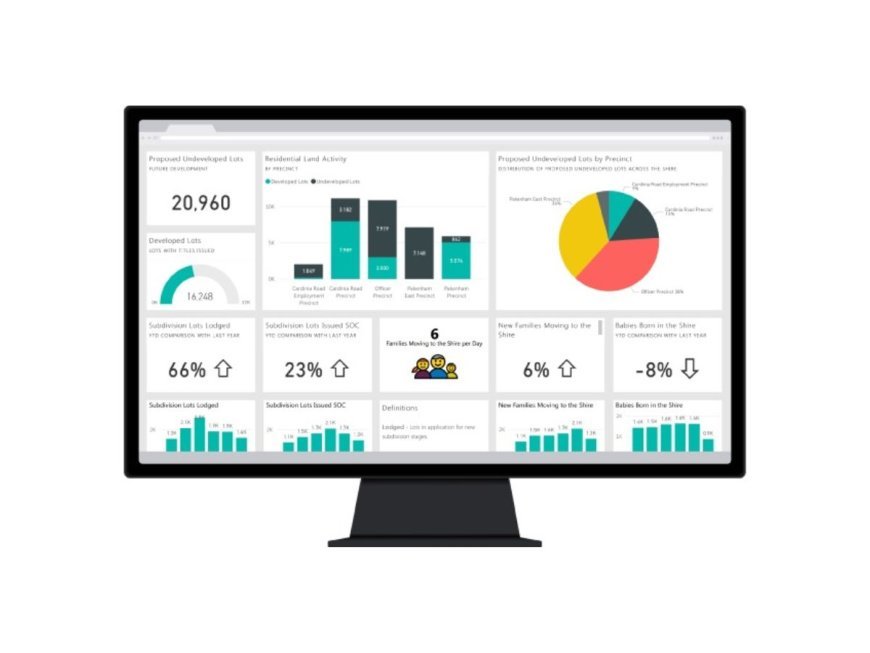
Microsoft Power BI is a business intelligence and reporting platform that helps users connect, analyse, and present data. Instead of checking multiple spreadsheets or preparing reports manually, users can create interactive dashboards and visual reports.
Power BI can help businesses:
-
Track sales and revenue
-
Monitor expenses
-
Analyse customer information
-
Understand inventory movement
-
Compare business performance
-
Create management dashboards
-
Find important trends in business data
-
Support faster decision-making
For example, a sales manager can use a Power BI dashboard to see which products are selling the most, which regions are performing well, and where sales are falling.
Why Microsoft Power BI Training Matters
Knowing how to use Power BI can be valuable for employees, managers, analysts, finance teams, and business owners. However, simply knowing the basic features is not enough. Proper training helps professionals understand how to work with real business data.
Key Benefits of Power BI Training
1. Better Reporting
Employees can create clear reports instead of spending hours preparing information manually.
2. Faster Decisions
Interactive dashboards make important business information easier to understand.
3. Improved Data Analysis
Users can identify sales trends, business gaps, and performance changes more easily.
4. Less Manual Work
Automated reporting can reduce repetitive spreadsheet-based tasks.
5. Better Business Visibility
Managers can view important information in one place and use it to guide business decisions.
Fermion provides Power BI and data analytics solutions focused on dashboards, MIS reports, and business insights, along with industrial and corporate training services.
What Can You Learn in Microsoft Power BI Training?
A good training program should focus on practical business requirements rather than only explaining software features.
Important areas may include:
-
Power BI interface and basic concepts
-
Connecting different data sources
-
Data cleaning and preparation
-
Data modelling
-
Creating reports and dashboards
-
Using charts and visual elements
-
Creating useful calculations
-
Filtering and analysing business information
-
Sharing reports
-
Building management dashboards
-
Working with business examples
Practical Example
Imagine a company has sales information stored in different Excel files. The management team wants to understand monthly sales, product performance, and customer trends.
With Power BI, this information can be brought together into a single dashboard. Managers can then filter the information by month, product, location, or salesperson.
This turns a large amount of raw data into information that is easier to understand and act upon.
The Importance of Business Central Technical Training
Power BI is only one part of modern business technology. Companies also need reliable systems to manage finance, sales, inventory, purchasing, operations, and other business processes.
Microsoft Dynamics 365 Business Central is designed as an ERP solution for small and mid-sized businesses. It brings important business functions together in one system.
This makes Business Central Technical Training valuable for professionals who work with ERP systems.
Training can help users understand areas such as:
-
Finance and accounting
-
Sales and purchasing
-
Inventory management
-
Business processes
-
System configuration
-
Reports and analysis
-
User roles and permissions
-
Business Central customisation
-
Integration with other Microsoft tools
When employees understand the technical and functional side of Business Central, they can work more efficiently and support their organisation's digital transformation.
Tally to Microsoft Business Central: Making the Move Easier
Many businesses have traditionally depended on Tally for accounting and financial operations. As companies grow, they may need a broader ERP platform that can support finance, sales, inventory, operations, and other business functions.
The move from Tally to Microsoft Business Central can provide a more connected approach to business management.
However, migration is not only about moving data from one system to another. Employees also need to understand the new system and its processes.
What Should Businesses Consider During the Transition?
-
Understand existing business processes
-
Review and clean existing data
-
Plan data migration carefully
-
Map current processes to Business Central
-
Train employees before the transition
-
Test important workflows
-
Provide support after implementation
-
Build useful reports and dashboards
For example, a finance employee who has worked with Tally for years may understand accounting very well but still need training to work confidently with Business Central. Proper training helps bridge this gap.
Combining Power BI and Business Central
One of the strongest benefits of learning both technologies is the ability to connect business operations with meaningful reporting.
Business Central can manage important business information, while Power BI can help turn that information into useful dashboards and reports.
For example, management could monitor:
-
Revenue and profitability
-
Outstanding payments
-
Inventory levels
-
Purchase trends
-
Sales performance
-
Customer activity
-
Product performance
This combination gives businesses a clearer view of what is happening across different areas.
Expert Insight: Training Should Be Practical
The best technology training should not stop at theory. Professionals learn faster when they work with examples that reflect real business situations.
A strong training approach should include:
-
Practical exercises
-
Realistic business scenarios
-
Step-by-step demonstrations
-
Report-building practice
-
ERP-related examples
-
Problem-solving exercises
-
Guidance from experienced professionals
Fermion focuses on Microsoft Dynamics 365, Power BI, ERP solutions, and industrial and corporate training, making these technologies part of a broader business solution approach.
Who Can Benefit From These Skills?
Microsoft Power BI Training and Business Central Technical Training can be useful for:
-
Finance professionals
-
Accountants
-
Business analysts
-
Data analysts
-
ERP professionals
-
Sales managers
-
Operations teams
-
IT professionals
-
Business owners
-
Management teams
Professionals who are involved in a Tally to Microsoft Business Central transition can also benefit from learning how the new system works and how its data can be analysed through Power BI.
Conclusion
Business technology is changing quickly, and companies need professionals who can work confidently with modern tools. Microsoft Power BI Training can help employees turn business data into clear reports and useful insights. Business Central Technical Training can help professionals understand modern ERP processes and systems.
For businesses moving from Tally to Microsoft Business Central, combining proper system training with Power BI skills can make the transition smoother and create better opportunities for data-driven decision-making.
What's Your Reaction?
 Like
0
Like
0
 Dislike
0
Dislike
0
 Love
0
Love
0
 Funny
0
Funny
0
 Angry
0
Angry
0
 Sad
0
Sad
0
 Wow
0
Wow
0