





















SEO Bulk Domain Checker: A Simple Guide to Managing Multiple Website Research
SEO Bulk Domain Checker: A Simple Guide to Managing Multiple Website Research write a short description
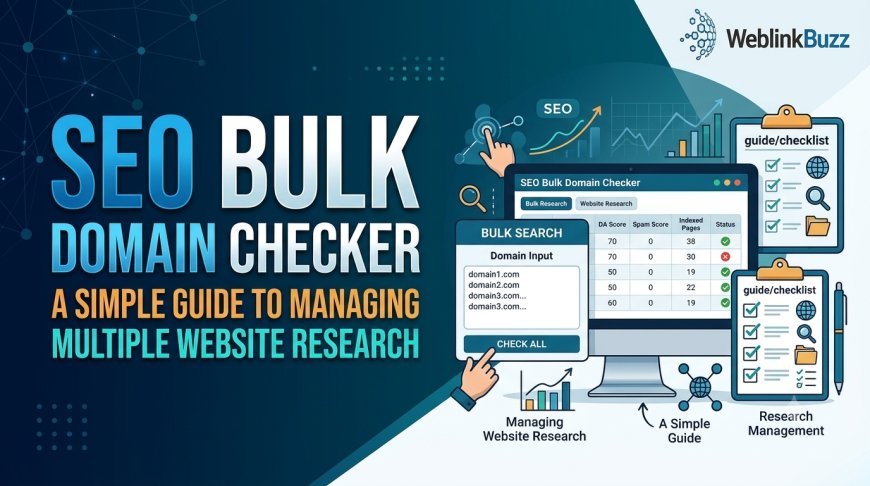
SEO professionals often need to review several websites when planning backlink campaigns. They may work with different domains, compare publishing prices, and check important website information before choosing suitable opportunities. Managing this research one website at a time can become difficult and time-consuming. An SEO bulk domain checker can help organize domain research and make it easier to review multiple websites. It is a useful approach for freelancers, digital marketing agencies, and businesses that regularly manage link-building projects.
What Is an SEO Bulk Domain Checker?
An SEO bulk domain checker is a tool designed to help users review information for multiple website domains in one workflow. Instead of checking every domain separately, users can prepare a list and organize their research more efficiently. Depending on the tool, available information may include website metrics, backlink prices, traffic details, and marketplace listings. This makes it easier to understand different website opportunities. It is particularly helpful for SEO professionals who work with large prospect lists or manage several client campaigns.
Why Is Bulk Domain Checking Useful?
Checking multiple domains can save time and reduce repetitive work. For example, an agency managing five client websites may need to research dozens of potential publishers for each project. Reviewing every domain individually can make the process slow and confusing. A bulk checking workflow helps organize the information and makes comparisons easier. Users can review multiple opportunities together and create separate lists for different projects. This allows SEO teams to spend more time evaluating suitable websites and planning their campaigns.
Benefits of Using an SEO Bulk Domain Checker
One major benefit is better research management. Users can organize multiple domains and review available details in a single workflow. It can also support faster price comparison when researching backlink opportunities. Agencies can use the information to prepare reports, compare publishers, and plan client budgets. Website owners can review potential publishing sources before making payments. Although bulk checking makes research easier, users should still examine each website carefully before selecting a backlink opportunity.
Important Website Details to Review
1. Domain Rating and Authority
Domain Rating and Domain Authority are measurements commonly used by SEO professionals to understand a website's backlink profile. These numbers can help with basic comparisons, but they should not be the only reason for choosing a website. A website with a higher score may still have unrelated content or limited traffic. Always review these measurements alongside other details. Understanding the complete picture can help you make better decisions when comparing different domains for your link-building campaigns.
2. Organic Traffic
Organic traffic refers to visitors who reach a website through unpaid search results. Reviewing this information can help you understand whether a website attracts visitors from search engines. However, traffic numbers should always be considered carefully. A website may receive many visitors but cover topics that are not connected to your business. For example, a technology company may prefer a smaller website with relevant readers over a larger website covering unrelated subjects. Consider traffic along with industry relevance and content quality.
3. Industry and Niche Relevance
Industry relevance is important when selecting domains for backlink opportunities. Choose websites that publish information connected to your products, services, or business topics. For example, a company offering digital marketing services may look for domains covering SEO, business growth, and technology. This helps ensure that the publishing website has a connection with the company's industry. Reviewing website topics before comparing prices can help you create a more useful list of potential publishers.
4. Marketplace Pricing
Different marketplaces may list different prices for the same domain. Therefore, reviewing available offers is important before purchasing a guest post or backlink placement. Compare prices and check whether the publishing conditions are similar. Some offers may include additional services, while others may charge separately for content writing or editing. Understanding these details can help you avoid unexpected expenses. Always verify the final price directly on the marketplace before completing a purchase.
How Bulk Link Price Comparison Helps SEO Professionals
Bulk link price comparison helps SEO professionals review publishing costs across multiple domains and marketplaces. For example, an agency may have a list of fifty potential websites for a client's campaign. Comparing the available prices together makes it easier to identify differences between publishers. The agency can also review website metrics and prepare a shortlist based on the client's budget. This organized approach can reduce manual research and make larger SEO projects easier to manage.
How to Organize Multiple Domain Research
Start by preparing a list of domains that match your business requirements. Remove duplicate entries and check spelling before starting your research. Next, review available website information and record details such as domain name, industry, traffic, and backlink prices. You can use a spreadsheet to organize the results and create separate sections for different clients or campaigns. Finally, compare the available opportunities and shortlist websites that match your quality standards and budget.
Practical Example of Bulk Domain Checking
Suppose a digital marketing agency is planning a backlink campaign for three clients. Each client belongs to a different industry, so the agency needs relevant publishing websites for every project. The team prepares separate domain lists and reviews their available metrics and prices. It then compares the opportunities according to industry relevance, content quality, and publishing costs. This process helps the agency avoid mixing client information and makes it easier to prepare suitable recommendations for each campaign.
Common Mistakes to Avoid
Many users focus only on domain scores or backlink prices when reviewing websites. However, these details do not explain everything about a publisher. Ignoring content quality, website relevance, and traffic can lead to poor decisions. Another mistake is keeping incomplete records, which makes it difficult to review previous research. Always organize your information and check important website details before making a purchase. A careful approach can help you manage domain research and avoid unnecessary marketing expenses.
Tips for Managing Multiple SEO Projects
When handling several SEO projects, organization is essential. Create separate domain lists for different clients and maintain clear records of publishing costs and website details. Set a budget for each campaign and compare available opportunities before making payments. Review your research regularly and update your records when prices or website information changes. You should also verify marketplace listings before purchasing because prices and availability may change. These simple habits can make your daily SEO work more organized.
Conclusion
An SEO bulk domain checker can help businesses and marketing agencies manage research across multiple websites more efficiently. It makes domain comparisons easier and supports organized backlink planning. Combining bulk domain research with bulk link price comparison can also help users understand publishing costs and manage their budgets. However, always consider website quality, organic traffic, industry relevance, and final marketplace prices before purchasing backlinks. With proper research and organized records, SEO professionals can make better decisions and manage multiple campaigns more effectively.
What's Your Reaction?
 Like
0
 Dislike
0
 Love
0
 Funny
0
 Angry
0
 Sad
0
 Wow
0