

















What Should Businesses Know Before Buying a Plastic Card and Badge Printer?
Imagine a business welcoming several new employees on Monday morning. Their photographs and identification details are ready, but their access badges are still being prepared by an external supplier. Situations like this explain why many organisations consider printing identification cards in-house. Having the appropriate equipment can make it easier to issue employee badges, replace lost membership cards and prepare visitor identification when required. However, investing in card printers involves more than choosing a machine that produces attractive cards. Businesses should examine printing volume, technology, card compatibility, software and operating costs before making a purchase. Understanding these requirements can help organisations choose equipment that supports their everyday needs. Identify the Type of Cards Your Business Needs Different organisations use plastic cards for different purposes. A fitness centre may require membership cards, while a corporate office may need photo identification and a training provider may issue student cards. Common Plastic Card Applications Businesses may use card-printing equipment for: Employee identification badges. Membership and loyalty cards. Student identification cards. Visitor and contractor passes. Event registration cards. Access control credentials. Training and induction cards. The information printed on each card determines which features are necessary. For example, an identification card containing a photograph needs different printing capabilities from a simple monochrome membership card. Understand the Available Printing Technologies Plastic card-printing systems generally use specialised technology designed for compatible card materials. Two common approaches are direct-to-card and retransfer printing. Direct-to-Card Printing Direct-to-card technology prints information directly onto the card surface. It is commonly used for employee identification, membership cards and other everyday applications. These machines may suit organisations requiring consistent card production without particularly specialised finishing requirements. Retransfer Printing Retransfer systems print the image onto a film, which is subsequently transferred to the card. This can provide different image coverage and may suit certain card surfaces or higher-quality design requirements. Which Technology Should You Choose? Compare the intended card material, required print quality and expected production volume. Retransfer printing may offer advantages for particular applications, but it can involve different consumable costs. The better choice depends on the actual identification requirements. Check Card Dimensions and Material Compatibility Not every machine can print on every type of plastic card. A printer for plastic cards should support the required card dimensions, thickness and surface material. Most identification systems use standard card formats, but some applications require specialised materials. Consider Card Durability Employees may carry identification cards throughout the working day. Regular handling, moisture and abrasion can affect their appearance. Ask whether the chosen printing method supports suitable overlays or protective finishes. Also confirm whether the printer can handle any pre-printed or electronically enabled cards your business intends to use. Determine How Many Cards You Will Print Printing volume influences equipment selection. A small organisation may print only a few cards each month, while a large workplace might produce hundreds during recruitment periods. Plan for Peak Printing Demand Estimate both regular and occasional printing requirements. Consider: New employee cards. Lost or damaged replacements. Temporary identification. Membership renewals. Seasonal staff requirements. When comparing card printers, look at output speed, card feeder capacity and the convenience of replacing consumables. A machine suitable for occasional printing may become inefficient when repeatedly handling large batches. Consider Whether Double-Sided Printing Is Necessary Some businesses only need information on one side of an identification card. Others may want emergency contact details, instructions or barcodes on the reverse. Single-Sided Versus Double-Sided Options Single-sided machines may be sufficient for straightforward employee badges. Double-sided printers provide additional design space and can reduce manual card handling when both sides must be printed. The choice should reflect your actual card layout rather than an assumption that more features are always better. Evaluate Software and Security Requirements Card design software determines how efficiently staff can create and update identification cards. Useful features may include reusable templates, photograph placement, text editing and database-related functions. Professional badge printers should also be assessed for compatibility with existing business systems. Protect Personal Information Identification cards often contain employee names, photographs and other personal details. Organisations should restrict access to cardholder records and apply appropriate privacy practices. Printing Is Different From Electronic Encoding A printed card does not automatically function as an electronic access credential. Encoding magnetic stripes or contactless chips requires compatible equipment and software. Confirm these capabilities separately if the organisation uses electronic access control. Understand the Complete Cost of Ownership The initial printer price is only part of the investment. Other expenses may include blank cards, printing ribbons, cleaning kits and software. Businesses should calculate the approximate cost per completed card rather than comparing equipment prices alone. A printer that is affordable initially may have higher operating costs if consumables are expensive or frequently replaced. Why Choose InteractCard Australia? InteractCard Australia supplies Evolis plastic card-printing systems for businesses with different identification requirements. Its range includes desktop printers, badge printing solutions, card design software and compatible consumables. Customers exploring badge printers can compare available configurations according to printing volume, required features and intended applications. Access to related accessories and supplies can also simplify planning a complete card-printing setup. About Us – InteractCard Australia InteractCard Australia specialises in plastic identification card-printing equipment and associated supplies. The company's range includes Evolis printers, blank plastic cards, printing ribbons, identification accessories and software. Organisations researching a printer for plastic cards can explore equipment suitable for staff identification, membership programmes and other business requirements. Conclusion Buying a plastic card printer should begin with understanding what your organisation needs to produce. Printing volume, card materials, design requirements, software compatibility and operating costs all influence the decision. Instead of selecting equipment based only on appearance or advertised features, compare the complete printing system. A well-matched printer can make identification card production more convenient while supporting a consistent, professional result.

Imagine a business welcoming several new employees on Monday morning. Their photographs and identification details are ready, but their access badges are still being prepared by an external supplier.
Situations like this explain why many organisations consider printing identification cards in-house.
Having the appropriate equipment can make it easier to issue employee badges, replace lost membership cards and prepare visitor identification when required.
However, investing in card printers involves more than choosing a machine that produces attractive cards. Businesses should examine printing volume, technology, card compatibility, software and operating costs before making a purchase.
Understanding these requirements can help organisations choose equipment that supports their everyday needs.
Identify the Type of Cards Your Business Needs
Different organisations use plastic cards for different purposes.
A fitness centre may require membership cards, while a corporate office may need photo identification and a training provider may issue student cards.
Common Plastic Card Applications
Businesses may use card-printing equipment for:
-
Employee identification badges.
-
Membership and loyalty cards.
-
Student identification cards.
-
Visitor and contractor passes.
-
Event registration cards.
-
Access control credentials.
-
Training and induction cards.
The information printed on each card determines which features are necessary.
For example, an identification card containing a photograph needs different printing capabilities from a simple monochrome membership card.
Understand the Available Printing Technologies
Plastic card-printing systems generally use specialised technology designed for compatible card materials.
Two common approaches are direct-to-card and retransfer printing.
Direct-to-Card Printing
Direct-to-card technology prints information directly onto the card surface.
It is commonly used for employee identification, membership cards and other everyday applications.
These machines may suit organisations requiring consistent card production without particularly specialised finishing requirements.
Retransfer Printing
Retransfer systems print the image onto a film, which is subsequently transferred to the card.
This can provide different image coverage and may suit certain card surfaces or higher-quality design requirements.
Which Technology Should You Choose?
Compare the intended card material, required print quality and expected production volume.
Retransfer printing may offer advantages for particular applications, but it can involve different consumable costs.
The better choice depends on the actual identification requirements.
Check Card Dimensions and Material Compatibility
Not every machine can print on every type of plastic card.
A printer for plastic cards should support the required card dimensions, thickness and surface material.
Most identification systems use standard card formats, but some applications require specialised materials.
Consider Card Durability
Employees may carry identification cards throughout the working day.
Regular handling, moisture and abrasion can affect their appearance.
Ask whether the chosen printing method supports suitable overlays or protective finishes.
Also confirm whether the printer can handle any pre-printed or electronically enabled cards your business intends to use.
Determine How Many Cards You Will Print
Printing volume influences equipment selection.
A small organisation may print only a few cards each month, while a large workplace might produce hundreds during recruitment periods.
Plan for Peak Printing Demand
Estimate both regular and occasional printing requirements.
Consider:
-
New employee cards.
-
Lost or damaged replacements.
-
Temporary identification.
-
Membership renewals.
-
Seasonal staff requirements.
When comparing card printers, look at output speed, card feeder capacity and the convenience of replacing consumables.
A machine suitable for occasional printing may become inefficient when repeatedly handling large batches.
Consider Whether Double-Sided Printing Is Necessary
Some businesses only need information on one side of an identification card.
Others may want emergency contact details, instructions or barcodes on the reverse.
Single-Sided Versus Double-Sided Options
Single-sided machines may be sufficient for straightforward employee badges.
Double-sided printers provide additional design space and can reduce manual card handling when both sides must be printed.
The choice should reflect your actual card layout rather than an assumption that more features are always better.
Evaluate Software and Security Requirements
Card design software determines how efficiently staff can create and update identification cards.
Useful features may include reusable templates, photograph placement, text editing and database-related functions.
Professional badge printers should also be assessed for compatibility with existing business systems.
Protect Personal Information
Identification cards often contain employee names, photographs and other personal details.
Organisations should restrict access to cardholder records and apply appropriate privacy practices.
Printing Is Different From Electronic Encoding
A printed card does not automatically function as an electronic access credential.
Encoding magnetic stripes or contactless chips requires compatible equipment and software.
Confirm these capabilities separately if the organisation uses electronic access control.
Understand the Complete Cost of Ownership
The initial printer price is only part of the investment.
Other expenses may include blank cards, printing ribbons, cleaning kits and software.
Businesses should calculate the approximate cost per completed card rather than comparing equipment prices alone.
A printer that is affordable initially may have higher operating costs if consumables are expensive or frequently replaced.
Why Choose InteractCard Australia?
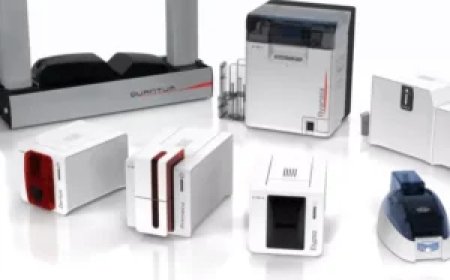
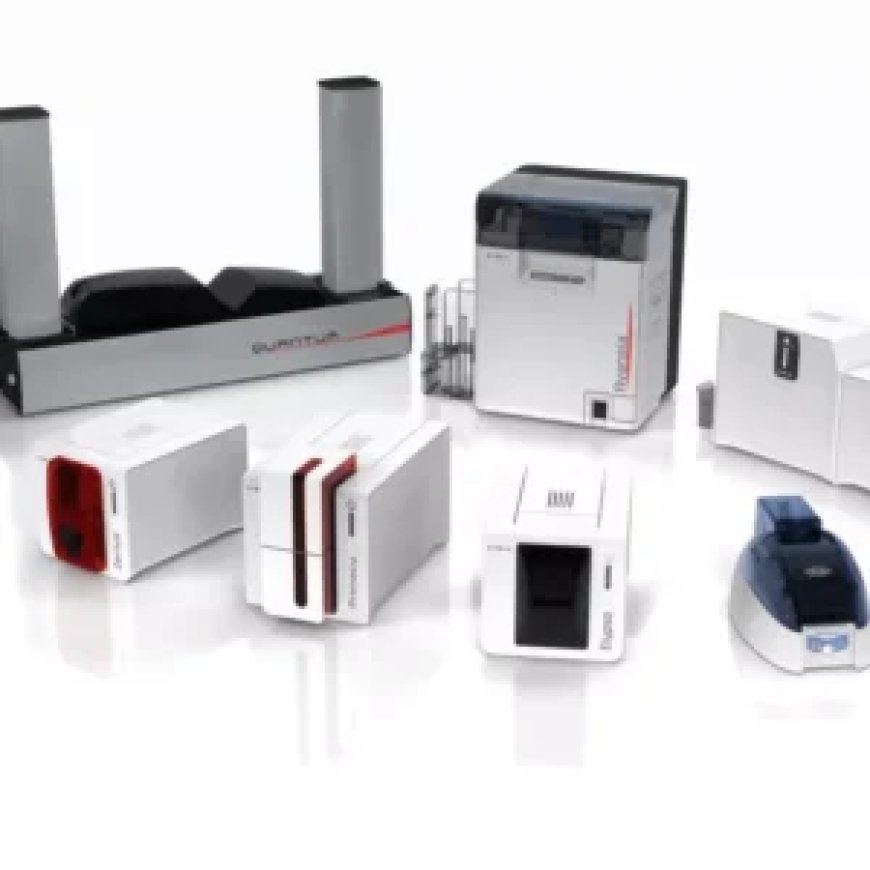
InteractCard Australia supplies Evolis plastic card-printing systems for businesses with different identification requirements.
Its range includes desktop printers, badge printing solutions, card design software and compatible consumables.
Customers exploring badge printers can compare available configurations according to printing volume, required features and intended applications.
Access to related accessories and supplies can also simplify planning a complete card-printing setup.
About Us – InteractCard Australia
InteractCard Australia specialises in plastic identification card-printing equipment and associated supplies.
The company's range includes Evolis printers, blank plastic cards, printing ribbons, identification accessories and software.
Organisations researching a printer for plastic cards can explore equipment suitable for staff identification, membership programmes and other business requirements.
Conclusion
Buying a plastic card printer should begin with understanding what your organisation needs to produce.
Printing volume, card materials, design requirements, software compatibility and operating costs all influence the decision.
Instead of selecting equipment based only on appearance or advertised features, compare the complete printing system.
A well-matched printer can make identification card production more convenient while supporting a consistent, professional result.
What's Your Reaction?
 Like
0
 Dislike
0
 Love
0
 Funny
0
 Angry
0
 Sad
0
 Wow
0