






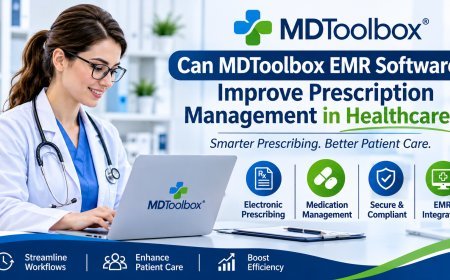



















Can MDToolbox EMR Software Improve Prescription Management in Healthcare?


Managing prescriptions efficiently is an important part of modern healthcare. Medical professionals need reliable tools to prepare medication orders, handle refill requests, review medication information, and communicate with pharmacies. When these tasks depend on manual processes, they can add administrative work and interrupt clinical workflows.
MDToolbox provides electronic prescribing technology designed to help healthcare professionals manage prescription-related activities digitally. Its tools support prescription creation, refill management, medication information, and other prescribing workflows. For medical practices that already use clinical software, the platform may also provide a way to extend prescribing capabilities without replacing the entire system.
This article explores how MDToolbox EMR Software supports electronic prescribing, its key capabilities, potential benefits, integration considerations, and factors practices should evaluate before choosing a solution.
Understanding MDToolbox EMR Software
MDToolbox is primarily known for its electronic prescribing products, including MDToolbox-Rx. Rather than functioning as a comprehensive standalone electronic medical record system, its main focus is helping healthcare providers manage medication prescriptions and related tasks.
The platform is designed to support clinicians who need digital prescribing tools for routine patient care. Depending on the selected product and configuration, capabilities may include electronic prescription transmission, refill requests, medication history, formulary information, and electronic prescribing of controlled substances.
For practices researching MDToolbox EMR Software, understanding this distinction is important. Organizations that need patient charting, appointment scheduling, billing, and complete medical records may require an additional EMR or EHR platform.
Key Features That Support Electronic Prescribing
1. Digital Prescription Creation
Electronic prescription creation allows authorized healthcare professionals to prepare medication orders through a digital interface. This can help practices organize prescription details and reduce reliance on handwritten prescriptions.
A structured prescribing process can also help clinicians review medication information before transmitting an order. Providers must still verify the patient's details, medication, dosage, and instructions carefully.
2. Electronic Refill Management
Refill requests are common in ongoing patient care. MDToolbox supports electronic refill workflows that can help providers manage requests from participating pharmacies.
Digital refill handling can make routine prescription management more organized and reduce the need for some telephone-based communication. The exact process depends on pharmacy participation and the practice's configuration.
3. Controlled Substance Prescribing
For eligible healthcare professionals, electronic prescribing of controlled substances can support a digital alternative to traditional prescription workflows.
MDToolbox offers controlled-substance prescribing functionality through its applicable product options. Practices must follow relevant identity verification procedures, security requirements, and federal and state regulations before using these features.
4. Medication Information and Formulary Tools
Access to medication histories and formulary information can help clinicians review relevant details while preparing prescriptions. Depending on the available service, providers may also access prescription pricing information.
These tools can support prescribing decisions, but they do not replace a complete review of the patient's medical history, allergies, current medications, and individual circumstances.
5. Electronic Prior Authorization
Some medications require approval from an insurance provider before coverage is granted. Electronic prior authorization tools can help practices manage the associated documentation and submission process.
MDToolbox offers electronic prior authorization functionality through its Smart e-PA service. Availability, payer support, and workflow details should be confirmed before implementation.
How EMR Software Works With MDToolbox
A medical practice may already rely on EMR Software to document patient encounters, maintain clinical records, and organize treatment information. However, its existing platform may not provide every prescribing feature the practice requires.
A compatible MDToolbox integration may allow the practice to connect electronic prescribing activities with its existing clinical environment. This can help reduce unnecessary switching between applications and support a more connected workflow.
For example, a clinician may review a patient's information in an existing medical record system and use an integrated prescribing tool to prepare a medication order. The exact workflow depends on the software products, integration configuration, and available data exchange capabilities.
Before selecting a solution, practices should confirm compatibility with their current EMR or EHR, medication-history access, user authentication requirements, and any additional implementation fees.
Benefits for Healthcare Providers
More Organized Prescription Workflows
Digital prescribing tools can help healthcare professionals manage prescription creation, refills, and cancellations through structured workflows. This may make routine medication-related tasks easier to organize.
Reduced Administrative Burden
Features such as medication favorites, electronic refill handling, and electronic prior authorization can reduce repetitive manual work for supported tasks. The actual time saved will depend on the practice's existing procedures and prescription volume.
Flexible Access to Prescribing Tools
Supported mobile prescribing capabilities may allow eligible providers to access prescribing functions on compatible devices. This can be useful for clinicians who work across multiple locations or need access beyond a traditional desktop environment.
Support for Existing Healthcare Technology
Practices do not necessarily need to replace their entire clinical system to add specialized prescribing capabilities. Where supported, integration may allow MDToolbox to complement existing healthcare applications.
Better Workflow Coordination
When prescribing tools work well with other clinical applications, staff may spend less time transferring information between separate systems. Successful implementation depends on technical compatibility, staff training, and clearly defined workflows.
MDToolbox Pricing and Subscription Options
MDToolbox offers subscription-based electronic prescribing products. Its published pricing has included E-Prescribe Pro and E-Prescribe Complete, with different capabilities and billing arrangements.
E-Prescribe Complete includes controlled-substance prescribing functionality, while the Pro option focuses on other electronic prescribing capabilities. The appropriate choice depends on the practice's requirements and the features included in each current plan.
Before purchasing, healthcare providers should confirm:
-
Current monthly and annual subscription prices.
-
Whether pricing is per prescriber.
-
Whether controlled-substance prescribing is required.
-
Whether electronic prior authorization is an additional service.
-
Whether integration or setup fees apply.
-
Which support and onboarding services are included.
Practices should check the vendor's current pricing information because plan details and subscription terms may change.
Is MDToolbox Suitable for Small Medical Practices?
MDToolbox may be worth evaluating for small and medium-sized practices that need a focused electronic prescribing solution. Its specialized approach may suit providers who want to improve medication workflows while continuing to use their existing clinical applications.
However, suitability depends on the practice's needs. A clinic requiring comprehensive patient records, scheduling, billing, reporting, and patient engagement tools may need a broader EHR or practice management system.
Before deciding, practices should identify their essential workflows, test the prescribing process, and verify how the solution works with their existing software.
MDToolbox Alternatives to Consider
Healthcare providers comparing prescribing tools may also consider other solutions.
RXNT: Offers electronic prescribing alongside other healthcare software products, including clinical and practice management tools.
DrFirst: Provides medication management and prescribing technology for healthcare organizations.
eClinicalWorks: Offers a broader EHR and practice management environment that includes clinical workflow capabilities.
AdvancedMD: Provides healthcare software for clinical documentation, practice management, and billing.
These alternatives are not identical. Some focus on prescribing and medication management, while others provide more comprehensive clinical and administrative functionality. Practices should compare current features, costs, integrations, and support before making a decision.
What to Evaluate Before Implementation
Choosing a prescribing platform requires more than comparing feature lists. Healthcare organizations should assess how the software will fit into everyday clinical operations.
First, confirm that the solution supports the types of prescriptions the practice handles. Next, verify integration with existing systems and determine whether medication information can be transferred reliably.
Security and regulatory compliance are also essential, particularly for controlled-substance prescribing. Practices should understand access controls, authentication procedures, and their own responsibilities for protecting patient information.
Finally, consider staff training and technical support. A solution that fits existing workflows and is easy for staff to use may be more practical than one with numerous features that the practice rarely needs.
Frequently Asked Questions
1. What is MDToolbox primarily used for?
MDToolbox primarily supports electronic prescribing, including prescription creation, refill management, and related medication workflows.
2. Is MDToolbox a complete EMR system?
MDToolbox is primarily an electronic prescribing solution rather than a complete standalone EMR. Practices may need another platform for comprehensive patient records, scheduling, and billing.
3. Does MDToolbox support controlled substances?
Yes. MDToolbox offers electronic prescribing of controlled substances through applicable product options, subject to authorization and regulatory requirements.
4. Can MDToolbox work with existing EHR systems?
MDToolbox offers integration options for compatible healthcare applications. Practices should confirm that their specific EHR or EMR supports the required connection.
5. What affects MDToolbox pricing?
Pricing can depend on the selected subscription, billing arrangement, number of prescribers, and optional services. Current costs should be confirmed directly with the vendor.
6. What are some alternatives to MDToolbox?
RXNT, DrFirst, eClinicalWorks, and AdvancedMD are potential alternatives to evaluate. Their capabilities differ, so the right choice depends on whether the practice needs specialized prescribing tools or a broader clinical platform.
Conclusion
MDToolbox provides electronic prescribing technology designed to help healthcare professionals manage medication orders, refill requests, medication information, and related workflows. Its focused capabilities may be useful for practices that want to strengthen prescribing processes without necessarily replacing their existing clinical systems.
Before choosing MDToolbox EMR Software, providers should assess its actual prescribing capabilities, subscription costs, integration options, security requirements, and compatibility with their workflows. Comparing these factors with available alternatives can help practices select a solution that supports efficient operations and responsible medication management.
What's Your Reaction?
 Like
0
 Dislike
0
 Love
0
 Funny
0
 Angry
0
 Sad
0
 Wow
0