























A Clear Review Brief for Character Motion in Product Explainers
A practical review brief for reference-led character motion in product explainers: source permissions, timing, continuity, clear synthetic labels, and honest project context.

Short product explainers often have a simple task: help a viewer understand one idea without making them study a long page. A moving fictional character can support that task, but movement alone does not make the explanation clearer. A gesture can distract from a caption, suggest a feature the product does not offer, or make a synthetic scene look like a real endorsement. A useful review brief keeps those risks visible while giving a small creative project a manageable direction. The following workflow is for planning and reviewing drafts, not for treating generated movement as evidence of actual events.
Start with the message the viewer needs
Write one sentence that states what a person should understand after watching. For a product introduction, that might be where to find a particular section or why a simple concept matters. Keep the statement separate from a request for a visual style. A lively character, bright colors, and music can all coexist with an unclear message. The sentence becomes a practical review question later: does the clip communicate this idea, or does the viewer mainly remember the effects? If the answer is unclear, revise the brief before adding another layer of motion.
Separate a concept scene from a real demonstration
A fictional character reacting to an idea is not the same as a recording of a working product. Label the difference in the brief. If you need to demonstrate a real interface, capture the actual interface and avoid presenting invented screens as available features. A synthetic character can introduce the recording or provide a visual transition, but should not imply an actual user's experience that never occurred. This distinction is particularly important when a scene includes a quote, an outcome, or a recognizable person. Do not let a creative placeholder quietly become a factual claim.
Choose a narrow job for the character
Give the character one job in the scene. It might greet the viewer, draw attention to a heading, or show a brief fictional reaction. Adding several gestures can make it harder to see which one supports the message. A clear action with a beginning, a main beat, and a settled ending gives a reviewer something concrete to assess. It also makes revisions easier to explain. Rather than asking for a more impressive version, you can ask for a greeting that ends before the caption appears or a pause long enough for the viewer to read.
Check both sources before using them
Reference-led motion involves more than one source. Check the rights and permissions for the character image and for the motion material separately. A video that is publicly viewable is not automatically cleared for reuse in an explainer. An image supplied by a collaborator may also have conditions that do not cover a new promotional context. Keep a short note explaining where each source came from and what permission applies. If the permission is uncertain, replace the source at this stage. That is more efficient than polishing a draft whose publication would create an avoidable problem.
Use a simple reference for the first test
A short action with a stable view makes a first test easier to interpret. Several people moving at once or a fast camera change can obscure the source of an error. This does not mean the final project must remain simple. It means the first comparison should answer a small question before you add complexity. Keep the original reference unchanged and identify the segment you used. When a later draft looks clearer, those notes help you understand what changed. Without them, it is easy to confuse a different source with an improvement in the workflow.
Watch timing before inspecting individual frames
Review the clip at normal speed and ask whether the intended action reads clearly. Is there enough time to notice the gesture? Does the character settle before the next visual element demands attention? A result can have appealing individual frames while feeling rushed as a sequence. Do not assume a slower playback effect fixes the problem. It may simply make an awkward transition last longer. Describe the visible issue in ordinary language and tie it to the message in the brief. A timing note should explain what the viewer might miss, not merely express a preference for a different pace.
Make continuity a distinct review pass
After the timing review, pause at useful moments and check details that should remain stable. Look at the character's face, clothing, hands, and relationship to nearby objects. A detail that changes shape or disappears may draw more attention than the intended message. Record what happens and where it happens, rather than making a broad claim about all AI video tools. These notes describe a particular draft. A collaborator should be able to find the same moment and assess the same issue. Specific observations are more useful for revision than a general statement that the output looks artificial.
Preview the actual delivery setting
An explainer designed for a web page should be reviewed at a size close to its eventual player. A facial expression that reads on a large monitor may be unclear in a small preview. Check whether a caption competes with the gesture, and whether the key idea remains understandable without sound. If the video loops, review the transition from the last frame back to the first. A sudden jump can make a calm scene feel restless. The delivery setting is part of the communication task, not an afterthought to check only once the creative work has been declared finished.
Keep revisions traceable without overcomplicating them
Change one relevant element at a time when possible. Try a simpler reference, a clearer image, or a shorter action, but avoid changing all of them while also rewriting the message. Save the earlier output with a name that connects it to its inputs. A small text note can explain what changed and why the revision was chosen. You do not need a large tracking system for a small project. You do need enough context to distinguish a deliberate improvement from a different result that happened to feel more attractive in the moment.
Ask for feedback on one observable issue
A focused request makes feedback easier to use. Ask whether a greeting remains visible before the title appears, whether a pause feels sufficient for reading, or whether a continuity error distracts from the scene. Avoid asking viewers to rate an entire model based on one clip. If a reviewer notices a problem you had not considered, update the brief rather than treating that comment as a demand for another effect. It can help to show two clearly identified drafts, with a short explanation of what changed, instead of a large set of outputs with no comparison question.
Make synthetic labeling part of the publishing plan
Label generated or partially generated material where viewers will actually encounter it. Do not rely on a disclosure hidden in a page that a viewer may never open. Distinguish real screen recordings from fictional character scenes, and avoid implying a person's approval or participation without permission. A clear label does not prevent a scene from being useful or creative. It gives the audience a fair way to interpret what they are seeing. Keep that label with the file and caption when handing the clip to another person, so it is not lost during the final layout work.
Keep readiness tied to the brief
A draft is ready when it communicates the intended message, passes the relevant visual checks, and can be shared with clear permissions and context. Looking polished by itself is not enough. Some projects will be better served by a still image, a plain caption, or real footage. The brief should leave room for those choices. If a generated scene keeps distracting from the explanation, removing it can be a stronger decision than continuing to add effects. The tool serves the message; the message does not need to be reshaped merely to justify using the tool.
Project context and practical limits
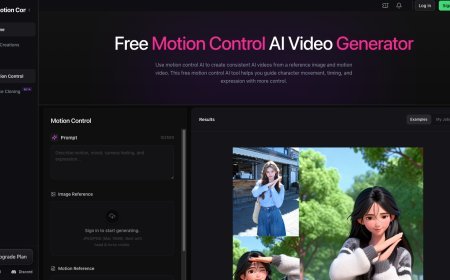
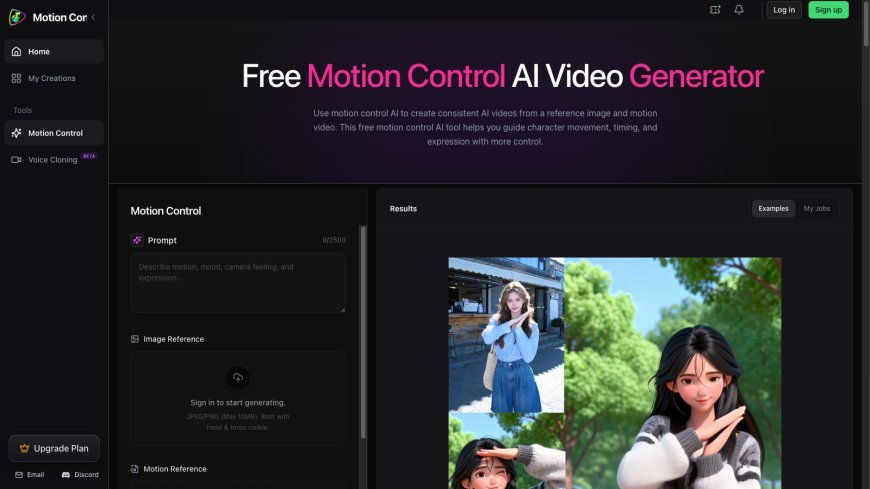
I work on Motion Control AI, a browser-based project for exploring reference-led character video drafts. This is an affiliated discussion of a workflow, not an independent review or a guarantee of a particular output. Readers researching motion control ai free can visit the project website and check current conditions. Check the live interface for current controls and access conditions instead of relying on an old description of prices or limits. Whatever tool you choose, keep the review brief clear, preserve the source notes, and publish only a draft whose context and synthetic nature you can explain honestly.
What's Your Reaction?
 Like
0
Like
0
 Dislike
0
Dislike
0
 Love
0
Love
0
 Funny
0
Funny
0
 Angry
0
Angry
0
 Sad
0
Sad
0
 Wow
0
Wow
0