
























Simple Ways to Stay Connected to the Internet During Power Cuts
Learn how to prepare your home internet connection for power cuts using a mini UPS, home inverter, charged devices, and mobile data backup. Explore broadband options from Asianet Broadband to support your connectivity needs

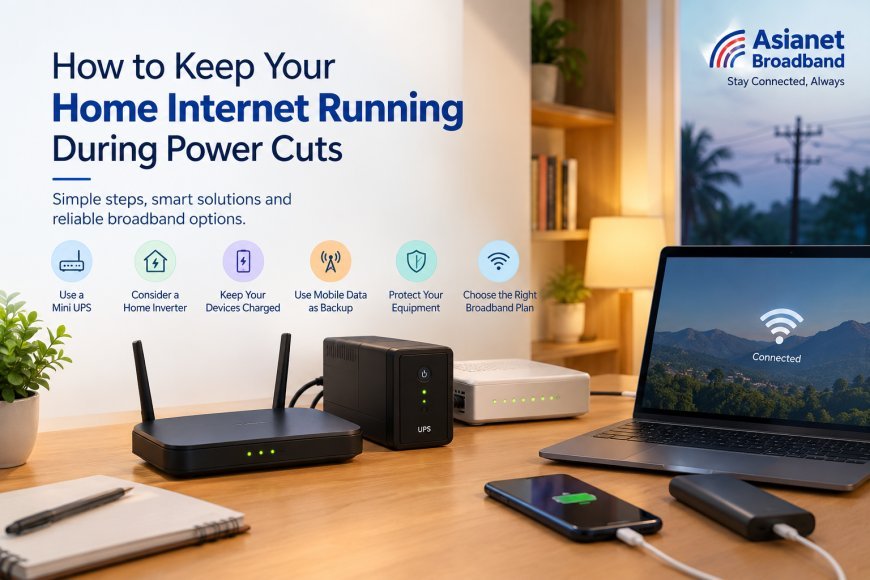
A power cut can interrupt your work-from-home routine, online classes, video calls, and everyday browsing. Since Wi-Fi routers and fibre networking equipment require electricity, preparing your home network in advance can help reduce connectivity interruptions.
From using a mini UPS to keeping mobile data as a backup, a few simple steps can help you stay connected during unexpected power cuts.
1. Use a Mini UPS for Your Wi-Fi Router
A mini UPS can provide backup power to your Wi-Fi router during short power cuts. Before purchasing one, check your router's voltage requirements, battery capacity, and connector compatibility. If your fibre connection uses a separate modem or Optical Network Terminal (ONT), make sure that device also receives backup power.
2. Consider a Home Inverter or UPS
If power interruptions are frequent in your area, a home inverter or larger UPS system can help power essential devices such as your router, ONT, and laptop. Choose a system based on the combined power requirements of your equipment and the backup duration you need.
3. Keep Your Devices Charged
Charge your laptop and mobile phone regularly, especially when power interruptions are expected. Keep a charged power bank available, save important work frequently, and close unnecessary applications to conserve battery power.
4. Keep Mobile Data as a Backup
Mobile data can be an alternative when your broadband connection becomes unavailable. Using your phone as a mobile hotspot allows you to connect your laptop or other devices. However, performance depends on network coverage, signal strength, data availability, and congestion.
5. Protect Your Networking Equipment
Use suitable surge protection and follow the manufacturer's safety instructions. Once power returns, allow your router and modem to restart fully. If your fibre connection remains unavailable or the LOS indicator shows an abnormal signal, contact your broadband service provider for assistance.
6. Choose a Broadband Plan That Suits Your Needs
Preparing your equipment is important, but choosing the right internet service also matters. When comparing the best broadband plans in Kerala, consider speed, data usage, connected devices, pricing, service availability, and customer support.
Asianet Broadband offers broadband services for home internet users in Kerala. If you are looking for the best fibre broadband in Kerala, compare available plans and coverage in your area to find an option that suits your household's connectivity needs.
Whether you are searching for a Wi-Fi connection near you or a broadband connection for your home, check local availability, installation charges, and plan benefits before making a decision.
Conclusion
A compatible mini UPS, charged devices, mobile data backup, and proper equipment protection can help you prepare your home internet connection for unexpected power cuts.
Explore suitable broadband options from Asianet Broadband and compare available plans to find a connection that supports your everyday internet needs.
What's Your Reaction?
 Like
0
Like
0
 Dislike
0
Dislike
0
 Love
0
Love
0
 Funny
0
Funny
0
 Angry
0
Angry
0
 Sad
0
Sad
0
 Wow
0
Wow
0