




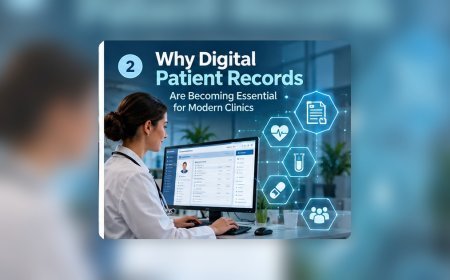




















Why Digital Patient Records Are Becoming Essential for Modern Clinics
Digital patient records help modern clinics store, access, and update patient information more efficiently. They can reduce paperwork, improve record accuracy, support faster care decisions, and make it easier for healthcare teams to manage appointments, treatment history, prescriptions, and reports in one organized system.

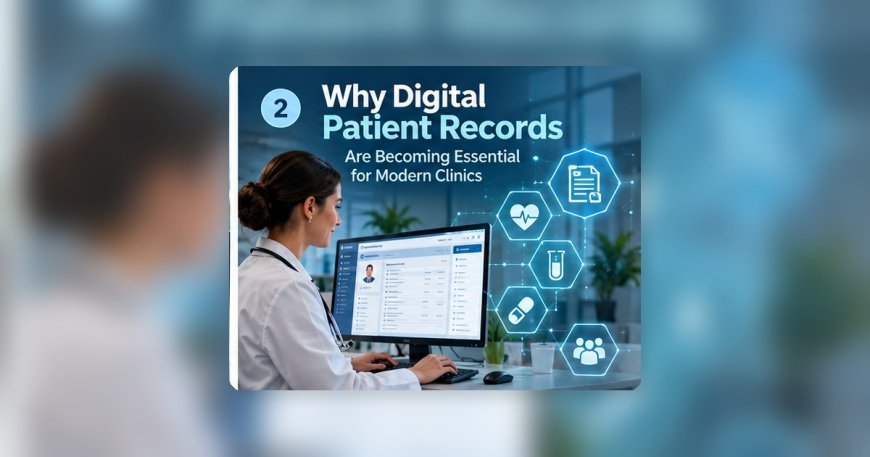
Modern clinics depend increasingly on accurate, accessible, and well-organized information.
A patient's healthcare history does not begin and end with a single appointment. Previous consultations, prescriptions, diagnostic results, allergies, procedures, and follow-up plans can all become relevant during future visits.
When these records exist only on paper or across several disconnected tools, healthcare professionals may spend valuable time trying to locate the right information.
Digital patient records provide clinics with a more structured way to maintain information over time.
For smaller clinics, this can reduce administrative work. For growing clinics, digital records can become essential for maintaining consistency across multiple doctors, services, and locations.
Why Paper Records Become Difficult as Clinics Grow
Paper records may work reasonably well when a clinic has a small number of patients.
As patient volume increases, the limitations become more obvious.
Files require physical storage.
Reception staff need time to locate them.
Records may be misplaced.
Two staff members cannot easily use the same physical file simultaneously.
Laboratory reports and prescriptions may also become separated from the main record.
Growth makes every one of these problems larger.
Digital Records Create Searchable Patient Histories
One of the most practical benefits of digital records is searchability.
Authorized staff can locate the correct patient record much faster than manually searching filing cabinets.
A patient's digital history may include:
- Previous consultations
- Diagnoses
- Prescriptions
- Laboratory results
- Allergies
- Procedures
- Treatment notes
- Follow-up plans
The exact structure varies by clinic, but the purpose is continuity.
Improve Returning Patient Visits
Returning patients should not feel like new patients every time they visit.
Basic information should already exist.
Reception staff can verify or update what has changed.
Doctors can review previous consultations before or during the visit.
This reduces repeated questions and creates a smoother experience.
Reduce Duplicate Patient Records
Duplicate records create confusion.
One employee may create a new record because they cannot find the old one.
A different spelling may create another profile.
A changed phone number may cause a mismatch.
Digital systems should make patient search easy before a new record is created.
This helps maintain a single reliable history.
Standardize Patient Information
Digital records make it easier to use consistent fields.
Names, phone numbers, dates, addresses, and other information can follow standard formats.
This improves searching.
It also improves reporting later because the data is more structured.
Connect Patient Records With Appointments
Patient records become even more useful when connected with appointments.
A Health Management System can link the scheduled visit to the correct patient.
When the patient arrives, reception can check them in.
The doctor can then access the same record.
This creates a smoother administrative-to-clinical transition.
Help Doctors Prepare for Consultations
Doctors benefit from having context.
A clinician may need to know whether the patient had a similar complaint previously.
They may want to review medication history or laboratory results.
Digital records make this information easier to access.
This can improve consultation efficiency.
Improve Continuity Between Doctors
Clinics with several providers need shared information.
A patient may see one doctor during an initial consultation and another during follow-up.
If every doctor keeps separate notes, continuity becomes difficult.
Digital patient records allow authorized clinicians to review previous documentation.
This helps create a more consistent care experience.
Connect Laboratory Results
Many clinics order laboratory testing.
The test may be performed elsewhere or within the same healthcare organization.
Results should become part of the patient's history.
If reports remain as separate paper documents, staff may struggle to locate them later.
Digital storage keeps diagnostic information connected with the patient.
Maintain Prescription History
Medication history can be important for future consultations.
A digital patient record can show what was prescribed previously and when.
This helps clinicians understand earlier treatment decisions.
It also reduces dependence on patient memory.
Support Follow-Up Care
Many healthcare visits require follow-up.
A patient may need to return after several weeks.
Another may need repeat testing.
Someone else may need a medication review.
Digital records allow the clinic to connect these future activities with the original consultation.
This improves continuity.
Support Long-Term and Chronic Care
Patients receiving long-term care may build years of history.
Paper files become increasingly difficult to manage as the record grows.
Digital systems provide a more structured timeline.
Clinicians can review previous visits, results, and treatment changes more efficiently.
Reduce Reception Work
Paper records create work for front-desk employees.
Files need to be created, stored, retrieved, returned, and reorganized.
Digital records reduce much of this physical handling.
Reception staff can spend more time managing patients and appointments.
Reduce Repeated Data Entry
If basic patient details already exist, they should not need to be entered repeatedly.
Connected systems can reuse existing demographic information in appointments, billing, and other workflows.
This saves time and reduces inconsistencies.
Connect Patient Records With Billing
Billing becomes easier when services are connected to the correct patient record.
Staff can see what consultation or service was provided.
They do not need to reconstruct activity from handwritten notes.
This creates cleaner financial administration.
Improve Clinic Reporting
Digital patient records also create structured operational information.
Clinic managers may be able to review:
- Patient volume
- New versus returning patients
- Appointment trends
- Follow-up activity
- Service demand
- Provider workload
Paper records make these reports difficult to create.
Support Multi-Branch Clinics
A clinic may eventually open another branch.
Paper records immediately create a location problem.
Where should the original patient file be stored?
What happens if the patient visits another branch?
Digital records can allow authorized staff across locations to access the appropriate history.
This creates more consistent service.
Maintain Role-Based Access
Digital access should be controlled.
Reception staff may need demographic and scheduling information.
Doctors need clinical history.
Billing teams need financial records.
Managers may need summarized reports.
Role-based access helps keep information useful without making everything visible to everyone.
Improve Security and Accountability
Paper files can be lost or viewed without a reliable record of access.
Digital systems have different risks, but they can also provide better control.
Clinics can use authentication, permissions, backups, and audit trails where appropriate.
Security needs to be designed into the system from the beginning.
Maintain Reliable Backups
A digital patient record should not exist in only one vulnerable location.
Healthcare organizations need backup procedures.
They should also understand how information would be restored after a technical failure.
A backup strategy is incomplete if restoration has never been tested.
Create a Downtime Procedure
Technology can occasionally become unavailable.
Clinics should know how urgent work continues temporarily.
Staff should also know how information created during downtime will later be added to the main record.
This reduces disruption.
Avoid Overcomplicated Systems
Small clinics do not necessarily need highly complex software.
A system overloaded with irrelevant fields and features may actually slow employees down.
The right digital record system should reflect the clinic's real workflow.
Usability matters as much as functionality.
Make Clinical Documentation Practical
Doctors should be able to document consultations efficiently.
Templates may help with common visit types.
Structured fields may help organize important information.
However, the system should still allow clinicians to record individual patient details appropriately.
The balance between structure and flexibility is important.
Train Staff on Data Quality
Digital records still depend on human input.
Staff should understand how to search for existing patients, update information, use standard formats, and correct mistakes.
Poor data entry can make even advanced software unreliable.
Audit Records Periodically
Clinics should occasionally review patient record quality.
Common problems include:
- Duplicate profiles
- Missing contact information
- Inconsistent formatting
- Outdated demographic information
- Incomplete records
Routine review helps maintain quality.
Avoid Collecting Information Without Purpose
Digital systems make it easy to add more fields.
That does not mean every field should be mandatory.
Clinics should collect information that supports patient care, administration, reporting, or required compliance.
Unnecessary fields create additional work.
Prepare for Future Growth
One of the strongest arguments for digital records is scalability.
A clinic with one provider may manage paper successfully.
A clinic with several doctors, thousands of patients, and multiple locations will face a much greater challenge.
Digital systems provide a stronger foundation for expansion.
Platforms such as eHealthMatrix reflect this broader move toward connected clinic and hospital management.
Improve the Patient Experience
Patients may not care what database a clinic uses.
They care about the results.
They want registration to be smooth.
They do not want to repeat the same information unnecessarily.
They want doctors to understand previous treatment.
They want follow-up to feel organized.
Good digital records support these experiences.
Final Thoughts
Digital patient records are becoming essential because clinics increasingly need efficiency, continuity, and scalability.
Paper systems become difficult to manage as patient volume grows.
Disconnected digital tools can create similar problems.
The strongest approach is to maintain one reliable patient history that connects naturally with appointments, consultations, diagnostics, prescriptions, billing, and follow-up.
Digital records should not simply replace filing cabinets.
They should improve how clinics work.
Frequently Asked Questions
Why are digital patient records better than paper?
They are easier to search, update, back up, and connect with appointments and other clinic workflows.
Are digital records useful for small clinics?
Yes. Small clinics can benefit from faster registration, better continuity, and reduced administrative work.
Can digital records reduce duplicate patient profiles?
Yes, especially when the system provides effective patient search and identification tools.
Can multiple clinic branches access the same patient record?
Many modern systems support authorized access across multiple locations.
Are digital records automatically secure?
No. Clinics still need appropriate authentication, permissions, backups, and security procedures.
Do digital records help doctors?
Yes. They make previous consultations, prescriptions, tests, and other relevant information easier to review.
What's Your Reaction?
 Like
0
Like
0
 Dislike
0
Dislike
0
 Love
0
Love
0
 Funny
0
Funny
0
 Angry
0
Angry
0
 Sad
0
Sad
0
 Wow
0
Wow
0