





























7 Accounting Mistakes Small Businesses Make and How Software Can Prevent Them
Discover 7 common accounting mistakes small businesses make and learn how accounting software helps improve accuracy and financial management.
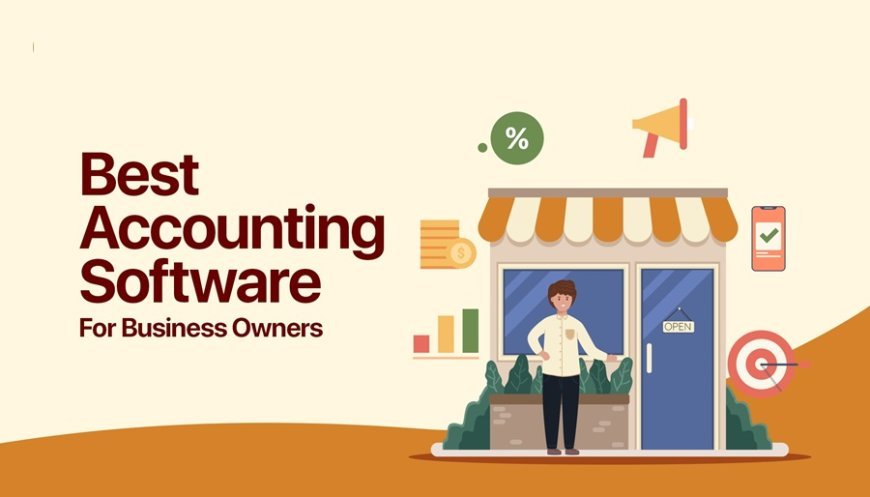
Managing finances is one of the most important responsibilities for any small business. However, many business owners struggle with bookkeeping, expense tracking, tax compliance, and cash flow management while focusing on daily operations. Even small accounting errors can lead to financial losses, missed tax deadlines, and poor business decisions.
Using reliable accounting software can help small businesses automate routine financial tasks, maintain accurate records, and reduce the risk of costly mistakes. From tracking expenses to generating financial reports, the right solution makes accounting more organized and manageable.
Let's explore seven common accounting mistakes small businesses make and how accounting software can help prevent them.
1. Mixing Personal and Business Expenses
One of the most common accounting mistakes is using the same bank account or payment method for personal and business expenses. Small business owners may pay for office supplies using personal funds or use business money for household purchases.
This practice makes it difficult to identify actual business expenses, calculate profits accurately, and prepare tax returns. It can also create confusion during financial audits.
How accounting software can help
Accounting software allows businesses to categorize transactions, record business expenses, and maintain organized financial records. When combined with separate business bank accounts, it becomes easier to distinguish personal spending from business transactions.
Business owners can also review categorized expenses regularly to identify unusual entries and correct errors before they affect financial reports.
2. Making Data Entry Errors
Manual data entry can be time-consuming and prone to mistakes. Entering the wrong invoice amount, recording a transaction twice, or selecting an incorrect expense category can distort financial records.
These errors may seem minor initially, but they can accumulate over time and affect profit calculations, tax reporting, and business planning.
How accounting software can help
Modern accounting software can automate several repetitive accounting tasks, including invoice recording, transaction imports, expense categorization, and financial calculations.
Depending on the software and its integrations, bank feeds and automated transaction matching can reduce manual data entry. Validation rules and duplicate transaction checks can also help identify inconsistencies.
Although automation reduces errors, businesses should still review transactions and verify important financial information.
3. Failing to Track Cash Flow Properly
A business can generate sales and still struggle to pay its bills. This often happens when owners focus on revenue without monitoring when money enters and leaves the business.
For example, a company might sell products worth ₹2 lakh on credit but have insufficient cash to pay suppliers because customers have not settled their invoices.
Poor cash flow management can result in delayed payments, unnecessary borrowing, and operational disruptions.
How accounting software can help
Accounting software helps business owners monitor income, expenses, outstanding payments, and available financial resources. Cash flow reports make it easier to understand expected inflows and upcoming obligations.
Some solutions also provide cash flow forecasts based on recorded transactions and expected payments.
By reviewing these reports regularly, business owners can identify potential cash shortages early and make better decisions about spending, collections, and working capital.
4. Forgetting to Send Invoices or Follow Up on Payments
Late invoicing and inconsistent payment follow-ups can delay collections. Small businesses that manage invoices through spreadsheets or handwritten records may forget to bill customers, overlook overdue invoices, or lose track of payment dates.
These problems directly affect cash flow and increase the time required to collect outstanding payments.
How accounting software can help
Accounting software simplifies invoice creation, customer billing, and payment tracking. Many platforms allow users to create professional invoices, set payment terms, and monitor outstanding balances.
Depending on the product, businesses can also schedule recurring invoices and automated payment reminders.
These features help owners follow up on overdue payments systematically, reduce administrative work, and improve the chances of collecting money on time.
5. Missing Tax Deadlines and Compliance Requirements
Tax compliance can be challenging for small businesses, particularly when financial records are incomplete or transactions are not categorized correctly.
Missing a filing deadline, calculating tax incorrectly, or maintaining insufficient documentation can lead to penalties, additional costs, and unnecessary stress.
Businesses operating in India may need to manage GST records, tax invoices, input tax credit documentation, and other applicable statutory requirements.
How accounting software can help
Accounting software with relevant tax features can help businesses organize transactions, maintain tax-related records, and prepare reports needed for compliance.
For Indian businesses, suitable software may support GST invoicing, tax calculations, GST reports, and data exports for return preparation.
However, features differ between products and subscription plans. Software does not automatically guarantee compliance. Business owners should verify the applicable rules, review reports, and consult a qualified tax professional when necessary.
6. Not Reconciling Bank Statements
Bank reconciliation means comparing the transactions recorded in accounting books with those shown in bank statements.
Many small businesses postpone this task because it appears time-consuming. As a result, missing transactions, duplicate entries, bank charges, and incorrect payment records can remain unnoticed.
Without regular reconciliation, financial reports may not reflect the actual position of the business.
How accounting software can help
Accounting software with bank reconciliation features helps users compare recorded transactions against bank statement entries.
Some platforms import bank transactions and suggest matches automatically, making it easier to identify discrepancies. Unmatched transactions can then be reviewed and corrected.
Performing bank reconciliation every month helps businesses maintain more reliable financial records and identify suspicious or unexpected transactions sooner.
7. Ignoring Financial Reports and Business Performance
Some small business owners review their bank balance to determine whether their business is performing well. However, a positive bank balance does not necessarily mean a business is profitable or financially healthy.
Without reviewing financial statements, owners may overlook rising expenses, declining profit margins, growing customer dues, or increasing liabilities.
These gaps can lead to poor pricing decisions, unnecessary spending, and missed growth opportunities.
How accounting software can help
Accounting software can generate financial reports such as profit and loss statements, balance sheets, cash flow reports, and expense summaries.
These reports help business owners understand where money is being earned and spent. They can compare performance across different periods, identify major cost categories, and evaluate whether the business is meeting its financial goals.
Regularly reviewing these reports helps turn accounting data into useful information for budgeting, planning, and decision-making.
How to Choose the Right Accounting Software for Your Small Business
Choosing accounting software should depend on your business size, transaction volume, industry, and compliance requirements. A solution that works for a freelancer may not be suitable for a growing company with inventory, multiple branches, and a large customer base.
Before selecting a platform, consider the following factors.
Ease of use: Choose software with a simple interface so that you and your team can manage daily accounting tasks without extensive training.
Automation features: Look for capabilities such as automated invoicing, expense categorization, bank reconciliation, and payment reminders.
Tax and compliance support: If your business operates in India, evaluate whether the software supports your applicable GST and invoicing requirements.
Reporting capabilities: Ensure that the platform provides useful financial reports to help you monitor profitability, expenses, and cash flow.
Scalability: Select a solution that can accommodate increasing transaction volumes and changing business requirements as your company grows.
Data security and support: Check access controls, backup options, data protection practices, and the availability of customer support.
Comparing these factors before purchasing accounting software can help you avoid unnecessary costs and choose a tool that fits your business needs.
Conclusion
Accounting mistakes can affect a small business's profitability, cash flow, compliance, and long-term growth. Mixing personal and business expenses, making data entry errors, neglecting bank reconciliation, and failing to monitor financial reports are common problems that can be avoided with better processes.
The right accounting software helps businesses automate routine tasks, organize financial information, track payments, and generate accurate reports. However, software works best when combined with regular financial reviews, proper documentation, and responsible accounting practices.
For small businesses looking to improve financial management, investing in suitable accounting software can be a practical step toward reducing errors, saving time, and making more informed business decisions.
Frequently Asked Questions (FAQs)
1. What is accounting software used for in small businesses?
Accounting software helps small businesses record transactions, track income and expenses, create invoices, reconcile bank accounts, manage tax-related records, and generate financial reports.
2. Can accounting software prevent accounting mistakes?
Yes. Accounting software can reduce common mistakes through automated calculations, transaction matching, expense categorization, duplicate checks, and organized recordkeeping. However, incorrect data entry and configuration can still cause errors.
3. Is accounting software necessary for small businesses?
It is not mandatory for every business, but it becomes increasingly useful as transaction volumes grow and financial management becomes more complex. Businesses should choose a solution based on their needs, budget, and compliance obligations.
4. What features should small businesses look for in accounting software?
Important features include invoicing, expense tracking, bank reconciliation, financial reporting, tax support, payment reminders, data security, and integration with other business tools.
5. How does accounting software improve cash flow management?
It helps business owners track outstanding invoices, monitor expenses, review payment schedules, and understand expected cash inflows and outflows. This makes it easier to identify potential cash shortages and plan spending accordingly.
What's Your Reaction?
 Like
0
Like
0
 Dislike
0
Dislike
0
 Love
0
Love
0
 Funny
0
Funny
0
 Angry
0
Angry
0
 Sad
0
Sad
0
 Wow
0
Wow
0