
















A practical guide to reviewing playful caricature portraits
A practical educational guide to choosing references, reviewing caricature portraits, consent, and responsible sharing.

A caricature is not simply a portrait with a larger nose or a smaller chin. It is a selective interpretation of a person, shaped by the artist's choices about expression, silhouette, color, and context. A good result feels recognizable while offering a playful point of view. This guide explains a practical process for choosing references, experimenting with visual styles, and reviewing generated pictures before sharing them.
Start with a clear purpose
Before choosing a picture, decide where the portrait will appear. A tiny profile image needs a clear face and a simple background. A greeting card has more room for a pose, an accessory, or a short message. A team slide may benefit from consistent colors and framing across several portraits. A large printable gift can support finer details, but the source image and final resolution still matter.
Write down the feeling you want to communicate: energetic, gentle, formal, silly, or nostalgic. This gives you a useful criterion when comparing variations. Without a purpose, it is easy to select the most exaggerated picture simply because it looks different. The strongest image is usually the one that matches the occasion and remains recognizable to the people who know the subject.
Choose a useful reference
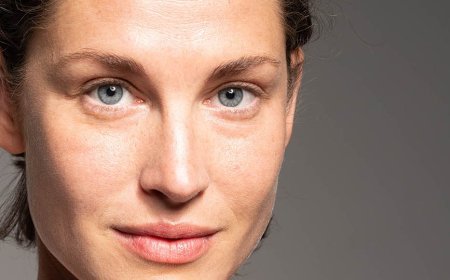
A reference photo does not need to be professionally shot. It should show the face clearly enough for you to understand its shape, expression, and defining features. Even lighting often makes the eyes and mouth easier to see. If a hat, shadow, or hand hides an important part of the face, try another image or describe the missing context in your own notes. Avoid relying on a single blurry crop when a clearer alternative is available.
Consider the subject's comfort as well as the technical quality of the photo. Ask permission before uploading or sharing another person's image, especially when the picture is private or the intended audience is broad. Use an image you have the right to use, and review the service's current privacy information before uploading. If a photo contains other people or identifying details you do not need, crop those out first.
Notice features without turning them into insults
Caricature works by emphasizing relationships between features. You might notice a distinctive smile, strong eyebrows, a particular hairstyle, or the way a person tilts their head. Instead of making a list of supposed flaws, look for visual cues that contribute to a familiar expression. A cheerful portrait can exaggerate the arc of a smile while keeping the rest of the face relatively balanced.
Context matters. Something funny among close friends may be uncomfortable in a workplace presentation or public post. If you are uncertain, choose an interpretation that is warm rather than harsh. Review facial features, body proportions, clothing, and skin tone for unintended stereotypes. The person depicted should have the opportunity to decline a public use or ask for a different version.
Compare styles deliberately
Style changes more than the surface texture. A bold cartoon treatment can prioritize strong outlines and simple shapes, whereas a softer illustration can emphasize shading and a subtler expression. Bright colors may suit a party invitation; a limited palette can make a group of portraits feel coordinated. Compare several directions with the same input before deciding whether to change the photo or description.
Caricature Maker provides photo and text starting points, eight style choices, an exaggeration adjustment, and editing options. It also offers one free 1K generation to try. You can explore the caricature maker and compare its current interface and terms with the needs of your project. Features and availability can change, so check the product page for the latest details.
Use exaggeration as a dial, not a goal
Begin with a moderate setting and look at the entire face before increasing the effect. Ask whether the eyes, mouth, and overall expression still work together. An extreme adjustment may create a striking shape but make the subject less recognizable or change the mood. A smaller adjustment can be more effective when the image must remain readable at a small size.
Change one variable at a time when comparing results. For example, keep the same reference while testing two levels of exaggeration, then keep the preferred level while comparing styles. Save notes about what changed. This simple habit makes it easier to distinguish a useful creative choice from a random variation and prevents you from losing a version you liked.
Describe a scene with concrete visual details
When starting from text, describe the visible subject, pose, expression, setting, and artistic treatment. A useful description might say that a smiling cyclist is shown from the shoulders up, wearing a blue helmet, against a simple cream background, in a friendly illustrated style. Concrete details help establish the intended composition without requiring a long list of technical terms.
Keep the first description focused. If the result includes too many competing objects, remove less important details before adding more instructions. Avoid asking the system to imitate a living artist's distinctive work; describe qualities such as loose lines, muted colors, or a paper texture instead. If you need a particular text label, plan to add it afterward in a normal graphics editor because generated lettering can be inconsistent.
Inspect the result at two sizes
First view the portrait at the size where it will actually be used. Check whether the expression and outline are understandable, whether the face is centered, and whether any important detail disappears into the background. Then zoom in to inspect edges, eyes, hands, accessories, and transitions between hair and clothing. Generative systems can invent or distort details, so a close review is an essential part of the process.
Compare the result with your original purpose rather than judging it in isolation. Does the image work as a profile thumbnail? Is there space for the card's message? Does the pose fit the slide layout? If the answer is no, choose a simpler composition or adjust the framing. A visually elaborate image is not necessarily the most useful one.
Plan for cropping and export
Leave a little space around the head if the destination may apply a circular crop. For a rectangular card, consider where a title or greeting will sit before choosing the final portrait. Keep an untouched copy of the selected image, then create separate versions for different sizes. This lets you change a crop later without repeatedly degrading the only available file.
Check the actual pixel dimensions and file format after download. A 1K generation can be useful for many digital contexts, but print quality depends on the intended physical size and viewing distance. Test a small print before producing a large batch. Upscaling may change the look of fine details and cannot reliably recreate information absent from the original image.
Create a consistent set for a group
For a team or family project, agree on the intended mood and framing before generating every portrait. Use references with similar camera angles when possible, and choose a shared background color or visual treatment. Consistency does not require every face to be exaggerated in exactly the same way; each person should remain recognizable and comfortable with their own depiction.
Keep the process transparent. Tell participants how the images will be used, who will see them, and whether they will be stored or published. Collect corrections before the final layout. If someone prefers not to use a photo, offer a text-based illustration or a neutral placeholder rather than pressuring them to participate.
Review rights, privacy, and expectations
Check the current terms of any tool and the rules of the destination where you plan to publish. Ownership and permitted uses can vary by service and jurisdiction. A generated portrait should not be presented as documentary evidence or as a real photograph of an event. Label an image as generated or edited where that distinction would matter to viewers.
Do not use a portrait to impersonate someone or imply their endorsement. Be particularly careful with children's photos and sensitive personal contexts. Keep only the copies you need, use appropriate access controls, and remove source materials when they are no longer required. If a platform offers a deletion or retention setting, read its instructions rather than assuming a browser action removes every copy.
A short final checklist
Before sharing, confirm that the subject is recognizable, the expression suits the occasion, and the image has no distracting artifacts. Verify the crop at its intended size and check the destination's format requirements. Confirm permission from the person depicted and review the applicable service terms. Finally, keep an editable or original copy so that a later correction does not require starting the whole process again.
Caricature is a creative interpretation, not a measure of likeness or beauty. A thoughtful reference, a clear purpose, and a respectful review process usually matter more than maximizing an effect. Use the available controls to explore, compare the outcomes honestly, and choose the image that communicates the intended feeling.
What's Your Reaction?
 Like
0
Like
0
 Dislike
0
Dislike
0
 Love
0
Love
0
 Funny
0
Funny
0
 Angry
0
Angry
0
 Sad
0
Sad
0
 Wow
0
Wow
0