



















NDIS Website Design: Essential Features for Australian Providers
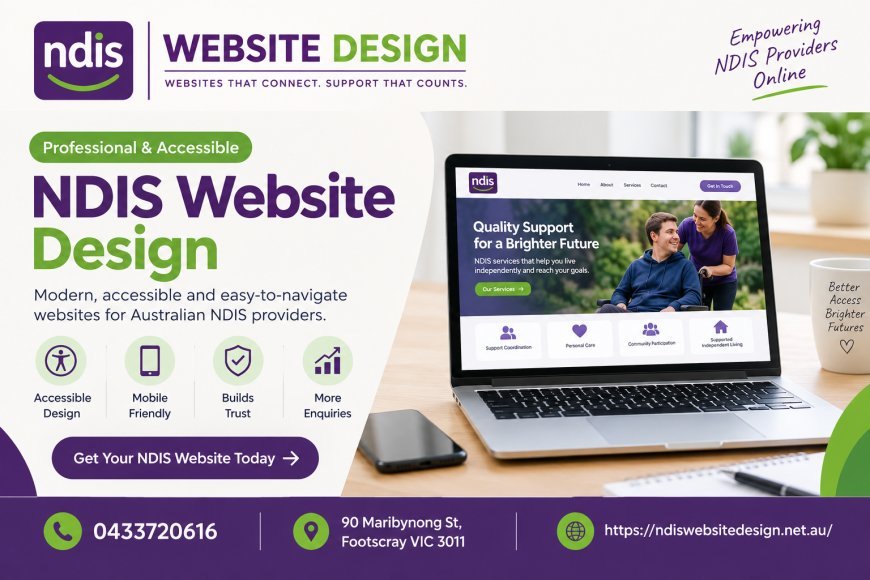
For disability support businesses across Australia, a website is an important way to introduce services, explain the organisation’s approach and help potential clients make informed decisions. A well-planned website should do more than display contact details. It should make information easy to understand, provide a comfortable browsing experience and help visitors find the details they need.
NDIS website design requires careful attention to accessibility, navigation, service information and mobile usability. By focusing on these elements, providers can create a website that communicates their services clearly and supports their wider business goals.
1. Clear and Simple Navigation
Website visitors should be able to find important information without searching through multiple pages. A straightforward navigation menu makes it easier to explore services, learn about the organisation and contact the team.
Consider including the following pages:
-
Home
-
About Us
-
Our Services
-
Service Locations
-
Frequently Asked Questions
-
Contact Us
The menu should use familiar labels rather than complicated industry terminology. Keep the most important pages easy to reach, and make sure visitors can return to the homepage without difficulty.
A logical structure also helps search engines understand how different pages relate to one another.
2. Accessible Website Design
Accessibility should be a central consideration when building a website for a disability support organisation. Visitors may have different visual, cognitive, hearing or motor accessibility requirements, so the website should accommodate a broad range of needs.
Useful improvements include providing sufficient colour contrast, using readable font sizes, adding descriptive alternative text to meaningful images and ensuring that forms can be navigated using a keyboard.
Headings should follow a logical hierarchy, while links and buttons should have clear labels. For example, a button labelled “Contact Our Team” communicates its purpose more clearly than a vague label such as “Click Here”.
Providers should use the Web Content Accessibility Guidelines (WCAG) as a reference when planning and reviewing their websites. Accessibility testing should be part of ongoing maintenance rather than a one-time task.
3. Mobile-Friendly Pages
Many people browse websites using smartphones or tablets. A website that works well only on a desktop computer can make it difficult for visitors to read information, navigate menus or submit enquiries.
Responsive design allows page layouts to adjust to different screen sizes. Text should remain readable, buttons should be easy to tap, and important information should not disappear on smaller screens.
Test the website on several devices before launch. Check that contact details are visible, forms work correctly and visitors can access service information without excessive scrolling.
Mobile usability can also contribute to a better overall experience and support search performance.
4. Detailed and Easy-to-Understand Service Pages
Service pages should explain exactly what the organisation offers. General statements about providing quality support are not enough to help visitors understand whether a service meets their requirements.
Each page can outline the service, who it is intended for, the locations covered and how to enquire. Where relevant, explain the process for getting started and provide answers to common questions.
Use short paragraphs, descriptive headings and bullet points to make information easier to scan. Avoid promising outcomes that cannot be guaranteed, and ensure that all service descriptions accurately reflect the organisation’s current offerings.
If a provider offers several types of support, dedicated pages can make each service easier to understand and discover through search.
5. Trust-Building Information
Visitors often want to understand who they are contacting before making an enquiry. A dedicated About Us page can introduce the organisation, its values, its team and its approach to support.
Include accurate business details, relevant staff information and genuine photographs where appropriate and consented to. If testimonials are used, obtain permission and represent the feedback honestly.
Providers should also explain how people can contact the organisation and what happens after an enquiry is submitted. Clear expectations can make the process less confusing.
Avoid displaying registration claims, qualifications or endorsements unless they are accurate and current.
6. Straightforward Contact Options
A website should make it easy for interested visitors to take the next step. Contact information should be consistent across the website, and the contact page should be simple to use.
Useful options may include a telephone number, email address and enquiry form. Forms should request only information that is reasonably necessary at the initial stage.
Explain which fields are required and provide helpful error messages if something is missing. A confirmation message after submission lets visitors know that their enquiry has been received.
Because enquiries may contain personal information, providers should also explain how submitted information is handled and protect it appropriately.
7. Search-Friendly Website Structure
A website needs useful content and a clear structure if people are to discover it through search engines. Each important service should have a descriptive page title, a relevant heading and original information that answers common questions.
This is where NDIS SEO services can complement website design. Search optimisation may involve researching relevant search terms, improving page titles, refining internal links and developing helpful service content.
For example, a provider serving several areas may benefit from clearly explaining its service locations. Location pages should contain useful, specific information rather than simply repeating the same content with different suburb names.
SEO is an ongoing process. Rankings depend on multiple factors, so providers should review performance and improve pages based on actual visitor needs and search data.
8. Website Speed and Ongoing Maintenance
Slow pages, broken links and outdated information can undermine an otherwise well-designed website. Optimise images, use reliable hosting and remove unnecessary elements that affect loading performance.
Regularly check forms, telephone links, page layouts and website security. Update service details whenever the organisation changes its offerings or operating areas.
Backups and software updates are also important parts of responsible website management.
Conclusion
A successful website for an NDIS provider combines clear navigation, accessible layouts, mobile usability, useful service information and straightforward contact options. These features help visitors understand the organisation and decide whether to make an enquiry.
By treating NDIS website design as an ongoing investment in communication and usability, Australian providers can build a stronger online presence. Combining thoughtful design with appropriate search optimisation and regular maintenance creates a practical foundation for long-term digital growth.
What's Your Reaction?
 Like
0
Like
0
 Dislike
0
Dislike
0
 Love
0
Love
0
 Funny
0
Funny
0
 Angry
0
Angry
0
 Sad
0
Sad
0
 Wow
0
Wow
0