





















What Is a Single Page Application? Benefits and Business Uses
Learn what a single page application is, how SPA development works, its benefits, limitations, popular frameworks, and examples.
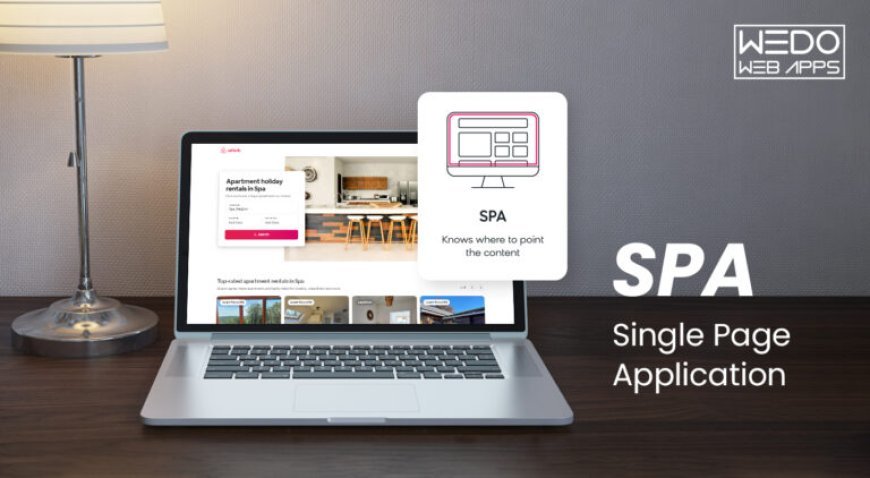
People expect websites to load quickly and respond smoothly when they click a button, search for information, or move between sections. A single page application (SPA) helps create this experience by updating content without reloading the entire webpage after every action. Many businesses use this approach to build interactive websites, customer portals, and online tools.
Understanding how a single page application works can help businesses choose the right technology for their website or web application.
What Is a Single Page Application?
A single page application is a web application that loads its main page once and updates the content as users interact with it. Instead of loading a completely new page every time someone clicks a link, it changes the required section within the existing page.
For example, when you open your email inbox, select a message, and return to the inbox, the website may complete these actions without refreshing the entire page. This makes navigation feel smoother and helps users move between different sections with fewer interruptions.
Single page applications are usually built with HTML, CSS, and JavaScript. Developers often use frameworks such as React, Angular, and Vue.js to create interactive interfaces and manage application features.
How Does a Single Page App Work?
A single page app begins by loading the basic page structure and the resources needed to run it. After that, JavaScript handles user interactions and updates the interface when necessary.
When the application needs new information, it sends a request to a server through an application programming interface (API). The server processes the request and sends the relevant data back to the application, which displays the result without reloading the entire page.
Consider an online shopping website. When a customer changes a product filter or adds an item to the shopping cart, the application can update the relevant information immediately. The customer can continue shopping without starting the page over.
The actual experience depends on how the application is developed, the quality of the server, and the user's internet connection.
Benefits of Single Page Applications
1. Smooth Navigation
One of the main advantages of an SPA is that users can move between different sections without repeated full-page reloads. This can make websites feel more responsive and comfortable to use.
2. Better User Interaction
One page applications work well for features such as live search, interactive forms, product filters, and data dashboards. Users can see changes on the screen without interrupting their current activity.
3. Reusable Components
Developers can build common interface elements once and reuse them in different sections of an application. For example, buttons, navigation menus, and form elements can follow the same design throughout the project.
4. Convenient Data Updates
An SPA can request only the information needed for a particular action. This may reduce unnecessary data transfers and improve responsiveness when the application is properly optimized.
5. Flexible Integration
Businesses can connect single page applications with APIs, payment gateways, customer databases, and other back-end services. These connections help support features such as account management, online payments, and order tracking.
Common Uses of Single Page Applications
Single page applications are useful when a website needs to respond to frequent user actions. Businesses use them for several purposes.
-
Customer portals: Customers can manage their accounts, update personal details, and check order status.
-
Business dashboards: Employees can review reports, compare figures, and monitor business performance.
-
Online shopping: Customers can search for products, apply filters, and update shopping carts.
-
Project management tools: Teams can assign tasks, update progress, and manage daily work.
-
Social networking platforms: Users can browse posts, respond to comments, and view notifications.
-
Booking platforms: Customers can check available services, select dates, and submit reservations.
The best use depends on what the application needs to do and how customers will use it.
Popular Frameworks for Single Page Application Development
Developers can choose from several technologies when building an SPA. The right option depends on the project's requirements, development team's experience, and future plans.
React: React helps developers build interfaces using reusable components. It is commonly used for interactive websites, customer portals, and business dashboards.
Angular: Angular provides a structured set of tools for building web applications. It can be a good option for larger projects that need consistent development practices.
Vue.js: Vue.js is known for its flexible approach to interface development. Developers can use it for smaller projects or build more complex applications with additional tools.
Each framework has its own strengths, so businesses should compare their requirements before making a decision.
Single Page Application vs. Multi-Page Application
The main difference between these two approaches is how they handle navigation.
A single page app updates content within the existing page, while a traditional multi-page application usually loads a new HTML document when users move to another page.
An SPA may be a better fit for interactive platforms where users frequently switch between sections. A multi-page application can work well for blogs, news websites, company websites, and other content-focused platforms.
Both approaches can support search engine optimization. Developers need to consider page speed, accessible content, clear URLs, metadata, and how search engines access website information. The choice of architecture alone does not guarantee better search rankings.
Is an SPA the Right Choice for Your Business?
A single page application can be a good choice if your business needs interactive features, frequent data updates, and smooth navigation. It may suit customer portals, online services, reporting tools, and complex web applications.
However, if you mainly need a website to share company information, publish articles, or attract visitors through search engines, a traditional multi-page website may be more practical.
Before starting development, consider your budget, target audience, required features, security needs, and future maintenance costs. These factors will help you choose an approach that meets your business goals.
Conclusion
Single page applications help businesses create interactive web experiences where users can move between sections without repeatedly reloading the entire page. They are useful for online services, dashboards, shopping platforms, and customer portals.
However, every business has different requirements. Comparing the available development approaches and understanding their benefits and limitations can help you choose a solution that works well for your customers and supports your long-term plans.
What's Your Reaction?
 Like
0
Like
0
 Dislike
0
Dislike
0
 Love
0
Love
0
 Funny
0
Funny
0
 Angry
0
Angry
0
 Sad
0
Sad
0
 Wow
0
Wow
0