





















How to Turn an XML File into a Readable PDF Document
Convert XML to PDF online with simple steps. Learn how to format XML data, fix common conversion issues, and create readable PDF documents.
Working with XML files can become frustrating when you need to share information with someone who is unfamiliar with technical data formats. Instead of displaying a clean document, an XML file may show multiple tags, values, and code-like elements. This can make reading invoices, business records, and reports unnecessarily complicated. Fortunately, you can use a suitable conversion method to turn structured information into a document that is easier to understand and use.
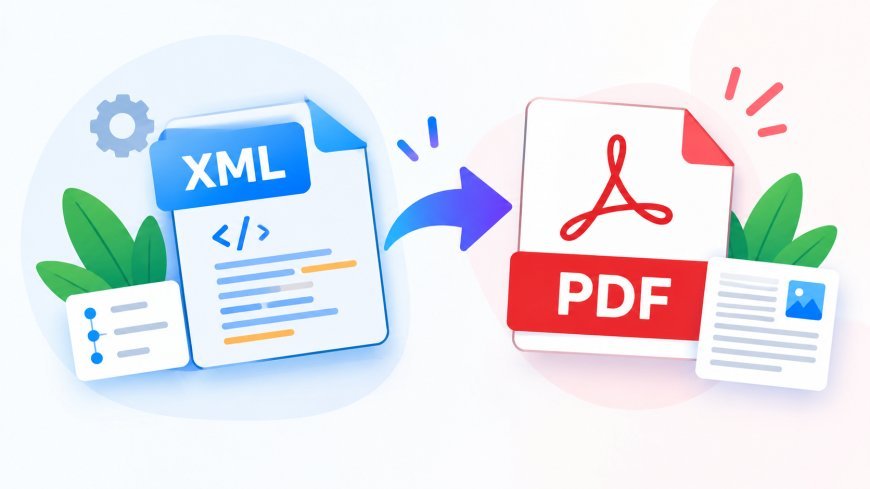
If you want to convert xml a pdf, the first thing to understand is that XML and PDF serve different purposes. XML stores structured data for applications, whereas PDF is designed to present information in a convenient document format. Converting an XML file into PDF can help you prepare readable records, share information more easily, and create documents suitable for printing.
What Makes XML Files Difficult to Read?
XML, or Extensible Markup Language, organizes information through tags and nested elements. These elements describe the data but do not automatically create a polished document layout.
For example, an XML file containing order details may include customer names, product quantities, prices, and delivery information. Although all the information is stored in the file, finding individual details can be difficult when everything appears as raw code.
A properly formatted PDF can present these details in sections or tables, making the information easier to review. However, the conversion method must understand the XML structure to produce the expected result.
A Practical Method to Convert XML into PDF
You can follow a few simple steps to prepare your XML information for everyday use.
Step 1: Examine the Original File
Start by locating your XML file on your computer or mobile device. Open it with a text editor or XML viewer to confirm that it contains the information you need.
Look for incomplete data, unusual symbols, or structural errors. If the XML file is invalid, correct it before proceeding. Starting with a properly structured file can reduce conversion errors later.
Step 2: Decide How the PDF Should Look
Before converting the file, consider how you want the final document to appear. Do you need a simple text document, a table of records, or a formatted report with headings?
This matters because XML does not always contain instructions for presenting information visually. Some files require a template or an XSLT stylesheet to transform their data into a readable layout.
Choosing the appropriate formatting method can help prevent a messy or incomplete result.
Step 3: Use an Appropriate Conversion Tool
Choose an XML-to-PDF converter that supports your file type and formatting requirements. Online tools can be convenient when you want to complete a conversion without installing additional software.
Check the tool's supported features before uploading your file. Complex XML documents may need specialized processing rather than a basic file conversion.
For confidential documents, review the provider's privacy and file-retention policies before using an online service.
Step 4: Process the XML Data
Upload your XML file if your chosen tool requires it, and follow the instructions to begin conversion. Some converters generate a PDF directly, while others require you to configure formatting options or provide a stylesheet.
Allow the process to finish before downloading the result. If the output displays raw tags, the tool may not be applying the required formatting rules.
Step 5: Verify the Finished Document
Open the generated PDF and compare it with the original XML data. Check important details such as names, dates, amounts, tables, and headings.
Make sure the document contains all the necessary information and that the layout is readable. If you notice errors, adjust the formatting or try a conversion method that better supports your XML structure.
Common Mistakes to Avoid During Conversion
Understanding common mistakes can help you get better results and avoid repeating the process.
Using a Converter That Does Not Support Your XML Structure
Different XML files can have very different structures. A converter that works well with simple data may not correctly process complex documents. Check compatibility before starting.
Ignoring Formatting Requirements
Converting raw XML data does not always create a professional-looking PDF automatically. If the document needs tables, page headings, or specific sections, use appropriate formatting rules or a template.
Skipping the Final Review
Downloading the PDF without checking it can allow missing information or layout problems to go unnoticed. Always inspect the document before sharing or printing it.
Uploading Sensitive Information Without Checking Privacy
Some XML files contain private business or personal information. Review the service's data-handling practices before uploading such files, and use an approved solution when confidentiality is important.
Why Is PDF a Better Choice for Sharing Documents?
PDF is widely used because it provides a convenient way to distribute documents while maintaining their intended layout across supported devices and viewers.
Converting XML data into PDF can make information easier to read without requiring recipients to understand XML tags. It can also simplify printing, email sharing, recordkeeping, and document review.
For businesses, a readable PDF may be more practical for presenting invoices, reports, and other records to customers or colleagues. For individual users, it provides a straightforward way to keep information organized for future reference.
How PDFTechno Can Help with Document Management
PDFTechno offers online PDF tools designed to make everyday document tasks easier. Users can explore available conversion and document-management features to find solutions that fit their needs.
When working with XML files, choose a conversion tool that supports your specific data structure and check the final document carefully. The right approach can help reduce manual work and make information easier to access.
Conclusion
Converting XML into a readable PDF is useful when structured data needs to be shared, printed, or reviewed by people who do not work with XML regularly. By checking the original file, selecting a compatible converter, applying suitable formatting, and reviewing the output, you can avoid common conversion problems.
With careful preparation and the right tools, you can turn technical data into a more practical document and make your daily workflow simpler.
What's Your Reaction?
 Like
0
Like
0
 Dislike
0
Dislike
0
 Love
0
Love
0
 Funny
0
Funny
0
 Angry
0
Angry
0
 Sad
0
Sad
0
 Wow
0
Wow
0