
























A car-concept crop should keep its viewing question attached
Keep a complete car concept beside a clearly identified detail view. This manual framing checklist separates visual questions from vehicle changes and technical claims.

Disclosure: This is promotional material associated with Car Customizer and was written with AI assistance. A close crop of a vehicle concept can help someone discuss a small visual detail, but it can also remove the context needed to interpret that detail. A wheel may appear more prominent because surrounding bodywork was excluded. A wrap line may seem straighter because the crop hides the edge where it changes direction. The useful lesson is to keep the viewing question attached to the image, rather than treating every differently framed picture as a different design.
Distinguish a framing choice from a vehicle change
Framing determines what part of an existing image is being shown. A vehicle concept concerns an intended change to the car's appearance. Those two operations can affect the viewer's impression in similar ways, which makes them easy to confuse. Before preparing a detail view, state whether the underlying candidate is unchanged or whether a new concept has been generated. A different crop of the same file should not silently acquire a new design identity. Conversely, a new generation should not be presented as merely a closer look at an earlier result.
Consider a hypothetical discussion about a dark wheel finish. One view shows the whole car, while another shows only the front wheel and a small area of the surrounding arch. The close view may make the wheel look more dominant even though the underlying candidate has not changed. A useful caption would identify both views as belonging to the same candidate and say that the detail view is intended to discuss the face and finish. It would not imply a changed wheel size, a verified part number, or a tested installation.
Keep a complete reference in the conversation
Retain an uncropped copy of the source photograph and a complete copy of the concept being discussed. A detail view is an addition to that context, not a replacement for it. Someone who sees only the detail may not know which side of the car is shown, what the surrounding lighting looks like, or whether a conspicuous edge belongs to the vehicle or the background. A clear reference identifier helps the recipient return to the broader view without relying on memory or searching through a collection of similarly named files.
This does not mean that every original photograph belongs in a public article. A vehicle image can reveal a number plate, an address, a reflection, or another person's property. Decide what you are entitled to process and share, and keep unnecessary identifying details out of a public handoff. These are manual preparation choices, not claims that a tool automatically detects or removes private information. If the complete reference cannot be shared, say that it is available only in the appropriate private context rather than implying that the cropped view tells the whole story.
Use the tool for its actual visual role
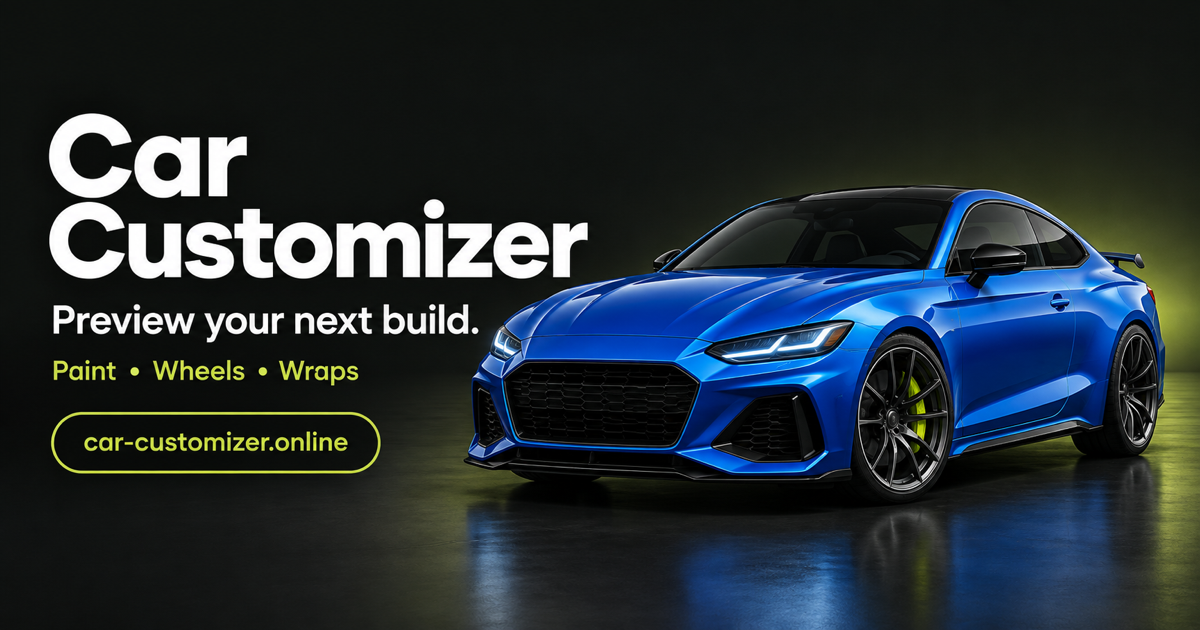
Car Customizer is a browser-based AI tool for exploring changes to a vehicle photograph. The workspace at https://car-customizer.online/ covers paint, wheels, wraps, stance, body kits, and spoilers, with comparison, history, continued editing, and downloads. Those capabilities can support a visual discussion. This article's recommendations about captions, retained references, and separately prepared crops are manual review practices outside the tool. They are not a claim that it includes an automatic crop manager, a caption exporter, or a technical inspection service.
The supported upload formats are JPG, PNG, and WebP, with files up to 10 MB. New accounts receive nine welcome credits once; that is not a recurring daily or monthly allocation, and further use may require payment. Decide whether a new generation is needed before using the available allowance. Sometimes a clearer explanation of an existing candidate is more useful than another result. A downloaded concept can be discussed without pretending that its appearance proves an exact paint match, a safe component choice, or a measurement of the real car.
Give each view one understandable purpose
A whole-car view and a detail view should answer complementary questions. The complete image can show the overall relationship between a body treatment and the vehicle's visible shape. A closer view can make a particular boundary or visual motif easier to discuss. Explain the purpose in ordinary language, such as reviewing the transition between a wrap graphic and the front door. Avoid calling the detail view more accurate merely because it fills more of the screen. Enlarging or isolating an area does not add reliable information that was absent from the source.
Keep other questions outside the claim being made. A close view of a wheel face does not establish clearance behind the wheel, and a crop of a spoiler does not show whether its mounting arrangement is suitable. If a feature matters but is not visible, record that limitation. The next step may be a different photograph, a manufacturer document, or appropriate professional advice. It does not automatically follow that another AI result can answer the question. A useful viewing purpose makes the remaining uncertainty easier to identify rather than hiding it behind a polished presentation.
Check whether the crop changes the apparent emphasis
Compare the detail with its complete candidate before sending it. Ask which contextual features disappeared and whether their absence changes the impression. Removing most of the body can make a wheel finish seem like the dominant design choice. Removing the ground can make a stance concept harder to interpret. Excluding a reflection may make a color look more uniform. These observations are not reasons to avoid detail views. They are reasons to describe the view honestly and avoid transferring an impression from one framing context into an unrelated conclusion.
Do not use a crop to conceal a problematic boundary while describing the complete candidate as resolved. If a line drifts across a panel gap or a shape becomes ambiguous near the edge of the image, mention the unresolved area. A detail can help explain the problem, while a different detail might accidentally hide it. Keep the distinction between an intentional presentation choice and evidence that the concept is coherent. The recipient should not have to discover that the most difficult area was simply left outside the shared frame.
Write a caption that survives separation from the chat
A practical caption can identify the candidate, the view, and the question without becoming a long specification. A hypothetical example could identify candidate B, describe a front-wheel detail view, and ask whether the darker face has the intended visual relationship with the body. It could also state that tire dimensions and clearance are not being evaluated. Those labels are examples of manual coordination, not names automatically assigned by the workspace. Use identifiers that correspond to files you actually retained, rather than inventing a history that nobody can follow.
Avoid words that imply a stronger decision than the discussion supports. Selected may mean chosen for the next visual conversation, not approved for a purchase. Final may describe a presentation file, not a completed vehicle plan. If one of those words is necessary, say what it applies to. This helps a caption remain useful when an image is forwarded without the surrounding messages. It also prevents an attractive close-up from becoming an accidental instruction to order, fabricate, install, or certify a component.
Separate the saved file from the display arrangement
Retain the complete downloaded concept as a distinct file, and make any manual detail copies easy to identify. A label such as detail view is clearer than treating every export as an unrelated candidate. If a local filename changes, keep the accompanying note consistent. Do not assume that an application-generated filename already explains the intended use or that a later edit updates an earlier download. These are ordinary file-handling practices, not a report of a tested export defect or an assertion about hidden application state.
Check the arrangement at the size in which the recipient will see it. A detail may be understandable in a desktop conversation but lose its caption in a messaging preview. A grid may separate a label from its image when the layout changes. Keep the essential identifier and question close to the relevant view, and provide a way to locate the complete candidate. There is no need to promise that one arrangement works everywhere. The aim is to make the intended relationship understandable in the actual sharing context, not to claim universal presentation compatibility.
Stop when the framing supports the next question
The stopping point can be modest: one complete candidate, one clearly identified detail, and a caption that explains what is being discussed. Keep unresolved technical matters separate from the visual preference, and leave a limitation visible when the photograph cannot support a confident comparison. A well-framed view does not prove fitment, safety, legality, or exact material color. Its value is that another person can tell which image they are looking at, what observation they are being invited to make, and what still requires a different kind of evidence.
What's Your Reaction?
 Like
0
Like
0
 Dislike
0
Dislike
0
 Love
0
Love
0
 Funny
0
Funny
0
 Angry
0
Angry
0
 Sad
0
Sad
0
 Wow
0
Wow
0