



















Construction Project Accountability: How to Make Responsibilities Visible Across Every Job
Learn how construction companies can improve project accountability with clear task ownership, better communication and organised follow-ups.

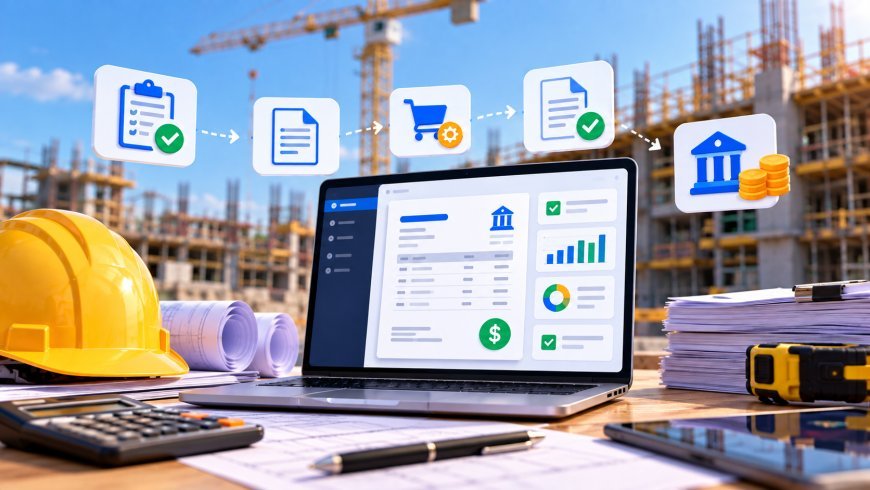
A construction project can have a good schedule, experienced employees and the right materials, yet still run into problems because nobody is clearly responsible for the next action.
A customer is waiting for an update. A work order needs attention. An approval is still pending, but the project manager assumes someone else has followed it up.
These situations are surprisingly common in construction companies. The problem is not always a lack of communication. Often, the real issue is unclear ownership.
As a construction business grows, managers cannot personally follow every task, conversation and decision. They need a working process where responsibilities are visible and people know what they are expected to do.
Key Takeaways
-
Unclear responsibilities create delays and unnecessary follow-ups.
-
Every important project activity should have an identifiable owner.
-
Project updates need to reach the right people.
-
Customer approvals and invoicing tasks should not disappear between departments.
-
Connected construction software helps teams organise responsibilities and project information.
Why Accountability Becomes Difficult in Construction
Construction projects involve several people working towards the same delivery date. Project managers coordinate activities, employees complete site work, suppliers provide materials and office teams handle administration.
When responsibilities are not clearly defined, small tasks can fall between these different roles.
Consider a simple example. A customer requests a change to the original project scope. The site team knows about it, but the office team does not. The additional work gets completed, yet nobody follows up on the approval or updates the billing information.
The issue is not the work itself. It is the missing connection between responsibility, communication and follow-up.
1. Assign Ownership to Every Important Activity
A task without a clear owner is easy to forget.
Project managers should make sure that important activities have someone responsible for taking them forward. This includes project preparation, customer communication, work orders, approvals and administrative follow-ups.
It does not mean one person must do everything. Different employees can handle different activities, but responsibility should be clear.
For each important task, establish:
-
Who is responsible for completing it?
-
What needs to be delivered?
-
When should it be completed?
-
Who needs an update?
-
What happens if the task cannot be completed on time?
This simple approach reduces confusion and makes follow-up easier.
2. Make Project Progress Visible to the Right People
A project manager should not need to call several employees just to find out what is happening.
Teams need access to relevant project information, including activities, deadlines and responsibilities. When updates are difficult to find, managers often spend more time collecting information than managing the project.
A planningstool bouw can help contractors organise project activities, responsibilities and deadlines.
Construction planning software should also support collaboration, so relevant people can work with the same project information instead of maintaining separate versions.
With Bouwflow, project management and planning features support project planning, progress tracking and collaboration.
3. Connect Site Responsibilities With Office Follow-Ups
The office and the site team often deal with different parts of the same project.
Employees may complete work orders and register their time, while office staff need this information for project administration and further follow-ups.
If these activities are disconnected, important details can take longer to reach the people who need them.
For example, an employee completes a task, but the project manager does not receive the relevant update. The office team may then struggle to understand whether the work is ready for the next administrative step.
Bouwflow connects work orders with its OnSitePro mobile app, where employees can view daily schedules, work orders and time registrations.
This helps bring field activities closer to the wider project workflow.
4. Give Customer Approvals and Invoicing Clear Ownership
Customer communication is another area where accountability matters.
Quotations may need approval, customers may request changes and completed work may need to be invoiced. If nobody is responsible for following up, these activities can remain open longer than necessary.
Contractors should establish a clear process for handling customer requests and billing milestones.
A facturatieprogramma bouw can help organise quotations, invoices and payment follow-ups.
Bouwflow supports digital signing of quotations and invoices. Customers can also request changes digitally, while contractors can manage progress statements and automatic invoice reminders.
These capabilities help organise the billing process, but teams still need to assign responsibility for reviewing requests and taking the next action.
5. Review Outstanding Tasks Before They Become Bigger Problems
Accountability does not stop when a task is assigned.
Project managers should regularly review outstanding activities and check whether important actions have been completed.
A short weekly review can cover:
Delayed activities: Which tasks have missed their planned dates?
Open approvals: Are customers or other stakeholders still expected to respond?
Unfinished work: Are there activities that need another visit or additional resources?
Administrative follow-ups: Are quotations, invoices or payment reminders still waiting?
Ownership: Does every open issue have someone responsible for the next step?
The purpose is not to create more meetings. It is to make sure important work does not disappear from view.
How Bouwflow Helps Make Project Responsibilities Clearer
Bouwflow is cloud-based software for construction companies that want to organise project management and administration in one system.
Its project management and planning features support project activities, progress tracking and collaboration. Work orders can be connected with the OnSitePro mobile app, while invoicing features help contractors manage quotations, invoices, progress statements and payment follow-ups.
Customer management also supports sales funnel tracking and customer follow-ups.
For companies comparing software voor de bouw, the important question is whether the system supports the responsibilities and processes their teams handle every day.
Bouwflow brings several of these activities together, helping contractors keep relevant project and administrative information organised.
FAQs
What does accountability mean in construction project management?
It means making sure every important project activity has a responsible person who understands what needs to be completed and followed up.
Why do construction tasks get overlooked?
Tasks are often missed because responsibilities are unclear, information is scattered or project updates do not reach the right people.
How can project managers improve accountability?
They can assign clear task ownership, set deadlines, maintain accessible project information and review outstanding activities regularly.
Can construction software improve team accountability?
Yes. Software can help organise project schedules, work orders, responsibilities and follow-ups. The results still depend on employees keeping information updated and following agreed processes.
Final Thoughts
Construction accountability is not about checking every employee throughout the day. It is about creating a working process where people know what they own and managers can see what still needs attention.
Clear responsibilities, accessible project information and regular follow-ups help reduce confusion between the office and site teams.
For growing contractors, building this structure is an important step towards managing more projects without losing control of daily operations.
What's Your Reaction?
 Like
0
 Dislike
0
 Love
0
 Funny
0
 Angry
0
 Sad
0
 Wow
0