
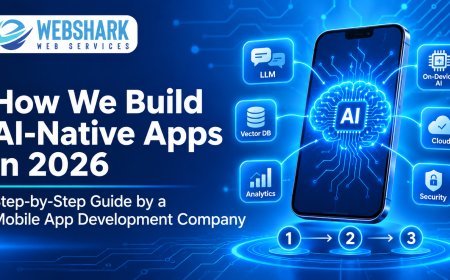




















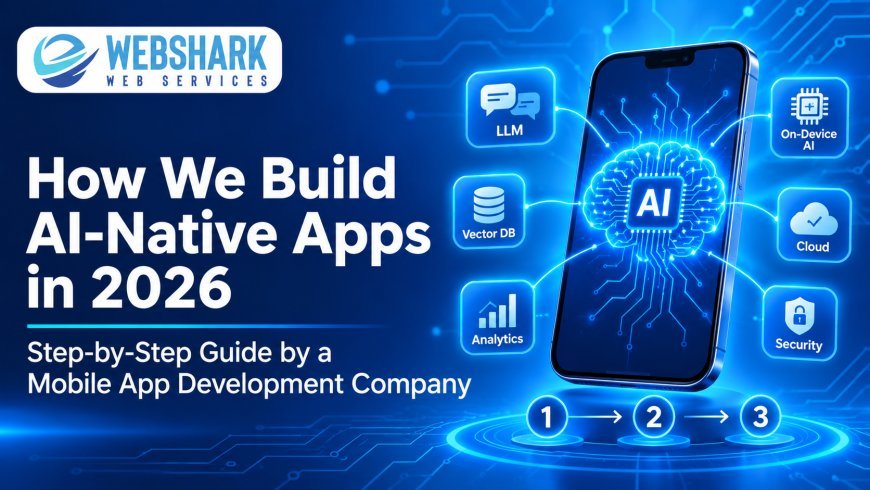
How a Mobile App Development Company Builds AI-Native Apps in 2026 (Step-by-Step)
Introduction
In 2026, users no longer get excited because an app "has AI." They expect the app to understand what they want, act on it and get better every week. That expectation has changed how serious teams build software. AI is no longer a feature added in version three. It is the foundation the whole product is designed around.
This shift has a name: AI-native app development. At Webshark Web Services, a mobile app development company with offices in Bengaluru, Mumbai, Atlanta and London, we have spent the last few years moving our delivery process from "AI-enabled" to AI-native. Across 580+ projects in 18 countries, we have learned what works, what wastes budget and what users actually notice.
This guide walks you through exactly how we build AI-native apps in 2026, step by step. Whether you are a founder planning an MVP, a CTO modernising an enterprise app, or a product leader choosing an AI app development company, you will know what each stage involves and which questions to ask.
Quick answer: how is an AI-native app built?
An AI-native app is built by designing the product around an intelligence layer from day one. A mobile app development company starts with an AI use-case audit, prepares data, chooses models (cloud LLMs, on-device AI or both), designs adaptive UX, builds a retrieval and agent layer, adds guardrails and security, tests model quality, then launches with continuous monitoring and retraining.
What Is an AI-Native App?
An AI-native app is a mobile or web application whose core value depends on artificial intelligence. Remove the AI and the product stops working, rather than just losing one feature. The interface, data model and backend are designed around models that understand language, predict intent and take actions.
AI-native vs AI-enabled: the key differences
-
Where AI sits: In an AI-enabled app, AI is a bolt-on, such as a chatbot widget added to an existing app. In an AI-native app, AI is the engine that drives the main user journey.
-
How users interact: AI-enabled apps rely on fixed menus and forms. AI-native apps accept natural language, voice, images and context, then adapt the screen to the user.
-
How the product improves: AI-enabled apps improve when developers ship new releases. AI-native apps also improve through feedback loops, better retrieval and model updates between releases.
-
Data architecture: AI-enabled apps store data for reporting. AI-native apps store data so models can use it, with embeddings, vector search and event streams built in.
-
Workflow: AI-enabled apps help users do tasks. AI-native apps, through AI agents, can complete multi-step tasks on the user's behalf, with approval where needed.
Why AI-native app development matters in 2026
-
User expectations have moved. People now use AI assistants every day and expect the same conversational, proactive experience inside every app they open.
-
Agentic AI is production-ready. Models can now call tools, read documents and complete workflows reliably enough for real business apps.
-
On-device AI is practical. Modern iOS and Android devices run smaller models locally, giving faster responses, offline features and better privacy.
-
Development itself is AI-assisted. Teams use AI for code generation, testing and documentation, so they can spend more of the budget on product quality.
-
Competitive pressure. A competitor whose app personalises every screen will out-retain an app that shows everyone the same static flow.
How We Build AI-Native Apps: The 10-Step Process at Webshark
Below is the delivery framework our mobile app development and AI/ML development teams follow. Each step has a clear output, so clients always know what they are paying for.
Step 1: AI Opportunity Discovery and Use-Case Audit
Every AI-native project starts with one question: which user problem gets dramatically better with AI? We avoid adding AI for its own sake.
-
Run stakeholder workshops to map business goals, user journeys and pain points.
-
Score each AI idea on user value, data availability, technical risk and cost per interaction.
-
Pick one or two "hero" AI experiences that define the product, such as an assistant that books appointments or a shopping agent that builds a cart.
-
Define success metrics early: task completion rate, retention, support deflection or revenue per user.
-
Output: an AI product brief and a prioritised feature roadmap.
Step 2: Data Strategy and Readiness Assessment
AI is only as good as the data behind it. In AI-native app development, data planning comes before screen design.
-
Audit existing data sources: CRM, ERP, product catalogues, help-desk tickets, documents and app analytics.
-
Identify gaps and plan how new in-app events will be captured from launch day.
-
Clean, label and structure content so models can retrieve it accurately.
-
Set data governance rules: consent, retention periods, anonymisation and regional storage (GDPR, CCPA, India's DPDP Act).
-
Output: a data map, pipeline plan and compliance checklist.
Step 3: Model Selection and AI Architecture Design
This is where an experienced AI app development company saves clients the most money. The right model mix balances quality, speed, privacy and cost.
-
Cloud LLMs for complex reasoning, long conversations and content generation.
-
On-device models (via Core ML on iOS and LiteRT/ML Kit on Android) for instant, offline and privacy-sensitive features like image recognition, smart replies or voice commands.
-
Hybrid routing that sends simple requests to small, cheap models and hard requests to larger ones.
-
Model-agnostic design, so the app is never locked into one AI vendor and can switch as better models arrive.
-
Architecture decisions on the API gateway, prompt management, caching and cost controls.
-
Output: an AI architecture blueprint and cost-per-user estimate. Our LLM development services team leads this stage.
Step 4: AI-First UX and UI Design
AI-native apps need a different design approach. Users must trust the AI, understand what it can do and stay in control.
-
Design conversational and multimodal inputs: chat, voice, camera and file upload alongside familiar taps.
-
Build adaptive interfaces that change content, layout and suggestions based on context.
-
Show AI reasoning clearly with sources, confidence cues and "why am I seeing this" explanations.
-
Add human-in-the-loop controls: preview, edit, approve or undo before an AI agent acts.
-
Design graceful fallbacks for when the AI is unsure, slow or offline.
-
Follow Apple's Human Interface Guidelines and Google's Material Design so the app still feels native.
-
Output: clickable prototypes tested with real users.
Step 5: Building the Intelligence Layer (RAG, Agents and Memory)
This is the heart of an AI-native app. Our generative AI development engineers build the layer that connects models to your business.
-
Retrieval-augmented generation (RAG): content is converted into embeddings and stored in a vector database, so the AI answers from your verified data instead of guessing.
-
AI agents and tool calling: the model can check inventory, create bookings, update a CRM or trigger payments through secure APIs. See our AI agent development services.
-
Memory and personalisation: short-term session memory and long-term user preferences let the app feel personal over time.
-
Prompt and workflow orchestration: versioned prompts, structured outputs and multi-step workflows that are easy to test and update.
-
Output: a working AI backend with documented APIs.
Step 6: Mobile App Engineering (Native or Cross-Platform)
With the intelligence layer ready, we build the app itself. The framework choice depends on performance needs, budget and how deeply the app uses device hardware.
-
Native iOS (Swift, SwiftUI) and native Android (Kotlin, Jetpack Compose) for the best on-device AI performance and camera or sensor access. Learn more about our iOS app development and Android app development.
-
Cross-platform (React Native or Flutter) for faster time to market with one codebase. See cross-platform app development.
-
Streaming responses so AI answers appear word by word, keeping the app feeling fast.
-
Scalable backends on Node.js and Firebase, deployed with cloud-native development practices.
-
Agile two-week sprints with a demo at the end of each one.
-
Output: a feature-complete beta build.
Step 7: AI Safety, Guardrails and Security
An AI that says the wrong thing or leaks data can damage a brand overnight. We build safety into every layer.
-
Input and output filters to block prompt injection, harmful content and off-topic requests.
-
Role-based permissions, so agents can only access data and actions the user is allowed to.
-
Encryption in transit and at rest, plus secure key and token management.
-
PII masking before data is sent to any third-party model.
-
OWASP-aligned penetration testing and compliance support for HIPAA, SOC 2 and PCI DSS where required.
-
Output: a security and AI-risk report signed off before launch.
Step 8: Testing AI Quality, Not Just Code
Traditional QA checks whether buttons work. AI-native QA also checks whether answers are correct, safe and consistent.
-
Build evaluation datasets of real user questions with expected answers.
-
Measure accuracy, hallucination rate, response time and cost per request for each model version.
-
Run automated regression evals whenever prompts or models change.
-
Do functional, performance and real-device testing across iOS and Android versions.
-
Run a closed beta and collect feedback on AI responses directly inside the app.
-
Output: a quality scorecard with go/no-go criteria.
Step 9: Launch and App Store Readiness
App stores now review AI features closely, so launch planning matters.
-
Prepare clear AI disclosures, privacy labels and data-use explanations for the App Store and Google Play.
-
Optimise store listings (ASO) with screenshots that show the AI experience in action.
-
Roll out gradually with feature flags, starting with a small percentage of users.
-
Set up dashboards for crashes, latency, AI usage and spend from day one.
-
Output: a live app with monitoring in place.
Step 10: Continuous Learning, Monitoring and Optimisation
Launch is the start of an AI-native product, not the end. The app should get smarter every month.
-
Track user feedback signals such as thumbs up/down, edits and abandoned tasks.
-
Improve retrieval content and prompts based on real conversations.
-
Test new models as they are released and switch when quality or cost improves.
-
Optimise cost per user with caching, smaller models and smarter routing.
-
Ship regular feature upgrades guided by analytics and app store reviews.
-
Output: monthly AI performance reports and an evolving roadmap.
The AI-Native Tech Stack We Use in 2026
We keep the stack modular, so every layer can be upgraded without rewriting the app.
-
Mobile front end: Swift/SwiftUI, Kotlin/Jetpack Compose, React Native, Flutter
-
On-device AI: Core ML, Apple's on-device foundation models, LiteRT and ML Kit on Android
-
Cloud AI models: leading commercial LLM APIs plus open-weight models for private hosting
-
Intelligence layer: RAG pipelines, vector databases, agent frameworks and structured tool calling
-
Backend and APIs: Node.js, Python, GraphQL and REST, Firebase for real-time features
-
Cloud and DevOps: AWS, Google Cloud and Azure with CI/CD, containers and autoscaling
-
Observability: crash reporting, product analytics, LLM tracing and evaluation dashboards
-
Security and compliance: OWASP MASVS testing, encryption, secrets management, GDPR, HIPAA, SOC 2 and PCI DSS controls
What Affects the Cost and Timeline of an AI-Native App?
Every project is different, but these factors drive most of the budget:
-
Number of hero AI features: one well-built assistant costs far less than five half-built ones.
-
Data readiness: clean, structured data shortens the project; scattered documents and legacy systems add integration work.
-
Model strategy: cloud APIs are fast to start; private or fine-tuned models need more setup but can cut long-term costs.
-
Native vs cross-platform: two native apps take more effort than one React Native or Flutter codebase.
-
Agent complexity: an agent that only answers questions is simpler than one that takes actions across several business systems.
-
Compliance needs: healthcare, fintech and insurance apps need extra security reviews and documentation.
-
Ongoing AI running costs: model usage is billed per request, so cost-per-user planning is part of our proposal from day one.
As a guide, a focused AI-native MVP typically takes around three to four months, while enterprise platforms run longer in phases. For an exact estimate, share your project details with our team.
Common Mistakes to Avoid When Building an AI-Native App
-
Starting with the model instead of the user problem. Choose the use case first, the model second.
-
Ignoring data quality. A great model on bad data gives confident wrong answers.
-
Locking into one AI vendor. Model leaders change quickly, so design for easy switching.
-
No evaluation process. Without test datasets, you cannot tell if a prompt change made the app better or worse.
-
Hiding the AI's limits. Users trust apps that show sources and admit uncertainty.
-
Forgetting cost control. Unplanned token usage can turn a successful launch into a loss.
-
Treating launch as the finish line. AI-native apps need ongoing tuning to stay accurate and competitive.
Why Choose Webshark as Your AI-Native Mobile App Development Company?
-
580+ projects across 18 countries, from startup MVPs to enterprise platforms.
-
Senior developers on every project, with AI-assisted engineering for faster delivery.
-
Full-stack AI expertise under one roof: AI chatbot development, AI integration services, LLM engineering and AI agents.
-
Native and cross-platform skills in Swift, Kotlin, React Native and Flutter.
-
Compliance-first engineering covering HIPAA, GDPR, CCPA, SOC 2, PCI DSS and India's DPDP Act.
-
Global delivery from Bengaluru and Mumbai, with offices in Atlanta (USA) and London (UK) and teams that overlap US business hours.
-
Industry experience in healthcare, fintech, ecommerce, real estate, logistics and IoT.
-
Certified Google, Shopify, Magento and Zoho partner.
If you are based in the US, explore our dedicated mobile app development company in the USA page.
Frequently Asked Questions
What does AI-native mean?
AI-native means a product is designed around artificial intelligence from the start, so AI powers its core experience. An AI-native app understands natural language, personalises content and can take actions, rather than simply adding a chatbot to a traditional app.
What is the difference between AI-native and AI-enabled apps?
An AI-enabled app adds AI features to an existing product. An AI-native app is built so the main user journey depends on AI, with data architecture, UX and backend designed for models, retrieval and continuous learning.
How long does AI-native app development take?
A focused AI-native MVP usually takes about three to four months, covering discovery, data preparation, design, development, AI testing and launch. Enterprise apps with multiple agents and system integrations are delivered in phases over a longer period.
Should I build native or cross-platform for an AI app?
Choose native iOS and Android when the app relies heavily on on-device AI, the camera or sensors. Choose React Native or Flutter when speed to market and one shared codebase matter more. Many AI features run in the cloud and work well in both.
Is my data safe in an AI-native app?
It can be, when security is designed in. Webshark uses encryption, role-based access, PII masking before data reaches third-party models, prompt-injection protection and compliance controls such as GDPR, HIPAA and SOC 2.
Can you add AI-native features to my existing app?
Yes. We start with an AI audit of your current app and data, then introduce an intelligence layer step by step. Over time, core journeys are redesigned around AI so the product becomes genuinely AI-native.
How do I choose the right AI app development company?
Look for proven mobile engineering, hands-on LLM and agent experience, a clear evaluation and testing process, strong security practices and transparent cost-per-user planning. Ask to see how they measure AI quality after launch.
Conclusion: Build the App Your Users Will Expect Next
AI-native app development is not about chasing trends. It is about building products that understand users, save them time and improve every month. The companies winning in 2026 design around intelligence from day one, with solid data, the right model mix, trustworthy UX, strong guardrails and continuous optimisation.
That is exactly the process Webshark follows, from the first discovery workshop to monthly AI performance reviews. Whether you need a new AI-powered MVP or want to turn an existing app into an AI-native product, our team can help you plan it, build it and scale it.
Ready to build your AI-native app? Talk to Webshark's mobile app development team or email sales@webshark.tech for a free consultation and project estimate.
What's Your Reaction?
 Like
0
 Dislike
0
 Love
0
 Funny
0
 Angry
0
 Sad
0
 Wow
0