





















Laptop Repair in Chandni Chowk: Common Laptop Problems and How to Choose the Right Repair Service
Learn about common laptop problems, professional repair solutions, maintenance tips and how to choose a reliable laptop repair service in Chandni Chowk, Kolkata.

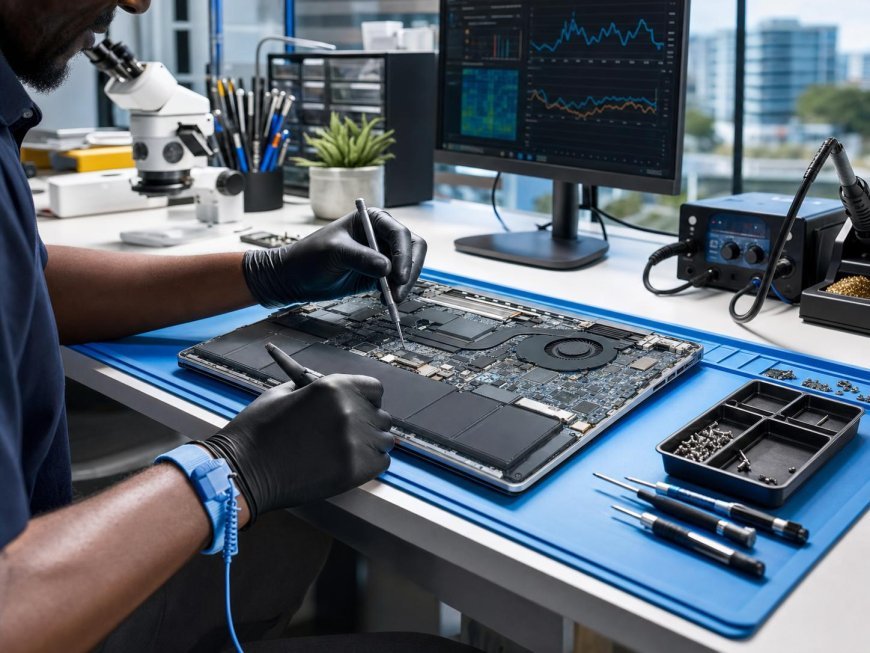
Laptops have become essential tools for professionals, students, business owners and everyday users. From attending online meetings to managing important documents, almost every aspect of modern work depends on a properly functioning computer. However, regular usage, accidental damage, overheating and ageing components can gradually affect laptop performance. When these problems arise, finding dependable technical assistance becomes important. For people working or living around Chandni Chowk, Kolkata, understanding common laptop issues and available repair solutions can make the process easier. Choosing the right repair professional is not simply about finding the cheapest service. It involves understanding the actual problem, evaluating repair options and ensuring that the device receives appropriate attention without compromising important data.
1. Understanding Common Laptop Problems
Laptop problems can originate from hardware components, software configurations or everyday usage habits. Identifying the symptoms helps users communicate more effectively with repair technicians.
Some frequently encountered issues include:
-
Slow performance: Multiple background applications, insufficient memory, limited storage and outdated software can affect operating speed.
-
Battery problems: A laptop that drains quickly, fails to charge or shuts down unexpectedly may have a deteriorating battery or charging-related fault.
-
Screen damage: Flickering displays, visible lines, black screens and cracked panels can indicate display or connection problems.
-
Overheating: Excessive heat may result from blocked ventilation, accumulated dust or cooling-system issues.
-
Keyboard malfunction: Unresponsive keys, repeated characters and liquid damage can interfere with normal operation.
-
Booting failures: A laptop that cannot start properly may have operating-system corruption, storage problems or hardware-related faults.
Understanding these symptoms is useful, but accurate diagnosis requires appropriate technical inspection. A single symptom can sometimes have several possible causes.
2. Why Professional Laptop Diagnosis Matters
Many laptop issues appear similar even when their underlying causes are different. For example, a device that switches off unexpectedly could be experiencing battery failure, overheating, a power-related problem or a motherboard fault.
Replacing components without identifying the actual cause can increase repair expenses and may not resolve the original issue.
Professional diagnosis generally involves checking the laptop's physical condition, reviewing its power behaviour, examining relevant software information and testing potentially faulty components.
A proper diagnostic process should establish:
-
The component or system responsible for the problem.
-
Whether repair or replacement is more appropriate.
-
The estimated cost of the proposed solution.
-
Whether important files require additional protection.
-
Whether other components may be affected by the fault.
Users should request a clear explanation before approving significant repairs. This helps avoid unnecessary replacements and ensures that the proposed work addresses the actual problem.
3. Hardware Repairs That Require Technical Expertise
Laptop hardware contains several interconnected components. Even a relatively small fault can affect the overall operation of the device.
Screen and Keyboard Replacement
A damaged display can make a laptop difficult or impossible to use. Depending on the damage, the solution may involve replacing the display panel or addressing a related internal connection issue.
Keyboard problems can occur because of physical wear, dust accumulation or liquid exposure. Professional inspection helps determine whether individual keys, the keyboard assembly or another internal component needs attention.
Charging Port and Battery Issues
Charging difficulties are not always caused by a defective battery. A damaged adapter, loose charging connection or faulty charging port may produce similar symptoms.
Technicians should identify the source of the problem before recommending component replacement.
Motherboard Repair
The motherboard connects and coordinates several important laptop components. Power failures, liquid damage and electrical faults can affect its functionality.
Motherboard-level diagnosis requires specialised tools and technical knowledge. Attempting to repair delicate circuits without appropriate expertise can cause additional damage.
RAM and SSD Upgrades
Upgrading RAM can improve multitasking capabilities when memory limitations affect performance. Replacing an older storage drive with a compatible SSD can also improve boot times and application responsiveness.
However, compatibility should always be checked before purchasing replacement components.
4. Software Problems and Performance Optimisation
Not every laptop issue requires hardware replacement. Software-related problems can also reduce performance, interrupt daily activities and create security concerns.
Common software services include operating-system installation, driver troubleshooting, malware removal and system optimisation.
Users should regularly update their operating systems and applications through legitimate sources. Security updates help address known vulnerabilities, while updated drivers can resolve certain compatibility issues.
Malware infections deserve particular attention. Suspicious downloads, unsafe email attachments and untrusted websites can expose devices to harmful software.
A few sensible practices can reduce these risks:
-
Install reputable security software.
-
Avoid downloading applications from unfamiliar websites.
-
Keep operating systems and browsers updated.
-
Remove unnecessary applications.
-
Maintain regular backups of important documents.
-
Avoid clicking suspicious links or attachments.
Before reinstalling an operating system or formatting a storage drive, users should confirm whether important files have been backed up. These procedures can result in permanent data loss if performed incorrectly.
5. How to Prevent Overheating and Extend Laptop Life
Overheating is a common concern, particularly when laptops are used for extended periods or placed on surfaces that restrict airflow.
Most laptops rely on internal fans and ventilation systems to maintain suitable operating temperatures. When dust accumulates inside these systems, airflow can become restricted.
Users can follow several preventive practices:
Maintain proper ventilation: Place laptops on hard, flat surfaces rather than beds, cushions or thick fabrics that block air vents.
Avoid excessive workloads: Running several demanding applications simultaneously can increase processor activity and heat generation.
Keep ventilation areas clean: External vents should remain free from dust and obstructions.
Monitor unusual behaviour: Frequent fan noise, unexpected shutdowns and excessive heat may indicate cooling-system problems.
Schedule professional maintenance: Internal cleaning and cooling-system inspection should be performed by someone familiar with laptop hardware.
These habits cannot prevent every hardware failure, but they can help reduce avoidable stress on internal components.
6. Choosing a Reliable Laptop Repair Service in Chandni Chowk
Finding a suitable repair service requires more consideration than comparing prices. Users should evaluate the technician's experience, diagnostic approach, communication and repair transparency.
Here are some important factors to consider.
Technical expertise: Choose a service provider familiar with your laptop's brand, model and specific technical requirements.
Transparent estimates: Request an explanation of the problem, proposed repair and expected charges before authorising the work.
Genuine and compatible components: Replacement parts should meet the technical requirements of the laptop. Ask about the component's specifications and source.
Data privacy: Laptops often contain personal photographs, financial documents, business information and saved passwords. Ask how your information will be protected during servicing.
Repair warranty: Check whether the service provider offers a warranty on replaced components or completed repairs. Understand the applicable terms and exclusions.
Convenient service options: Pickup, delivery and doorstep service can be helpful for people who cannot easily travel with their devices.
A dependable repair experience should include clear communication, a reasonable estimate and an explanation of the work completed.
7. Why Timely Laptop Repairs Can Save Money
Ignoring minor laptop problems can sometimes lead to more complicated repairs.
For example, a damaged charging port may gradually become less reliable, while an unresolved cooling problem can expose internal components to excessive heat. Similarly, continuing to use a laptop with an unstable storage drive can increase the risk of data loss.
Early diagnosis allows users to understand the condition of their devices and make informed decisions.
However, not every problem requires immediate component replacement. Sometimes a software correction, cleaning procedure or compatible upgrade may be sufficient.
Users should also consider the laptop's age, overall condition and intended use when deciding whether to repair or replace it. A repair that restores reliable performance may be more practical than purchasing an entirely new machine.
8. Professional Laptop Repair Support in Chandni Chowk, Kolkata
For residents, students and working professionals in Chandni Chowk, access to organised laptop repair support can make device maintenance more convenient. RebootIT provides laptop service support in Chandni Chowk, Kolkata, covering different brands and common hardware and software requirements.
Its service information includes solutions for motherboard issues, charging-port faults, RAM and SSD upgrades, overheating, operating-system installation, virus removal and data recovery. Users looking for professional laptop repair services in Chandni Chowk can explore the available service details and booking options before proceeding.
As with any repair provider, customers should discuss the specific fault, estimated charges, replacement components and applicable service terms before approving the repair. Sharing the laptop's brand and model information can also help make the initial assessment more useful.
Conclusion
A laptop is an important investment, and maintaining its performance requires sensible usage habits, timely diagnosis and appropriate technical support. From battery and display problems to motherboard faults and software issues, different laptop failures require different solutions. Users should avoid unnecessary DIY hardware repairs, protect their important files and compare repair estimates before making decisions. For those seeking laptop repair assistance in Chandni Chowk, choosing a service provider that prioritises accurate diagnosis, transparent communication and data protection can make a meaningful difference. Regular maintenance and informed repair decisions can help extend a laptop's useful life and support dependable everyday performance.
What's Your Reaction?
 Like
0
 Dislike
0
 Love
0
 Funny
0
 Angry
0
 Sad
0
 Wow
0