



















Sites Like Shadow PC: How to Choose the Right Cloud PC Gaming Service
Playing modern PC games no longer requires purchasing an expensive gaming desktop. Cloud computing has created new ways to access powerful computers remotely, allowing players to stream gameplay to compatible devices without relying entirely on local hardware.
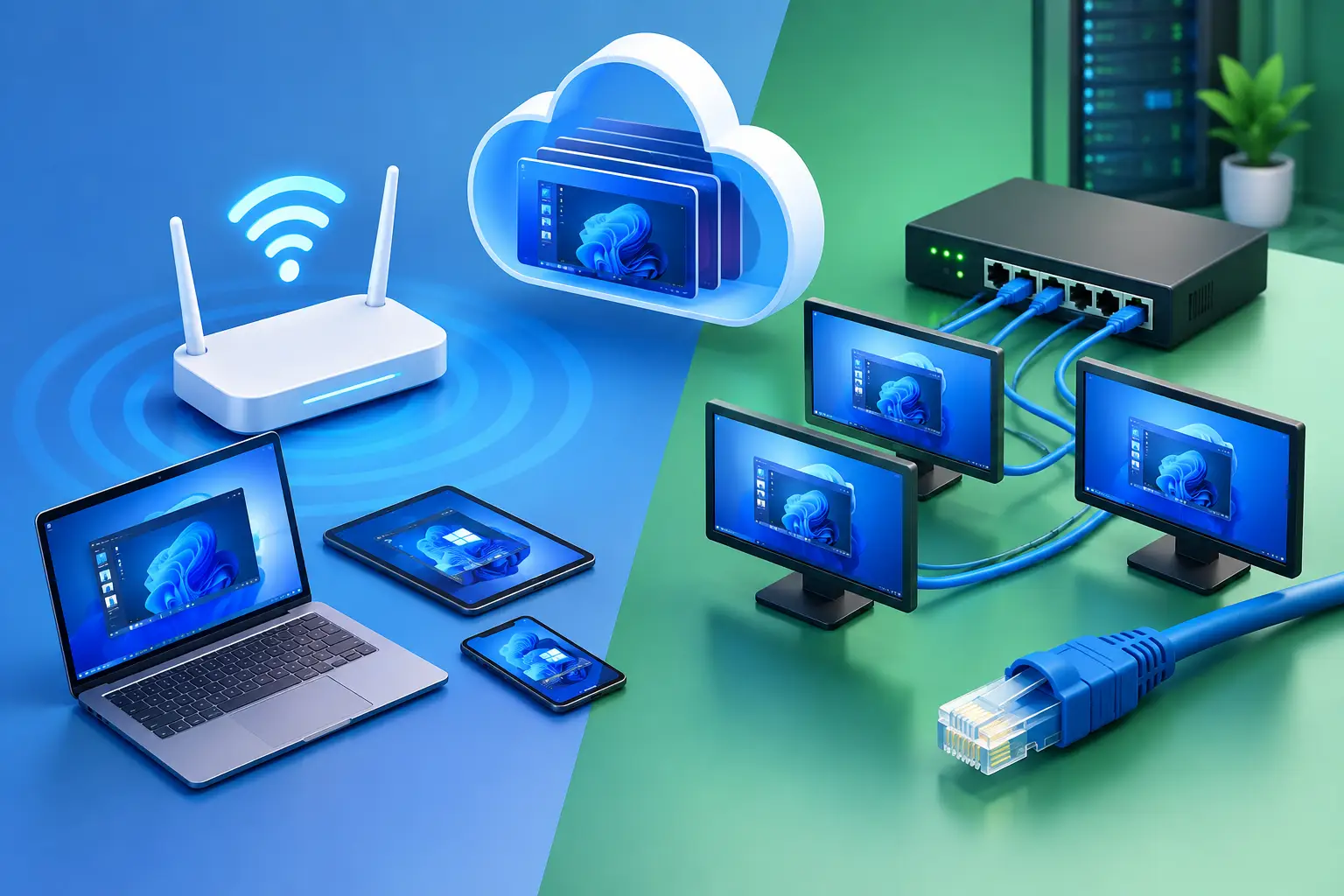
Playing modern PC games no longer requires purchasing an expensive gaming desktop. Cloud computing has created new ways to access powerful computers remotely, allowing players to stream gameplay to compatible devices without relying entirely on local hardware.
For gamers exploring sites like Shadow PC, however, choosing the right service can be confusing. Some platforms provide a complete Windows computer in the cloud, while others stream games from a supported catalog. Although both approaches make gaming more accessible, they offer different levels of control, compatibility, and flexibility.
Understanding these differences can help you choose a pc cloud gaming solution that fits your gaming habits, budget, and technical requirements.
What Are Sites Like Shadow PC?
Shadow PC provides access to a remote Windows computer that users can operate over the internet. Instead of purchasing and maintaining a high-performance gaming PC at home, subscribers connect to a cloud-hosted machine and run compatible games and applications remotely.
Sites like Shadow PC generally fall into three categories.
Full cloud PCs: These services provide a remote desktop environment where users can install compatible games, launchers, and other applications. They are suitable for people who want more control over their computing environment.
Cloud gaming platforms: These services stream supported games directly to a device. They can be convenient because users generally do not need to install or maintain a complete remote desktop, but game availability depends on the platform's supported catalog.
Remote PC streaming tools: These applications stream a computer that the user already owns. They can be useful for accessing a home gaming PC from another location, but they do not eliminate the need to purchase and maintain the original hardware.
Before comparing providers, determine which category matches your needs. A game-streaming service may be sufficient if your favorite titles are supported. If you need a full Windows environment for installing games and running other software, a cloud PC may be a better fit.
Popular Alternatives for PC Cloud Gaming
The cloud gaming market includes several types of services. The following options illustrate the main approaches rather than representing a universal ranking.
1. SensePC: Flexible Access to a Full Cloud PC
SensePC provides configurable cloud computers for gaming, development, creative projects, and general desktop workloads.
Rather than limiting users to a predefined collection of streamed games, SensePC provides a full cloud PC environment. On supported configurations, users can sign in to their own game accounts, install compatible games, and access their desktop remotely.
Its gaming-focused Xtreme configurations use NVIDIA L4 graphics, with Steam and Epic Games Launcher ready on those plans. Users bring their own eligible game accounts and licenses, and compatibility can vary by title.
One distinguishing feature is its flexible billing structure. Hourly, daily, and monthly options allow users to select an access model based on how frequently they expect to use the computer. On hourly plans, compute billing stops when the computer is stopped, although persistent SSD storage continues to incur charges.
SensePC may suit gamers who want a configurable cloud PC without committing to a recurring monthly plan from the beginning. Before choosing it, check the current pricing, available regions, hardware configuration, and compatibility of your preferred games.
Explore the SensePC gaming platform for more details.
2. Shadow PC: A Complete Computer in the Cloud
Shadow PC is another option for gamers who want access to a complete Windows computer remotely.
Its full-desktop approach allows users to install compatible software and games rather than relying solely on a fixed game catalog. This flexibility can be useful for people who want to use their cloud computer for gaming, productivity, or creative applications.
Shadow PC generally uses subscription-based pricing, so it is worth comparing the recurring cost with the amount of time you expect to play. Device compatibility is another important consideration, especially if you want to access your desktop from mobile devices or supported television platforms.
Shadow PC may be a suitable choice for frequent users who prefer a subscription and need a full remote Windows environment. Compare its current plans with other providers before deciding.
3. AirGPU: An Hourly Cloud Computer Option
AirGPU is another service to investigate if you are looking for a cloud gaming PC with usage-based billing.
Hourly cloud PC services can appeal to people who only need remote computing power occasionally. Rather than paying for a full month of access regardless of usage, users can evaluate a pay-as-you-go approach.
However, hourly compute charges are not necessarily the only cost. Storage, machine configuration, and other service fees can affect the total expense.
Before selecting an hourly cloud PC, check the available graphics hardware, supported locations, storage billing, startup process, and compatibility with your games.
4. NVIDIA GeForce NOW: Stream Supported Games
NVIDIA GeForce NOW takes a different approach to cloud gaming.
Instead of providing a general-purpose Windows desktop, it streams supported games through its service. This can make it convenient for players who want to access compatible titles without managing a remote computer.
The main consideration is game availability. You should verify whether the games you want to play are supported and whether your accounts, storefronts, and region are compatible.
GeForce NOW may be preferable if you want a streamlined gaming experience rather than the flexibility of a complete cloud PC.
5. Boosteroid: Another Game-Streaming Alternative
Boosteroid is a cloud gaming service worth comparing when exploring PC cloud gaming options.
Like other catalog-based platforms, it focuses on streaming supported games instead of providing a complete Windows desktop for unrestricted software installation.
The main advantage of this approach is convenience: users can launch compatible games without maintaining a separate remote computer. The trade-off is that game availability and functionality depend on the service's current support.
Check the game catalog, supported devices, regional availability, subscription terms, and network requirements before signing up.
Full Cloud PC vs. Game-Streaming Service
The difference between a full cloud PC and a game-streaming platform is one of the most important factors when evaluating sites like Shadow PC.
| Feature | Full Cloud PC | Catalog-Based Cloud Gaming |
|---|---|---|
| Main purpose | Access a complete remote computer | Stream supported games |
| Desktop environment | Generally available | Usually not provided |
| Game installation | Install compatible games where permitted | Limited to supported titles |
| Other applications | Can run compatible desktop software | Generally focused on gaming |
| System configuration | Depends on the provider and plan | Managed by the service |
| Billing | May be hourly, daily, or monthly | Often subscription-based or tiered |
| Best suited for | Users wanting control and flexibility | Users wanting convenient access to supported games |
Neither approach is automatically superior. The best option depends on what you want to do.
If you primarily play games available through a particular streaming catalog, a dedicated cloud gaming platform may offer a simpler experience. If you want to install compatible software, manage a remote desktop, and use your computer for tasks beyond gaming, a full cloud PC may be more appropriate.
How to Choose the Best Cloud PC for Gaming
Comparing brand names alone will not tell you whether a service will work well for your situation. Consider the following factors before purchasing access.
Check the Graphics Hardware
A cloud PC's GPU influences its ability to handle graphics-intensive games and applications. Look beyond the advertised GPU name and examine the complete configuration, including processor resources, memory, and available storage.
Compare these specifications with the recommended requirements for your games. Keep in mind that a data-center GPU and a consumer gaming GPU may behave differently depending on the workload and software environment.
Evaluate Network Latency
Cloud gaming sends video from a remote computer to your device, while your inputs travel back to the server. The additional network journey can affect responsiveness.
A stable internet connection is essential, but bandwidth alone does not determine the experience. Latency, packet loss, network routing, and the distance to the hosting region can all make a difference.
Whenever possible, choose a nearby server region and test the service before committing to extended use.
Review Game Compatibility
A full Windows cloud PC offers flexibility, but it does not guarantee that every game will run.
Some games rely on anti-cheat systems, digital rights management, launchers, or security features that restrict virtual environments. Updates can also change compatibility.
Before choosing a service, confirm that your preferred games are supported. This is especially important if you primarily play competitive multiplayer titles.
Compare the Complete Cost
The cheapest advertised rate may not produce the lowest total cost.
For an hourly cloud PC, calculate expected compute usage and storage charges. For a monthly subscription, consider how often you will use the service and whether the plan's included usage matches your habits.
Also check whether the computer continues running when you disconnect, whether idle shutdown is available, and how persistent storage is billed.
A simple comparison based on your expected monthly gaming hours can help identify the most economical option.
Confirm Device Support
Not every cloud PC provider supports every device in the same way.
Check whether the service works with your operating system, whether it requires a native application, and whether browser access is available. If you intend to play on a Mac or Chromebook, confirm the exact connection options and limitations.
For latency-sensitive gaming, the quality of the streaming client may matter as much as convenience.
Is a Cloud Gaming PC Better Than Buying a Gaming Computer?
A cloud gaming PC can reduce the need for a large upfront hardware purchase, but it is not the right choice for everyone.
A physical gaming computer provides local processing, does not depend on a continuous internet connection for locally installed games, and avoids streaming latency. However, the owner must pay for the hardware, upgrades, electricity, and maintenance.
A cloud PC shifts much of the computing infrastructure to a remote provider. This can be useful if you have a capable internet connection but an underpowered local device, or if you need high-performance computing only for selected periods.
The financial comparison depends on usage. Someone who plays for a few hours occasionally may value hourly access, while a daily player should compare total usage costs against a monthly cloud plan or the long-term cost of local hardware.
Consider your gaming schedule, internet reliability, preferred titles, and budget before making a decision.
Why Flexible Cloud PC Access Matters
Gaming habits are not always consistent. You might need extra computing power for a particular game, a weekend gaming session, or a temporary project without wanting to maintain another physical computer.
Flexible cloud PC access can help accommodate those changing needs.
For example, a player with a basic laptop could use a cloud computer for supported gaming sessions while continuing to use the laptop for everyday browsing and productivity. A developer could also use a compatible cloud desktop for testing software without dedicating the same local machine to every workload.
This flexibility is particularly relevant when the service offers configurable resources and billing options. However, users should still account for internet requirements, compatibility restrictions, and storage charges.
SensePC is one option for people who want to explore this model with a configurable cloud PC and hourly, daily, or monthly access options.
Final Thoughts
Finding sites like Shadow PC starts with understanding the kind of cloud computing experience you want.
Full cloud PCs provide a remote desktop for compatible games and applications, while catalog-based services focus on streaming supported titles. Remote access tools offer another option for people who already own a gaming computer.
SensePC and Shadow PC are worth comparing if you want a complete cloud desktop. AirGPU may be relevant if you prefer an hourly cloud PC, while GeForce NOW and Boosteroid are alternatives to investigate if your priority is streaming supported games.
There is no single best cloud PC gaming service for every user. Compare hardware, compatibility, network performance, device support, and total cost before choosing a provider. The right solution is the one that matches your gaming habits without paying for features you do not need.
What's Your Reaction?
 Like
0
Like
0
 Dislike
0
Dislike
0
 Love
0
Love
0
 Funny
0
Funny
0
 Angry
0
Angry
0
 Sad
0
Sad
0
 Wow
0
Wow
0