


















IPTV on Apple TV and iPhone in Finland: Setup, Apps, and Streaming Tips
Nordic One IPTV is an IPTV service focused on viewers in Finland and the wider Nordic region.
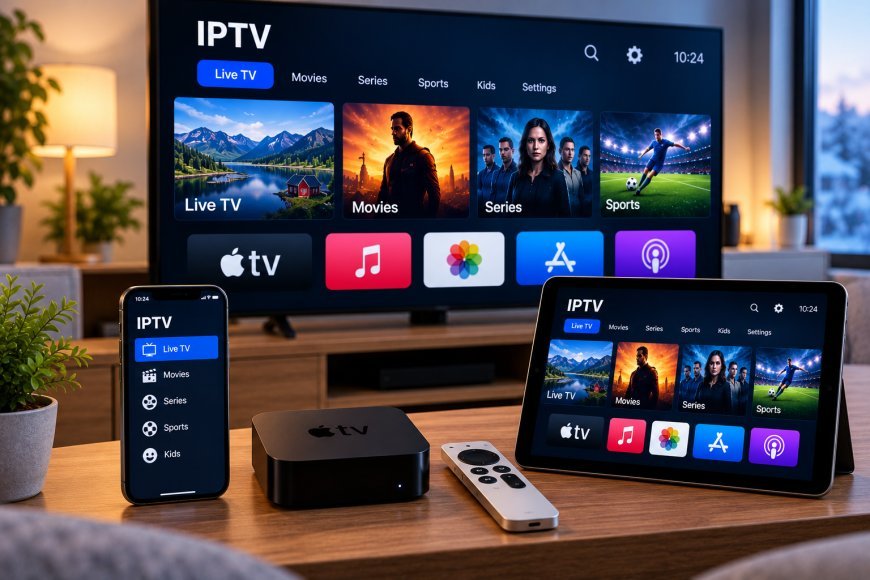
Apple devices are widely used for streaming because they offer simple interfaces, reliable software updates, and access to a large selection of media applications. For viewers in Finland, Apple TV, iPhone, and iPad can also be used with compatible IPTV services and IPTV player apps.
Getting a smooth setup depends on choosing the right application, using the correct login method, maintaining a stable internet connection, and understanding how IPTV works across different Apple devices.
This guide explains what users should know before setting up IPTV on Apple TV, iPhone, or iPad.
How IPTV Works on Apple Devices
IPTV delivers television content through an internet connection.
Instead of receiving channels through traditional cable or satellite services, users access streams through a compatible IPTV application.
A typical setup requires:
-
An IPTV service
-
A compatible IPTV player
-
Login details or a playlist
-
A stable internet connection
-
An Apple device with supported software
The IPTV player acts as the interface where users browse channels, categories, programme information, movies, or series.
IPTV on Apple TV
Apple TV is designed specifically for television streaming and works with applications built for tvOS.
For IPTV use, the main advantage is the large-screen interface and remote-based navigation.
A suitable IPTV player for Apple TV should ideally support:
-
Live TV
-
EPG information
-
Favorites
-
Search
-
M3U playlists
-
Username and password login
-
Movie and series categories
-
Channel groups
Not every player includes every feature, so users should compare compatibility before choosing an app.
IPTV on iPhone
An iPhone can be useful for IPTV when users want to watch content away from the main television.
Mobile IPTV apps can provide access to many of the same features available on television platforms.
Common functions may include:
-
Live channels
-
Movies
-
Series
-
Search
-
Favorites
-
Programme guides
-
Playlist management
The smaller screen means interface design becomes especially important.
An app that looks good on a television may not necessarily provide the best experience on a phone.
IPTV on iPad
The iPad sits between a smartphone and television in terms of screen size.
It can be useful for users who want a larger mobile display without being tied to a television.
IPTV apps designed for iPad may offer:
-
Larger EPG layouts
-
Easier browsing
-
Picture-in-picture support
-
Search
-
Favorites
-
Landscape viewing
Availability depends on the player.
For households where different people use different Apple devices, choosing an app available across iPhone, iPad, and Apple TV can simplify the overall setup.
Choose an IPTV Player Carefully
The IPTV application is a major part of the viewing experience.
A good player should be easy to navigate and support the login format provided by the IPTV service.
Before installing an app, check:
-
App Store availability
-
Device compatibility
-
tvOS or iOS support
-
Supported login methods
-
EPG features
-
Recent updates
-
User interface quality
Avoid choosing an app only because it has the largest number of features.
A simpler player may provide a better experience if it works reliably and is easy to navigate.
M3U Playlist Support
One common IPTV setup method is an M3U playlist.
An M3U playlist is normally supplied as a URL.
The IPTV player uses that URL to load information about available streams.
On iPhone and iPad, entering an M3U link is usually easy because users can copy and paste the address.
On Apple TV, typing long URLs with the remote can be more difficult.
Some applications solve this by allowing playlists to be added through:
-
A companion website
-
iCloud synchronization
-
An account login
-
Another Apple device
The exact method depends on the player.
Username and Password Login
Some IPTV apps support server-based login credentials.
This method may require:
-
Server address
-
Username
-
Password
For many users, this setup is easier than entering a long M3U URL.
Once the login details are entered, the app may automatically organize available content into categories.
Users should always follow the login method provided by their IPTV service.
Check App Compatibility Before Paying
Some IPTV players offer free versions, while others require a subscription or one-time purchase.
Before paying, make sure the app supports:
-
Your Apple device
-
Your IPTV login method
-
The features you need
-
Your preferred interface style
Paying for a premium app does not guarantee that it will work with every IPTV service.
Testing compatibility first can prevent unnecessary purchases.
Use the Same App Across Apple Devices
One advantage of the Apple ecosystem is that some applications are available across multiple devices.
An IPTV player may offer versions for:
-
Apple TV
-
iPhone
-
iPad
-
Mac
Using the same app across devices can make navigation more familiar.
Some players may also synchronize settings, favorites, or playlists through an account or cloud service.
This is not available in every app, so users should confirm before relying on cross-device synchronization.
Internet Quality Matters
Streaming IPTV requires a stable connection.
A fast internet package is useful, but stability is just as important.
Playback may be affected by:
-
Weak Wi-Fi
-
Network congestion
-
Too many connected devices
-
Router placement
-
Mobile data limits
-
High video resolution
If IPTV buffers frequently, users should test the internet connection before changing applications.
Wi-Fi on Apple TV
Apple TV is often connected through Wi-Fi.
For best results, place the router where the signal can reach the television area without too many walls or obstacles.
If available, users can also consider Ethernet on Apple TV models that support it.
A wired connection can be useful when Wi-Fi is unstable or heavily congested.
Mobile Data on iPhone
Watching IPTV through mobile data can consume a large amount of bandwidth.
Higher-resolution streams use more data than lower-resolution video.
Users with limited mobile plans should monitor usage carefully.
For longer viewing sessions, Wi-Fi is often the better option.
If mobile data must be used, lowering the video quality may help reduce consumption.
Use AirPlay When Appropriate
AirPlay allows users to send compatible content from an iPhone or iPad to an Apple TV or supported television.
This can be useful when an IPTV app works well on a mobile device but does not have a dedicated Apple TV version.
However, AirPlay support depends on the application and stream.
Some IPTV apps may restrict or handle casting differently.
Users should test the feature before relying on it as their main viewing method.
EPG on Apple Devices
An Electronic Programme Guide can make live television easier to browse.
A good EPG may display:
-
Current programmes
-
Upcoming programmes
-
Start and end times
-
Programme descriptions
-
Channel schedules
On Apple TV, a grid-style programme guide can be especially useful on larger screens.
On iPhone, a compact list view may be easier to navigate.
If programme information is missing but channels play normally, the problem may be related to EPG data rather than the IPTV stream.
Create Favorites
Large IPTV channel lists can be difficult to manage.
Favorites allow users to build a smaller list containing the channels they watch most often.
This can save time and make navigation easier.
Possible favorite groups include:
-
Finnish channels
-
Nordic channels
-
News
-
Sports
-
Movies
-
Children's programming
-
International channels
The available organization options depend on the IPTV player.
Search Is Important
Search functionality becomes more useful as the number of available channels or programmes increases.
A good IPTV app should allow users to search quickly using the Apple TV remote, iPhone keyboard, or iPad keyboard.
Search can help users find:
-
Channels
-
Movies
-
Series
-
Sports events
-
Programme names
Apps with poor search functions can become frustrating when large playlists are involved.
Keep iOS and tvOS Updated
Apple regularly releases updates for iPhone, iPad, and Apple TV.
These updates can improve:
-
Security
-
App compatibility
-
Stability
-
Network performance
-
Interface behavior
IPTV applications should also be kept up to date.
If an app suddenly behaves differently after a system update, check whether a newer version of the app is available.
Restart the App Before Reinstalling
If IPTV stops responding, users do not always need to reinstall the app immediately.
Try these steps first:
-
Close the application.
-
Restart the Apple device.
-
Check the internet connection.
-
Confirm the login details.
-
Check for updates.
-
Try another stream.
Reinstallation should usually be considered only after simpler troubleshooting steps fail.
Check Storage Space
Devices with very limited free storage may become slower or struggle with large applications and cached data.
Check available storage periodically, especially on iPhone and iPad.
Remove apps or files that are no longer needed.
Keeping reasonable free space can help the operating system run more smoothly.
Protect IPTV Credentials
IPTV login details should be treated as private information.
Do not publicly share:
-
M3U URLs
-
Usernames
-
Passwords
-
Account details
-
Private server information
Only enter credentials into IPTV apps you trust.
Using apps downloaded from Apple's official App Store can reduce the risk of installing modified or unknown software.
Compare Services Based on Device Support
Not every IPTV service works equally well across Apple devices.
Before subscribing, users should check whether the service provides clear setup instructions for:
-
Apple TV
-
iPhone
-
iPad
-
Mac
Finnish viewers comparing IPTV compatibility, device setup, and streaming options can review Nordic One IPTV when researching services designed for users in Finland and the wider Nordic region.
Checking device support before subscribing can reduce setup problems later.
Do Not Ignore Content Rights
Technical compatibility is only one consideration.
Users should also make sure that the content they access is offered with appropriate distribution rights for their location.
This is especially important when comparing unfamiliar IPTV providers or unusually large channel packages.
A service working technically does not automatically confirm that all available content is authorized.
Apple TV vs iPhone for IPTV
Both devices can be useful, but they serve different purposes.
Apple TV Is Better For
-
Living room viewing
-
Large screens
-
Remote control navigation
-
Longer viewing sessions
-
Shared household use
iPhone Is Better For
-
Portable viewing
-
Quick access
-
Travel
-
Personal viewing
-
Mobile internet use
Many users may prefer to use both depending on the situation.
iPad as a Flexible Middle Option
The iPad provides more screen space than an iPhone while remaining portable.
It can work well for:
-
Bedrooms
-
Kitchens
-
Travel
-
Temporary viewing
-
Personal entertainment
A tablet can also be useful when the main television is already in use by another household member.
Final Thoughts
Apple TV, iPhone, and iPad can all provide practical ways to use IPTV when the service and application are compatible.
A reliable setup begins with choosing an IPTV player that supports the correct login method and works well on the intended device.
Users should also pay attention to internet stability, Wi-Fi quality, mobile data usage, EPG support, app updates, and account security.
For viewers in Finland, checking device compatibility before selecting an IPTV service can make installation easier and reduce technical problems later. With the right app and network setup, Apple devices can provide a flexible way to access internet-based television at home or on the move.
What's Your Reaction?
 Like
0
Like
0
 Dislike
0
Dislike
0
 Love
0
Love
0
 Funny
0
Funny
0
 Angry
0
Angry
0
 Sad
0
Sad
0
 Wow
0
Wow
0