


















What Is the Difference Between an IPTV App and an IPTV Box?

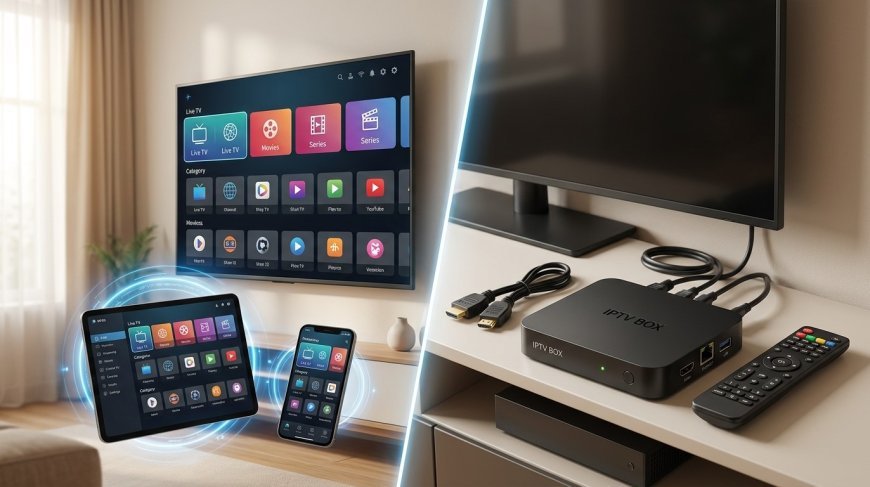
Internet-based television gives viewers several ways to watch their favorite programs, but choosing the right setup can be confusing. Some people use an IPTV app directly on a Smart TV or smartphone, while others connect a dedicated streaming device to their television. Although both options can provide access to IPTV services, they differ in hardware requirements, compatibility, setup, and everyday convenience.
Understanding these differences can help you choose an option that fits your home and viewing habits. Whether you are exploring IPTV India services or considering an Indian IPTV Box, this guide explains how each option works and what to consider before making a decision.
Table of Contents
-
What Is an IPTV App?
-
What Is an IPTV Box?
-
IPTV App vs. IPTV Box: Key Differences
-
Which Option Is Better for You?
-
What Should You Check Before Choosing?
-
Frequently Asked Questions
-
Final Thoughts and CTA
1. What Is an IPTV App?
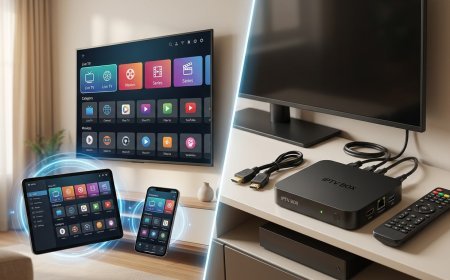
An IPTV app is software that allows a compatible device to access IPTV content. Depending on the application and service, it may display live television, program guides, video-on-demand content, and other supported features.
You can use an IPTV app on devices such as:
-
Compatible Smart TVs
-
Android phones and tablets
-
iPhones and iPads
-
Computers
-
Supported streaming devices
Some applications provide playback features but require users to supply access details or a playlist from a legitimate service. Installing an IPTV app alone does not necessarily provide television channels or a subscription.
Benefits of an IPTV App
-
Convenience: You may not need to purchase extra hardware.
-
Lower initial cost: A compatible device you already own may be sufficient.
-
Easy access: You can manage viewing through an existing device.
-
Portability: Mobile applications can be useful when away from home, subject to service restrictions.
However, app availability and performance depend on your device's operating system, hardware, and the application's compatibility requirements.
2. What Is an IPTV Box?
An IPTV box is a physical device that connects to a television, usually through HDMI, and runs compatible streaming or IPTV applications.
Depending on its operating system and specifications, it may also support other streaming platforms, media playback, and additional applications.
An Indian IPTV Box may be suitable for users who want to access compatible IPTV applications on a television that does not support them directly. The exact features vary by model, so check compatibility before purchasing.
Benefits of an IPTV Box
-
Dedicated television setup: It can provide a separate streaming interface for your TV.
-
Potentially broader app support: Some boxes support applications unavailable on an older television.
-
Convenient remote control: Many models are designed for viewing from the sofa.
-
Possible performance improvements: A newer, capable box may run applications more smoothly than an older Smart TV.
A box still requires a suitable internet connection and compatible software. It also needs power and an available HDMI input. Buying one does not automatically provide an IPTV subscription or guarantee access to specific channels.
3. IPTV App vs. IPTV Box: Key Differences
| Feature | IPTV App | IPTV Box |
|---|---|---|
| What it is | Software | Physical streaming device |
| Hardware required | An existing compatible device | A compatible TV plus the box |
| Initial cost | May be free or paid | Requires a device purchase |
| Setup | Install and configure the app | Connect, configure, and install or open apps |
| Portability | Often convenient on mobile devices | Generally designed for a fixed TV setup |
| Compatibility | Depends on the device and operating system | Depends on the box, TV, and supported apps |
| Remote control | May use touch controls or a TV remote | Usually supports a remote control |
| Internet required | Yes, for online IPTV streaming | Yes, for online IPTV streaming |
Neither option is automatically better in every situation. A well-supported app on a modern Smart TV may perform just as well as a separate box.
4. Which Option Is Better for You?
The right choice depends on your television, budget, and viewing preferences.
Choose an IPTV App If…
-
Your Smart TV already supports a suitable application.
-
You want to avoid buying additional equipment.
-
You prefer watching on a phone or tablet.
-
Your current device provides reliable playback and easy navigation.
Consider an IPTV Box If…
-
Your television does not support the required IPTV app.
-
Your existing TV software is outdated or limited.
-
You prefer a dedicated remote-controlled interface.
-
You want to keep streaming applications separate from your television's built-in software.
For example, someone with a recent Smart TV may not need extra hardware. Someone with an older television and an HDMI port may find a compatible streaming box more practical.
5. What Should You Check Before Choosing?
Before selecting an app or box, review these important factors.
Device compatibility: Confirm that your preferred application works with your TV or streaming device.
Subscription requirements: Check how the IPTV service handles device registration and simultaneous streams.
Internet connection: Ensure your home network can support the video quality you want.
Hardware specifications: For a box, review its operating system, memory, storage, update support, and available connections.
Application availability: Use official app stores or trusted sources and avoid unfamiliar modified applications.
Content authorization: Choose services authorized to distribute the channels and programs they offer.
For users comparing IPTV India options, these checks help prevent compatibility issues and unnecessary purchases.
6. Frequently Asked Questions
Is an IPTV app the same as an IPTV box?
No. An IPTV app is software, while an IPTV box is hardware that connects to a television and runs compatible applications.
Do I need an IPTV box if I have a Smart TV?
Not necessarily. If your Smart TV supports the required application and provides reliable playback, you may not need a separate box.
Does buying an IPTV box include a subscription?
Not automatically. The device and the television service are separate. Check exactly what the seller includes and whether the service is authorized.
Can I use the same IPTV app on my phone and TV?
Sometimes. The application must support both devices, and your provider may have rules about registered devices or simultaneous streams.
Will an IPTV box improve streaming quality?
It may improve performance if your existing TV is slow or incompatible. However, picture quality also depends on the source, application, and internet connection.
Is an Indian IPTV Box compatible with every television?
No. Check that your TV has a compatible connection, usually HDMI, and confirm that the box supports the applications and services you intend to use.
7. Final Thoughts and CTA
The main difference between an IPTV app and an IPTV box is that one is software and the other is a physical device. An app may be all you need if your existing television or mobile device supports it. A dedicated box can be useful when your TV lacks suitable applications or you want a separate streaming interface.
For IPTV India users, the best decision comes down to compatibility, convenience, budget, and service requirements. Before purchasing an Indian IPTV Box, confirm that it supports your preferred applications and works with your television.
Ready to choose your IPTV setup? Visit IPTV India for more information about IPTV and explore the Indian IPTV Box page to learn more about compatible equipment. Compare your options carefully to find a setup that suits your home and viewing needs.
What's Your Reaction?
 Like
0
Like
0
 Dislike
0
Dislike
0
 Love
0
Love
0
 Funny
0
Funny
0
 Angry
0
Angry
0
 Sad
0
Sad
0
 Wow
0
Wow
0