





















How to Connect BigCommerce With ERP Software for Order Management
Learn how BigCommerce ERP integration works, from data mapping and order flow to inventory sync, testing, and maintenance for smooth order management.
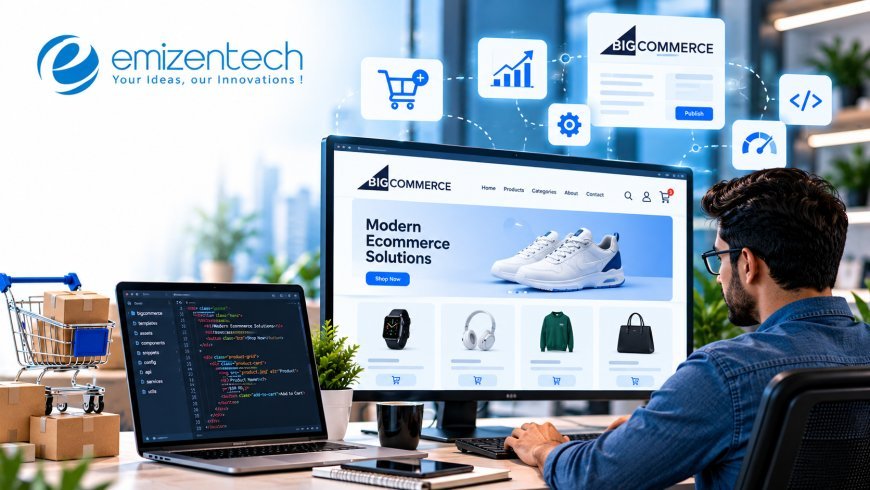
An order placed on your storefront is only the first step. Stock must be reserved, invoices raised, shipments booked, and finance updated. When the store and the ERP do not talk to each other, staff re-key data by hand and customers receive wrong stock information. This guide explains how BigCommerce ERP integration works, what to prepare, and how to build a connection that stays reliable as order volume grows.
What an ERP Connection Actually Does
Before choosing tools or vendors, it helps to see what moves between the two systems. The integration is a set of agreed data flows, each with an owner and a direction.
The store is the best source for customer-facing data: carts, checkout details, and order placement. The ERP is the best source for operational data: stock levels, costs, supplier records, and financial postings. A healthy integration lets each system own what it handles best and passes the rest across.
In practice, four flows carry most of the value. Orders travel from BigCommerce to the ERP. Inventory and pricing travel back. Shipment and tracking details return to the store. Customer and account records move in whichever direction your process requires. Everything else, such as returns or credit notes, builds on these four.
Map the Data Before You Build Anything
Most failed integrations fail on data, not code. Two systems rarely describe a product, a customer, or a tax line in the same way, so differences must be resolved on paper first.
Start with a field-by-field mapping sheet. List each BigCommerce field, its matching ERP field, the direction of travel, and any transformation needed. SKUs are the usual first trouble spot: the store may use variants where the ERP holds separate item codes. Units of measure, tax codes, payment terms, and customer IDs also need explicit rules.
Decide the “source of truth” for each data type and write it down. If both systems can edit prices, conflicts are guaranteed. Clean the data at the same time. Duplicate SKUs, missing weights, and inconsistent customer names will cause errors the moment automation begins, so fixing them now saves long debugging sessions later.
Choose an Integration Approach
There is no single right way to connect the two systems. The best option depends on your ERP, your order volume, and how unusual your processes are.
Three routes dominate:
- Prebuilt connector: A marketplace app that links BigCommerce with a popular ERP. It is quick to start and cheap at first, but it suits standard workflows only.
- iPaaS platform: A middleware service with visual flows, error queues, and many ready adapters. It handles moderate complexity without writing a full application.
- Custom API integration: Code built on the BigCommerce REST and GraphQL APIs and the ERP’s own interface. It costs more up front and gives complete control.
Match the route to the problem. A store with simple pricing and one warehouse may be well served by a connector. A store with contract pricing, multiple warehouses, or an older on-premise ERP will likely outgrow it. For those cases, a specialist BigCommerce development company can design a hybrid, using middleware for routine flows and custom code where the ERP demands it.
Order Flow: From Checkout to Fulfillment
Order handling is the heart of the project, so it deserves a detailed look. The goal is for BigCommerce automated order processing to run with no manual touch in normal cases.
Here is the typical journey:
- A shopper completes checkout and BigCommerce fires an order webhook.
- The integration layer receives it, validates the payload, and maps it to the ERP format.
- The ERP creates a sales order, checks stock, and allocates inventory.
- Payment status and tax details are posted to the correct accounts.
- The warehouse picks, packs, and ships, and the ERP records the shipment.
- Tracking numbers and status updates return to BigCommerce.
- The customer receives a shipping notification.
Each step needs a defined failure path. If the ERP is offline, orders should queue and retry rather than vanish. If a SKU does not match, the order should land in an exception list for a human to review, not silently stall. Teams that skip this design find out about failures from angry customers.
Also decide how statuses translate. The ERP may use a dozen internal states, while the store shows only a handful. Map them so shoppers see clear, honest messages.
Keeping Stock Accurate Across Both Systems
Overselling and phantom stockouts are the most visible symptoms of a weak connection. Reliable BigCommerce inventory synchronization depends on timing, granularity, and rules about reserved stock.
Real-time sync through webhooks and API calls is ideal for fast-moving items, while scheduled batches every ten to thirty minutes can work for slower catalogs. Many stores combine both: instant updates for low-stock items and periodic full reconciliation as a safety net.
Handle several details deliberately:
- Multiple warehouses: Decide whether the store shows combined stock or routes by location.
- Safety buffers: Hold back a small quantity to absorb sync delays during sales peaks.
- Reserved stock: Subtract open orders and quotes that the ERP has already allocated.
- Backorders and pre-orders: Define how the ERP’s incoming purchase data appears on the storefront.
Run a nightly comparison report between the two systems. Small drifts are normal, and catching them early prevents large discrepancies.
Pricing, Customers, and Financial Records
Beyond orders and stock, other data keeps the operation coherent. These flows are less glamorous, yet they decide whether finance trusts the numbers.
Customer-specific pricing is a common requirement for wholesale sellers. The ERP often holds price lists and contract terms, which the integration can expose to BigCommerce through customer groups or price lists. Credit limits and payment terms may also need to appear at checkout for account customers.
Finance needs clean postings. Tax, shipping, discounts, and payment fees should land in the right ledger accounts without manual adjustment. Refunds and returns require their own flow, creating credit notes and restocking items where appropriate. Agree on these rules with the finance team before development, since changing accounting logic after launch is painful.
Test Thoroughly and Launch in Stages
Integrations touch money and stock, so testing cannot be rushed. A staged rollout limits the damage if something unexpected appears.
Build a sandbox using a copy of your ERP and a BigCommerce staging store. Test the normal path first, then the awkward ones: partial shipments, cancelled orders, out-of-stock items, split payments, large baskets, and special characters in addresses. Load test with a volume similar to your busiest day.
Launch gradually. Route a single product category or one customer group through the new flow, watch the logs for a week, then widen the scope. Keep a manual fallback plan and a clear rollback procedure.
If your team lacks capacity for monitoring and maintenance, a partner offering BigCommerce ERP integration services can supply testing frameworks, alerting, and post-launch support so small faults are fixed before they reach customers.
Monitoring and Long-Term Maintenance
A working integration is not a finished one. APIs change, ERP versions upgrade, and business rules evolve, so someone must own the connection after go-live.
Set up dashboards showing sync success rates, queue depth, and error counts. Alert on failures by email or chat, with enough detail to diagnose the cause quickly. Keep logs searchable for at least ninety days to support disputes and audits.
Schedule a quarterly review. Check for deprecated API versions, new BigCommerce features worth adopting, and process changes that require updated mappings. Document the architecture and keep credentials in a secure vault. Good documentation makes the next developer’s first week productive instead of painful.
Conclusion
A successful BigCommerce ERP integration comes from preparation rather than clever code: clear data mapping, the right integration approach, defined failure handling, careful testing, and ongoing monitoring. Get those pieces right and orders move from checkout to shipment without manual effort, while stock and finance records stay trustworthy. For stores that want an experienced partner through design, build, and support, Emizentech offers BigCommerce and ERP integration expertise tailored to your operations.
FAQs
1. How long does a BigCommerce ERP integration take?
A prebuilt connector can be live in a few weeks. Custom or middleware-based projects usually take two to four months, depending on data complexity and testing needs.
2. Which ERP systems work with BigCommerce?
Popular options include NetSuite, SAP, Microsoft Dynamics, Acumatica, and Odoo. Most can connect through connectors, middleware, or direct API work.
3. Should inventory sync in real time or in batches?
Real-time suits fast-moving or limited-stock items, while batches work for slower catalogs. Many stores use both, with scheduled reconciliation as a backup.
4. What happens if the ERP goes offline during an order?
A well-designed integration queues the order and retries automatically. Failed orders should appear in an exception list so staff can resolve them manually.
5. Do I need custom development, or is a connector enough?
A connector works for standard workflows. Custom development is better for contract pricing, multiple warehouses, legacy ERPs, or unusual order rules.
What's Your Reaction?
 Like
0
Like
0
 Dislike
0
Dislike
0
 Love
0
Love
0
 Funny
0
Funny
0
 Angry
0
Angry
0
 Sad
0
Sad
0
 Wow
0
Wow
0