




















M3U, Xtream Codes, and Portal Login: Understanding IPTV Connection Methods
Nordic IPTV King is an IPTV service focused on viewers in Sweden and the wider Nordic region.

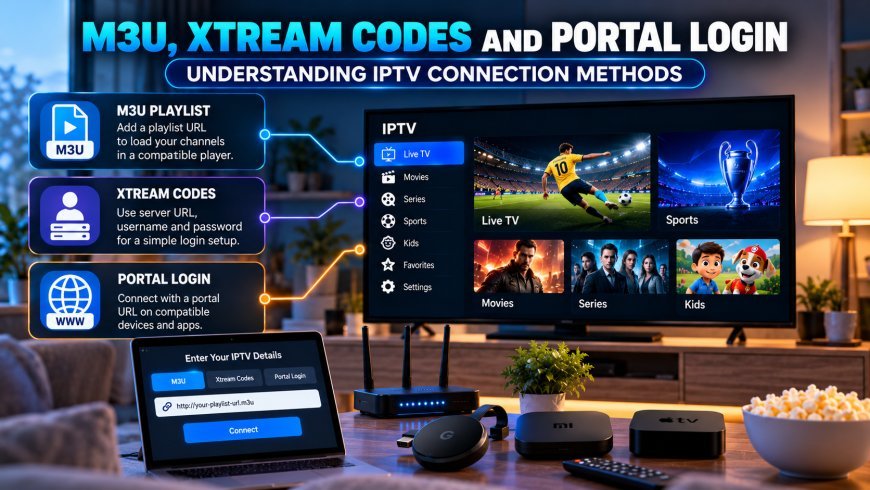
Setting up IPTV often involves more than simply installing an application. After choosing a compatible IPTV player, users may be asked to connect their service using an M3U playlist, account credentials, or a portal URL.
These connection methods serve a similar purpose, but they work differently and may not be supported by every device or application. Understanding the differences can make IPTV setup easier, especially for viewers using Smart TVs, Android TV devices, Apple TV, computers, or smartphones.
For users in Sweden and across the Nordic region, choosing the correct connection method can also improve channel organization, Electronic Program Guide access, and general usability.
What Is an IPTV Connection Method?
An IPTV player needs information telling it where to retrieve compatible content and how to authenticate the user.
Depending on the service and application, this information might be provided as:
-
An M3U playlist URL
-
A username and password
-
A server URL
-
Xtream-compatible credentials
-
A portal URL
-
Device-specific login information
The IPTV application then uses these details to load the available channels and other supported content.
The exact method depends on both the provider and the player.
What Is an M3U Playlist?
M3U is one of the most recognizable playlist formats associated with IPTV.
An M3U playlist usually contains information that points a compatible player toward available streams.
Instead of manually adding channels one by one, the application can load the playlist and organize its entries.
An M3U connection may be supplied as:
-
A web URL
-
A locally stored playlist file
-
A remotely hosted playlist
Many IPTV players can work with M3U, but the way they display the content can vary.
Why M3U Is Popular
M3U is widely supported because it is relatively simple.
Compatible players may use it on:
-
Smart TVs
-
Android TV
-
Google TV
-
Computers
-
Tablets
-
Smartphones
-
Media players
The same basic playlist format can therefore work across several types of devices.
However, users should not assume that every M3U player offers the same features.
M3U Does Not Automatically Include a Good EPG
One common misunderstanding is that loading an M3U playlist automatically provides complete television schedule information.
Channel information and Electronic Program Guide data can be separate.
Depending on the setup, an IPTV application may require an additional EPG source to display:
-
Current programs
-
Upcoming programs
-
Program descriptions
-
Start and end times
Some services provide both playlist and guide information, while others may handle them differently.
What Are Xtream-Compatible Credentials?
Another common IPTV connection method uses a server address together with a username and password.
Many players refer to this as an Xtream Codes or Xtream-compatible login.
The user typically enters:
-
Server or host URL
-
Username
-
Password
The player then retrieves account information and organizes supported content.
This can feel simpler than working with a long playlist URL because the login information is separated into clear fields.
Advantages of Account-Based Login
When supported by both the player and service, an account-based login can make organization easier.
The application may automatically separate content into sections such as:
-
Live TV
-
Movies
-
Series
-
Categories
-
EPG information
The exact features depend on the service and application.
A clean interface can be particularly useful when the account contains a large content library.
What Is a Portal URL?
A portal-based IPTV setup works differently.
Instead of entering a conventional playlist, users connect a compatible device or application to a portal address.
Portal configurations are commonly associated with certain set-top boxes and middleware-based IPTV systems.
Depending on the setup, users may need:
-
Portal URL
-
Device identifier
-
MAC-related registration
-
Account credentials
The service and device must both support the required portal method.
Portal Setup Is More Device-Specific
M3U and account-based logins can often be moved between different compatible applications.
Portal systems may be more closely tied to a particular device or player.
For this reason, users should confirm compatibility before purchasing hardware specifically for portal-based IPTV.
A portal designed for one type of set-top box may not work in an unrelated application.
Which Method Is Easier?
There is no universal answer.
The easiest connection method depends on the device and application.
M3U May Be Better When:
-
You want broad player compatibility
-
Your preferred application supports playlists well
-
You want flexibility across devices
Account Login May Be Better When:
-
You want automatic content categories
-
You prefer entering shorter login details
-
Your IPTV player is optimized for account-based access
Portal Login May Be Better When:
-
Your hardware is designed around portal access
-
Your service specifically supports that setup
-
You use a compatible dedicated IPTV box
The most important factor is compatibility rather than choosing one format simply because it appears more advanced.
Check Your IPTV Player Before Setup
Before entering any credentials, check which connection methods the application supports.
An IPTV player might support:
-
M3U only
-
M3U and EPG
-
Xtream-compatible credentials
-
Portal access
-
Several methods together
Choosing a player that matches the information supplied by the service saves time.
Smart TV Compatibility
Smart TV IPTV applications vary considerably.
Samsung and LG televisions use different operating systems and app stores, so an application available on one platform may not exist on another.
Some Smart TV players support M3U playlists but not portal connections.
Others may support account-based logins.
Always check the application's current documentation before relying on a particular method.
Android TV Provides More Flexibility
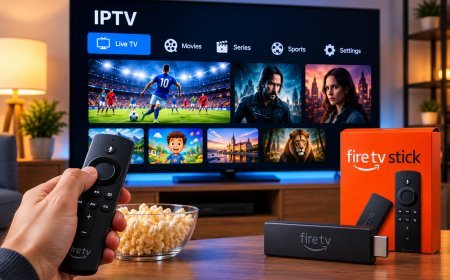
Android TV and Google TV generally offer a wider selection of IPTV players.
Depending on the application, users may have access to:
-
M3U playlists
-
Xtream-compatible logins
-
EPG sources
-
Multiple playlists
-
Favorites
-
Channel categories
This flexibility can make Android-based devices useful when users want to compare several player interfaces.
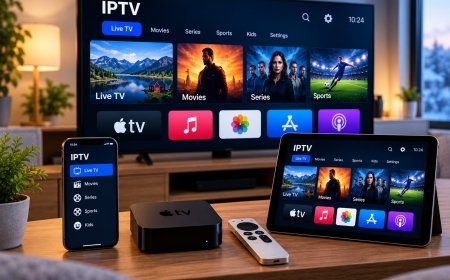
Apple TV IPTV Setup
Apple TV users need applications designed for tvOS.
Some IPTV players on Apple TV support playlist URLs, while others support account-based connections.
When choosing an application, consider more than the login method.
Also check:
-
EPG support
-
Favorites
-
Subtitle options
-
Remote navigation
-
Playlist management
A technically compatible application can still be inconvenient if navigation is poorly designed for television use.
Using IPTV on a Computer
Computers provide several options for IPTV playback.
General media players may support M3U playlists, while dedicated IPTV applications can provide more structured interfaces.
Computer users may appreciate easier access to:
-
Playlist management
-
Search
-
Multiple windows
-
File-based playlists
However, a computer interface is not always ideal for living room viewing.
Protect IPTV Login Information
Regardless of the connection method, login information should be treated as private.
Do not post:
-
M3U URLs
-
Portal addresses linked to an account
-
Usernames
-
Passwords
-
Account screenshots
Some playlist URLs may contain credentials directly inside the link.
Sharing them publicly can expose account access.
Store Credentials Securely
A password manager is a better place for account information than unsecured notes or public messages.
For household use, keep the required login information available only to people who need it.
If an IPTV service provides a way to change credentials, update them if they have been accidentally exposed.
Avoid Editing Playlist URLs Unnecessarily
Long M3U links may contain important parameters.
Removing or changing part of the link can stop the playlist from loading.
Copy connection details exactly as provided by the legitimate service.
Avoid adding:
-
Tracking parameters
-
Extra characters
-
Spaces
-
Modified server addresses
A small change can make the connection fail.
Why a Playlist May Stop Loading
If an M3U playlist previously worked but suddenly stops, several factors could be responsible.
Possible causes include:
-
Internet connection problems
-
Incorrect login details
-
Expired account access
-
Application errors
-
Server changes
-
Device network problems
Start by testing whether the internet connection works normally.
Then confirm that the account remains active and that the login information has not been changed.
Why Xtream Login May Fail
Account-based login problems can often be traced to simple configuration errors.
Check:
Server URL
Make sure the address is entered exactly.
Username
Check capitalization and spelling.
Password
Confirm that no extra spaces were copied.
Internet Connection
Make sure the device can access the network.
Application Compatibility
Verify that the player supports the connection type being used.
Avoid repeatedly changing unrelated device settings until these basic items have been checked.
Why Portal Login May Fail
Portal connections can depend on device registration.
A common issue occurs when the service expects a specific device identifier but the wrong information has been registered.
Other possible causes include:
-
Incorrect portal address
-
Network problems
-
Device incompatibility
-
Expired account
-
Incorrect registration details
Portal troubleshooting can therefore be more device-specific than M3U troubleshooting.
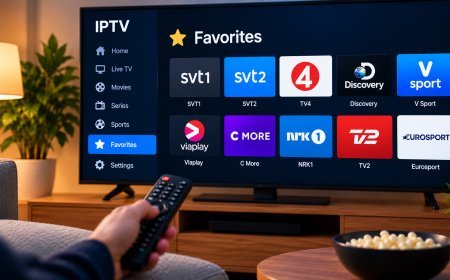
Use Favorites After Importing a Playlist
Once the IPTV connection is working, organization becomes important.
Large playlists can contain many channel groups.
Instead of browsing everything each time, create favorites containing the channels you actually watch.
A Nordic household might organize favorites around:
-
Swedish television
-
Nordic channels
-
Sports
-
News
-
Movies
-
Entertainment
-
Children's programming
This can make even a very large playlist easier to use.
Hide Unnecessary Categories
Some players allow users to hide channel groups they never use.
If your playlist contains many international categories, removing them from the main navigation can create a cleaner interface.
Do not permanently delete information unless you know it can be restored.
Hiding categories is often safer than removing them.
Use EPG Data With the Right Channels
A correctly configured EPG can make a playlist much easier to navigate.
However, guide information needs to match the corresponding channel.
If program listings appear beside the wrong channels, there may be an EPG mapping issue.
Some advanced IPTV players allow manual EPG assignment.
For most users, selecting a player that handles EPG matching automatically is simpler.
Consider Nordic IPTV Requirements
Viewers in Sweden and neighboring Nordic countries may want an IPTV setup that works across multiple languages, devices, and channel groups.
When researching Nordic-focused IPTV services and compatible connection methods, users may encounter Nordic IPTV King while comparing streaming options, device support, and setup information.
Regardless of the service selected, users should verify which connection format is supported before installing a player or purchasing additional hardware.
Do Not Confuse the Player With the Content Provider
An IPTV player is normally software used to display streams.
Installing an application does not necessarily provide television content.
Similarly, seeing an application support M3U or Xtream-compatible credentials does not mean the app itself operates the service.
Understanding this distinction makes IPTV setup much easier.
Use Legitimate Content Sources
M3U, portal systems, and account-based IPTV connections are technologies.
The connection method does not determine whether content is legally licensed.
Users should choose services with appropriate rights to distribute the channels and programming they offer.
Local copyright requirements and platform terms should also be respected.
Keep the IPTV Application Updated
Updates can improve compatibility with:
-
Playlist formats
-
EPG data
-
Login systems
-
Video codecs
-
Device operating systems
If a connection suddenly behaves differently after a device update, check whether the IPTV player also has an updated version available.
Test Before Switching Your Entire Setup
If you want to move from one IPTV player to another, test the new application first.
Check whether it correctly handles:
-
Login
-
Channel categories
-
EPG
-
Favorites
-
Subtitles
-
Audio tracks
-
Movies and series
A player may support the required connection format but still offer an interface you do not like.
Testing prevents unnecessary reconfiguration.
Troubleshooting a New IPTV Connection
When setting up a new connection, use a logical sequence.
Step 1: Confirm Internet Access
Make sure the device is online.
Step 2: Confirm the Connection Method
Check whether you should use M3U, account credentials, or a portal.
Step 3: Recheck the Details
Look for spelling errors, missing characters, or extra spaces.
Step 4: Restart the Player
Close and reopen the application.
Step 5: Restart the Device
Clear temporary software problems.
Step 6: Try Another Compatible Player
This can help determine whether the issue is application-specific.
Changing one variable at a time makes troubleshooting easier.
Which IPTV Connection Method Should You Choose?
The best connection method is usually the one your legitimate service officially supports and your preferred player handles reliably.
M3U offers broad compatibility. Account-based logins can provide convenient organization. Portal systems can work well with dedicated hardware.
None is automatically superior in every situation.
Device support, interface quality, EPG integration, security, and ease of use should all be considered.
Final Thoughts
M3U playlists, Xtream-compatible credentials, and portal connections are different ways of connecting an IPTV player to a compatible service.
Understanding how each method works makes it easier to choose the right application, configure devices correctly, and troubleshoot connection problems.
For Nordic viewers using Smart TVs, Android TV, Apple TV, computers, or mobile devices, compatibility should always come first. Use the connection details supplied by a legitimate provider, protect those credentials, organize channels after setup, and choose an IPTV player that offers the features you actually need.
What's Your Reaction?
 Like
0
Like
0
 Dislike
0
Dislike
0
 Love
0
Love
0
 Funny
0
Funny
0
 Angry
0
Angry
0
 Sad
0
Sad
0
 Wow
0
Wow
0